Getting Started10
Getting Started
1
INFO/MENU
FUNCTION
INFO/MENU
FUNCTION
INFO/MENU
FUNCTION
INFO/MENU
FUNCTION
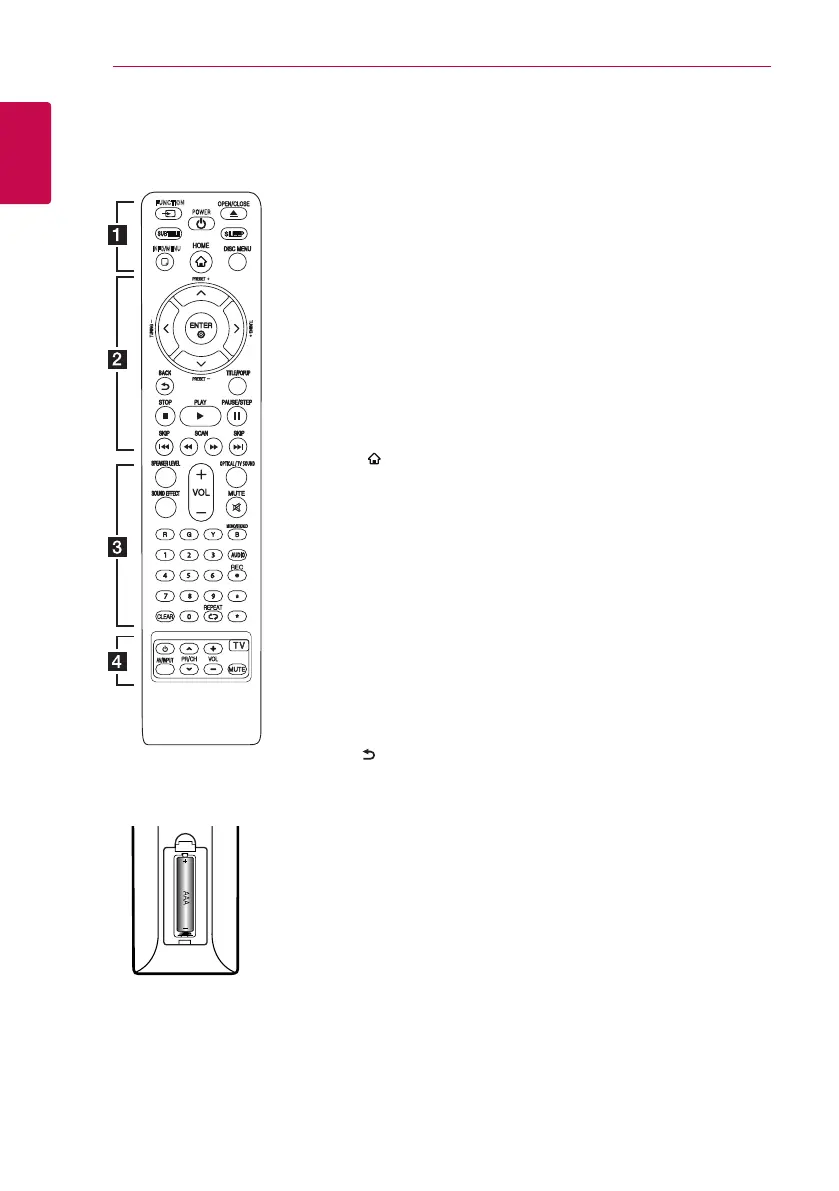
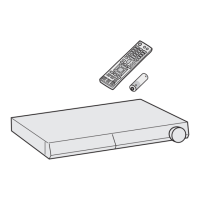
Battery Installation
Remove the battery cover on the
rear of the Remote Control, and
insert R03 (size AAA) battery with
4
and
5
matched correctly.
• • • • • •
a
• • • • • •
FUNCTION: Changes input mode.
SUBTITLE: Selects a subtitle
language.
1
(POWER): Switches the player
ON or OFF.
B
(OPEN/CLOSE): Ejects a disc.
SLEEP: Sets a certain period of
time after which the unit will
switch to o.
INFO/MENU (
m
): Displays or
exits On-Screen Display.
HOME ( ): Displays or exits the
[Home Menu].
DISC MENU: Accesses menu on a
disc.
• • • • • •
b
• • • • •
Direction buttons: Selects an
option in the menu.
PRESET +/-: Selects programme
of Radio.
TUNING +/-: Tunes in the desired
radio station.
ENTER (
b
): Acknowledges menu
selection.
BACK ( ): Exits the menu or
returns to the previous screen.
TITLE/POPUP: Displays the DVD
title menu or BD-ROM’s pop-up
menu, if available.
Z
(STOP): Stops playback.
z
(PLAY): Starts playback.
M
(PAUSE/STEP): Pauses
playback.
C/V
(SKIP): Goes to the
next or previous chapter / track /
le.
c/v
(SCAN): Searches
backward or forward.
• • • • • •
c
• • • • •
SPEAKER LEVEL: Sets the sound
level of desired speaker.
SOUND EFFECT: Selects a sound
eect mode.
VOL +/-: Adjusts speaker volume.
OPTICAL/ TV SOUND : Changes
input mode to optical directly.
MUTE: Mute the unit.
Colored (R, G, Y, B) buttons:
- Use to navigate BD-ROM menus.
They are also used as shortcut
buttons for specic menus.
- B button: Selects mono/ stereo
in FM mode.
0-9 numerical buttons: Selects
numbered options in a menu.
CLEAR: Removes a mark on the
search menu or a number when
setting the password.
REPEAT (
h
): Repeats a desired
section or sequence.
AUDIO: Selects an audio language
or audio channel.
X
(REC): Records from an Audio
CD, FM radio or AUX source to
USB.
?
: Marked button is not available.
• • • • • •
d
• • • • •
TV Control Buttons: See page
56.
Remote Control


 To Next Page