System Setting 23
System Setting
3
Settings
Adjust the setup settings
You can change the settings of the player in the
[Settings] menu.
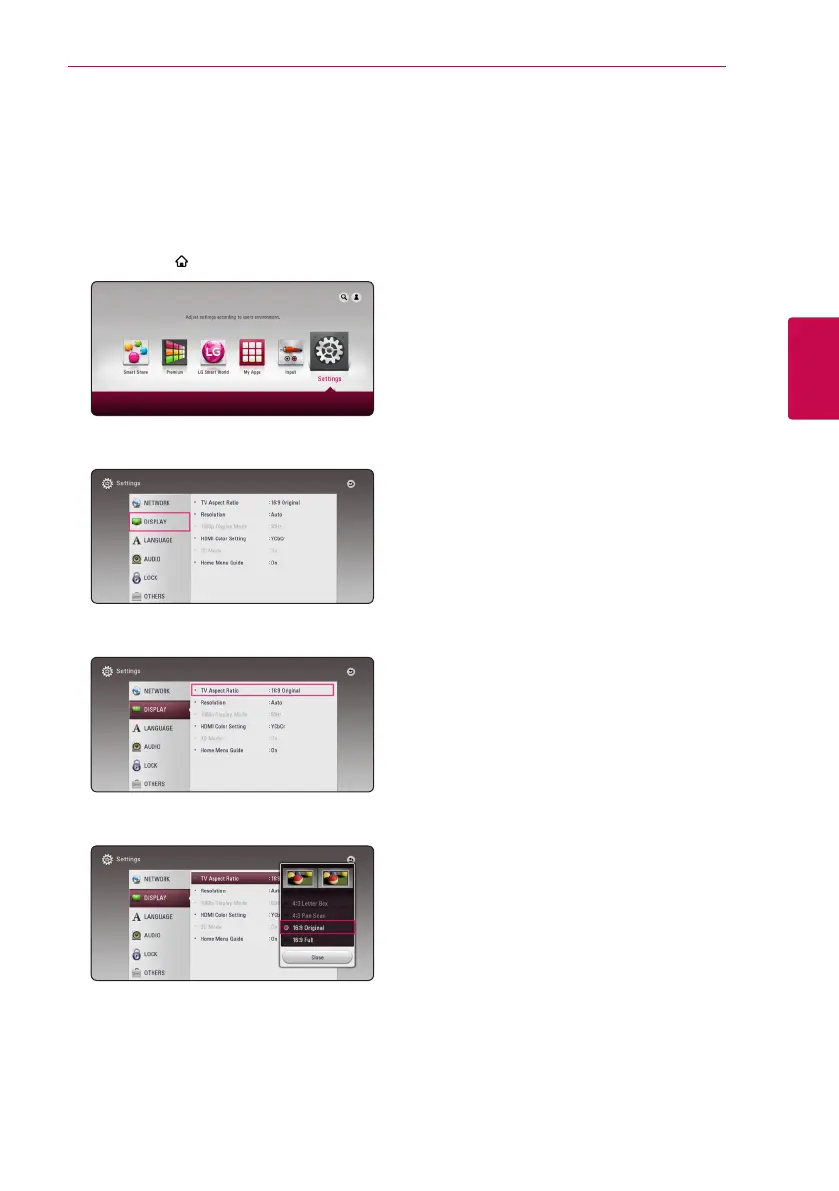
1. Press HOME ( ).
2. Use
A/D
to select the [Settings] and press
ENTER (
b
). The [Settings] menu appears.
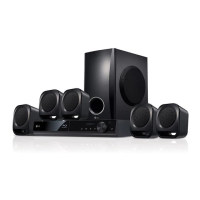
3. Use
W/S
to select the first setup option, and
press
D
to move to the second level.
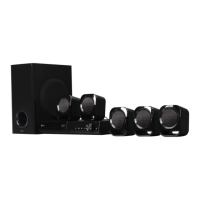
4. Use
W/S
to select a second setup option, and
press ENTER (
b
) to move to the third level.
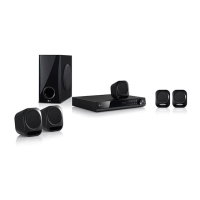
5. Use
W/S
to select a desired setting, and press
ENTER (
b
) to confirm your selection.


 To Next Page