19
Initial Setup
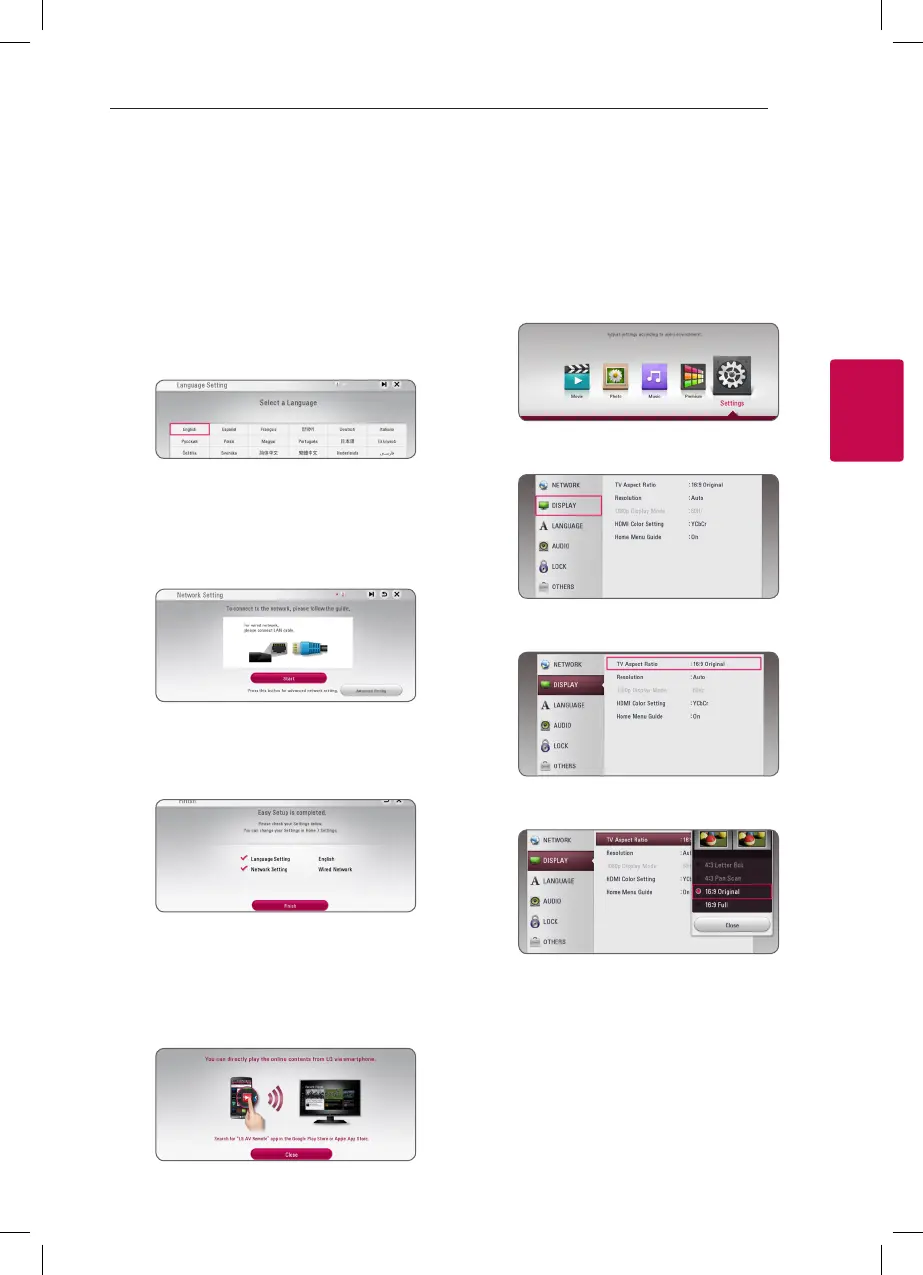
When you turn on the unit for the rst time, the
initial setup wizard appears on the screen. Set the
display language and network settings on the initial
setup wizard.
1. Press
1
(POWER).
The initial setup wizard appears on the screen.
2. Use
w/s/a/d
to select a display language
and press ENTER (
b
).
3. After checking the Terms of Service, select
[Agree] to use the Premium Service and SW
Updates.
Read and prepare the preparations for the
network settings and then press ENTER (
b
)
while [Start] is highlighted.
For details on network settings, refer to
“Connecting to your Home Network” on 16.
4. Check all the settings that you have set in the
previous steps.
Press ENTER (
b
) while [Finish] is highlighted
to finish the initial setup settings. If there is any
settings to be changed, use
w/s/a/d
to
select
1
and press ENTER (
b
).
5. Displays the guide to enjoy online contents
using LG AV Remote. Press ENTER (
b
).
Settings
Adjust the setup settings
You can change the settings of the player in the
[Settings] menu.
1. Press HOME (
1
).
2. Use
a/d
to select the [Settings] and press
ENTER (
b
). The [Settings] menu appears.
3. Use
w/s
to select the first setup option, and
press
d
to move to the second level.
4. Use
w/s
to select a second setup option, and
press ENTER (
b
) to move to the third level.
5. Use
w/s
to select a desired setting, and press
ENTER (
b
) to confirm your selection.



 To Next Page