35
On-Screen Display
You can display and adjust various information and
settings about the content.
To control video playback
eroy
You can control playback and set options while
watching videos.
During playback, press INFO/MENU (
m
).
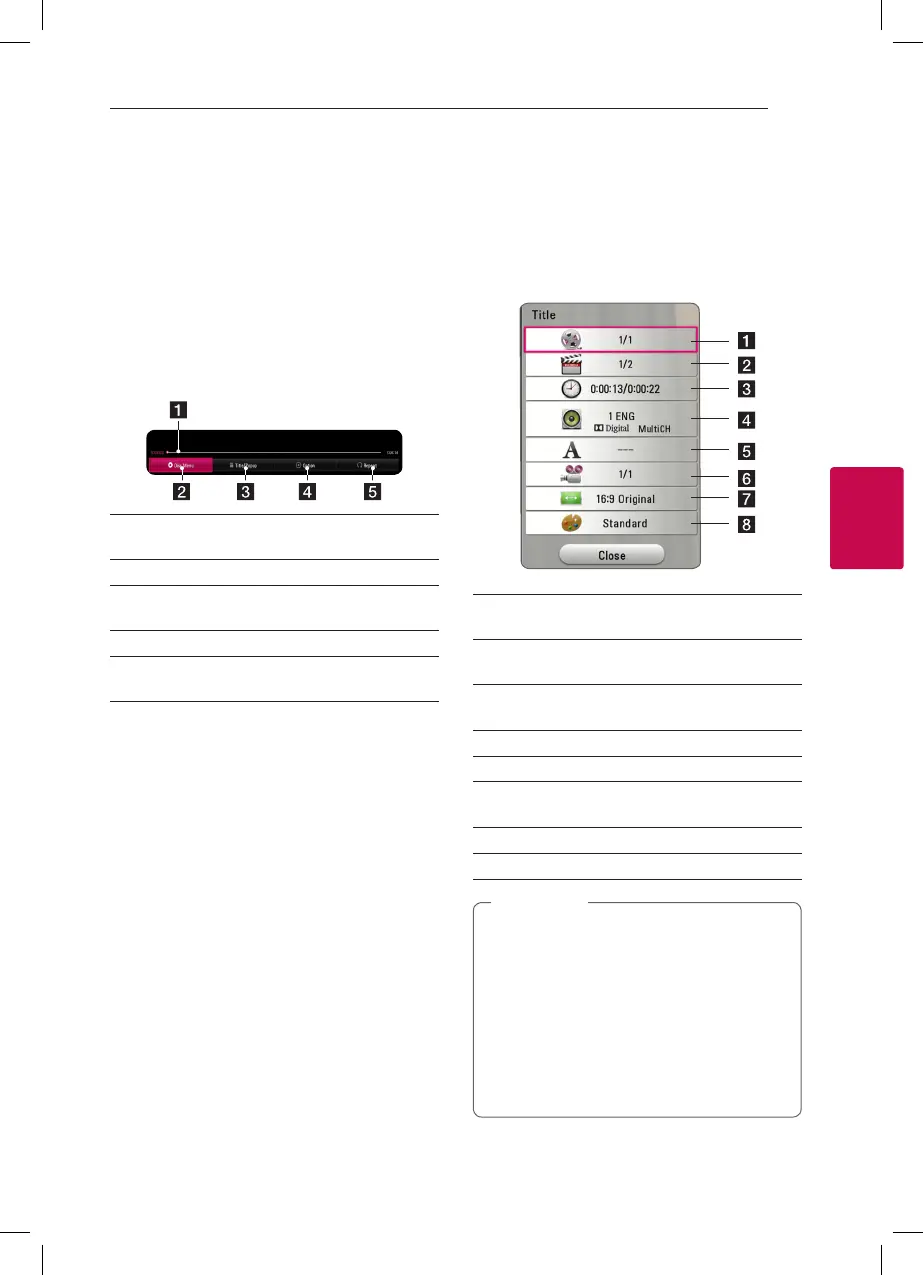
a Progress bar - Displays the current position
and total playing time.
b [Disc Menu] - Accesses menu on a disc.
c [Title/Popup] - Displays the DVD title menu
or BD-ROM’s pop-up menu, if available.
d [Option] - Displays playback information.
e [Repeat] - Repeats a desired section or
sequence. (page 37)
Displaying content information on-
screen
eroy
1. During playback, press INFO/MENU (
m
).
2. Select [Option] using
a/d
, and press ENTER
(
b
).
a Title – Current title number/total number of
titles.
b Chapter – Current chapter number/total
number of chapters.
c Time – Elapsed playing time/total playback
time.
d Audio – Selected audio language or channel.
e Subtitle – Selected subtitle.
f Angle – Selected angle/total number of
angles.
g TV Aspect Ratio – Selected TV aspect ratio.
h Picture Mode – Selected picture mode.
y
If no button is pressed for a few seconds,
the on-screen display disappears.
y
A title number cannot be selected on some
discs.
y
Available items may dier depending on
discs or titles.
y
If an interactive Blu-ray Disc is playing back,
some setting information is displayed on
the screen but prohibited to be changed.
,
Note



 To Next Page