12
Appendix
3
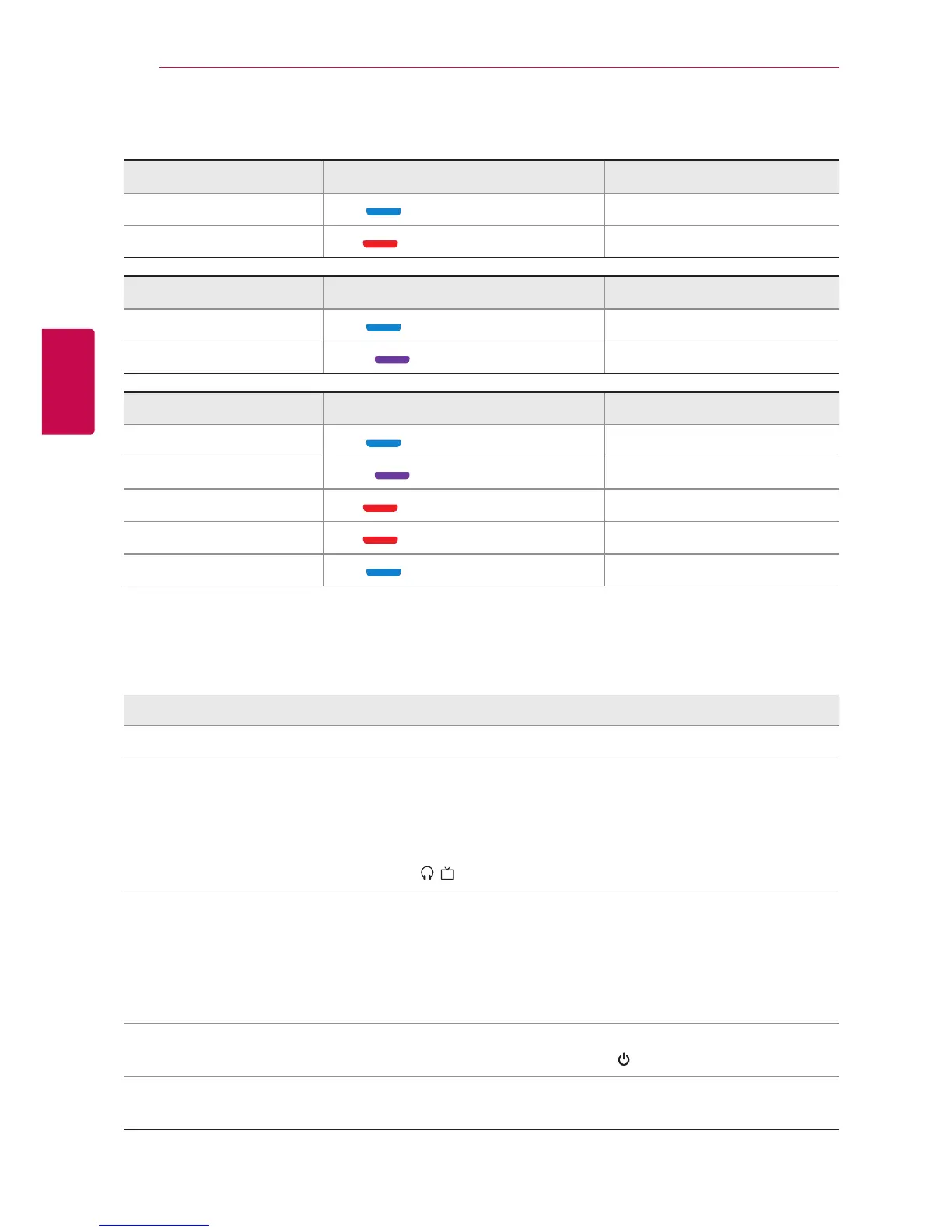
LED Indications and Voice Information
Power LED indicator Voice information
On
Blue - Blinks four times.
Power on
O
Red - Blinks four times.
Power o
Performance LED indicator Voice information
Ready to pair
Blue - Turned on.
Discovering
Connected
Violet - Blinks twice.
Your device is connected
Battery LED indicator Voice information
High (more than 60%)
Blue - Blinks.
Battery high
Medium (more than 20%)
Violet - Blinks.
Battery medium
Low (less than 20%)
Red - Blinks.
Battery low
Charging
Red - Turned on.
-
Charged
Blue - Turned on.
-
Troubleshooting
Symptom Cause & Solution
No power.
y
The battery is discharged. Recharge the battery.
Bluetooth pairing does not
work well.
y
Be sure your Bluetooth device is on.
y
Remove the obstacle in the path of the Bluetooth device and the
device.
y
Depending on the type of the Bluetooth device or surrounding
environment, your device may not be paired with the device.
y
Check ı switch selection switch.
No sound or sound distortion.
y
The volume of this device or your Bluetooth device is set to
minimum.
y
When you use the other device at high volume, the sound quality
may be deteriorated. Lower the volume of the devices.
y
If you use this device for purposes other than listening to music, the
sound quality may be lowered or the unit may not work properly.
Can not connect a call with the
device.
y
Make sure your phone supports the Bluetooth
®
prole.
y
Check the battery status by pressing button twice.
The device does not operate
normally.
y
Please contact customer service.













 To Next Page