EasyManua.ls Logo

LG GHD30 - Humidity Controller

LG GHD30
25 pages
Print Icon
To Next Page IconTo Next Page
To Previous Page IconTo Previous Page
Loading...
1.5.5
HUMIDITY
CONTROLLER
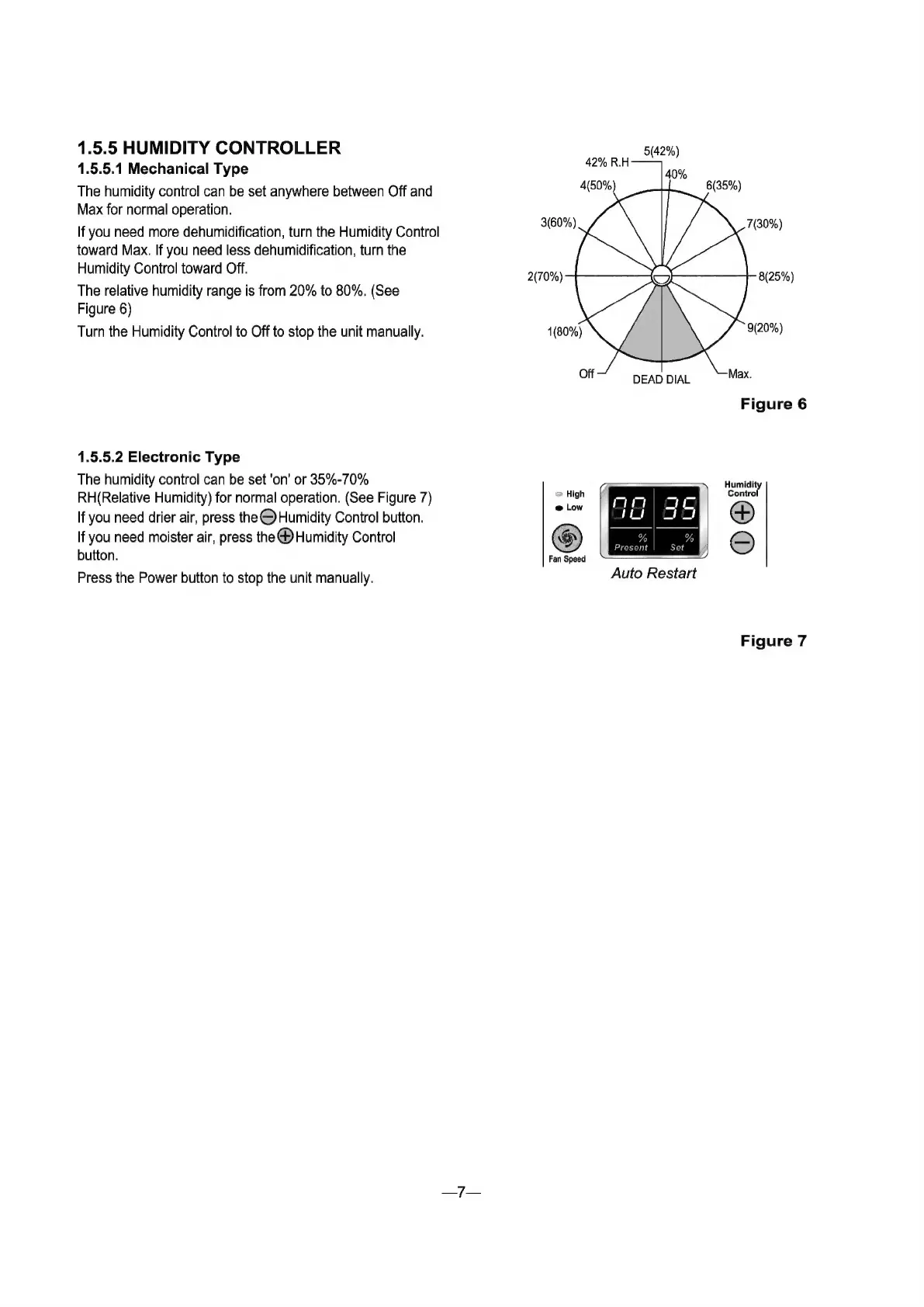
1.5.5.1
Mechanical
Type
The
humidity
control
can
be
set
anywhere
between
Off
and
Max
for
normal
operation.
If
you
need
more
dehumidification,
turn
the
Humidity
Control
toward
Max.
If
you
need
less
dehumidification,
turn
the
Humidity
Control
toward
Off.
The
relative
humidity
range
is
from
20%
to
80%.
(See
Figure
6)
Turn
the
Humidity
Control
to
Off
to
stop
the
unit
manually.
1.5.5.2
Electronic
Type
The
humidity
control
can
be
set
"оп"
ог
35%-70%
RH(Relative
Humidity)
for
normal
operation.
(See
Figure
7)
זו󰾯
you
need
drier
air,
press
the
©
Humidity
Control
button.
If
you
need
moister
air,
press
the
®
Humidity
Control
button.
Press
the
Power
button
to
stop
the
unit
manually.
.
7
High
е
Low
Fan
Speed
5(42%)
42%
RH——
4
Auto
Restart
Figure
6
Humidity
Control
©
Figure
7

Related product manuals