EasyManua.ls Logo

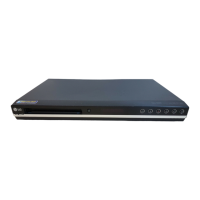
LG HDR676X - User Manual

LG HDR676X
109 pages
Print Icon
To Next Page IconTo Next Page
Loading...
HDD/DVD RECORDER
SERVICE MANUAL
MODELS : HDR676X/RH1757/RH177/
RH1858/RH188/RH188H/
MODELS : HDR676X/RH1757/RH177/RH1858/RH188/RH188HSERVICE MANUAL
CAUTION
BEFORE SERVICING THE UNIT, READ THE “SAFETY PRECAUTIONS”
IN THIS MANUAL.

Table of Contents

Questions and Answers

  • S
    Sabrina MyersSep 8, 2025
    What to do if there is no picture on my LG Hdd/dvd recorder?
    • J
      James RojasSep 8, 2025
      If you're not getting a picture on your LG Hdd/dvd recorder, consider these potential causes: * The recorder might be set to TV/DVD mode. Press TV/DVD on the remote to select DVD mode. * The TV might not be set to receive the recorder's signal. Select the correct video input mode on your TV. * The video cable might not be securely connected. Ensure the video cable is properly connected. * The TV might be turned off. Turn on the TV.
  • D
    David SanchezAug 23, 2025
    Is F101 normal on an LG DVD Recorder?
    • T
      Tyler LaraAug 23, 2025
      The manual indicates that F101 is not normal for the LG DVD Recorder.
  • W
    Wendy WarrenAug 25, 2025
    Is BD101 normal for the LG DVD Recorder?
    • D
      Danielle ElliottAug 25, 2025
      According to the manual, BD101 is not a normal state for the LG DVD Recorder.
  • C
    Carlos RodriguezAug 26, 2025
    Is TH01 normal on the LG HDR676X DVD Recorder?
    • C
      cwebsterAug 27, 2025
      The manual suggests that TH01 is not normal for the LG DVD Recorder.
  • J
    John KirkAug 27, 2025
    Is D128 normal on an LG HDR676X?
    • G
      Glenda MartinAug 27, 2025
      The manual indicates that D128 is not normal for the LG DVD Recorder.
  • B
    Brett MillerSep 22, 2025
    How to fix channels being skipped on my LG Hdd/dvd recorder?
    • K
      kgoodwinSep 22, 2025
      If channels are being skipped when using PR/CH (+/-) on your LG Hdd/dvd recorder, it's possible that those channels are not stored in the recorder. Restore channels.
  • J
    Jacob Wright Jr.Sep 16, 2025
    Why is the camcorder image not showing on my LG Hdd/dvd recorder?
    • J
      jacksonheatherSep 16, 2025
      If the camcorder image is not showing on your LG Hdd/dvd recorder, check that the camcorder is turned on and operating properly. Also, ensure that you've selected the correct input channel (AV1, AV2, DV, etc.) using the AV/INPUT button.
  • S
    Shaun LewisSep 18, 2025
    Why is the playback picture quality poor on my LG Hdd/dvd recorder?
    • S
      Shawn CannonSep 18, 2025
      If the playback picture quality is poor on your LG Hdd/dvd recorder, the disc may be dirty. Clean the disc.
  • D
    Debra ThompsonSep 7, 2025
    How to fix no power on my LG Hdd/dvd recorder?
    • K
      kporterSep 7, 2025
      If your LG Hdd/dvd recorder has no power, the power cord may be disconnected. Ensure the power cord is securely plugged into the wall outlet.
  • R
    Randall TateSep 4, 2025
    Is D127 normal on an LG HDR676X DVD Recorder?
    • T
      Theresa Henry DDSSep 4, 2025
      The manual indicates that D127 is not normal for the LG DVD Recorder.

LG HDR676X Specifications

General IconGeneral
DVD RecordingYes
DVD PlaybackYes
HDD Capacity160 GB
TV TunerYes
Video Recording SystemMPEG2
TypeDVD Recorder with HDD
Disc TypesDVD+R, DVD+RW, DVD-R, DVD-RW
Playback FormatsDVD-Video
Audio Recording SystemDolby Digital
ConnectionsHDMI, Component, Composite, S-Video, SCART

Related product manuals