Operating
44
Operating
4
Timer Recording (EPG)
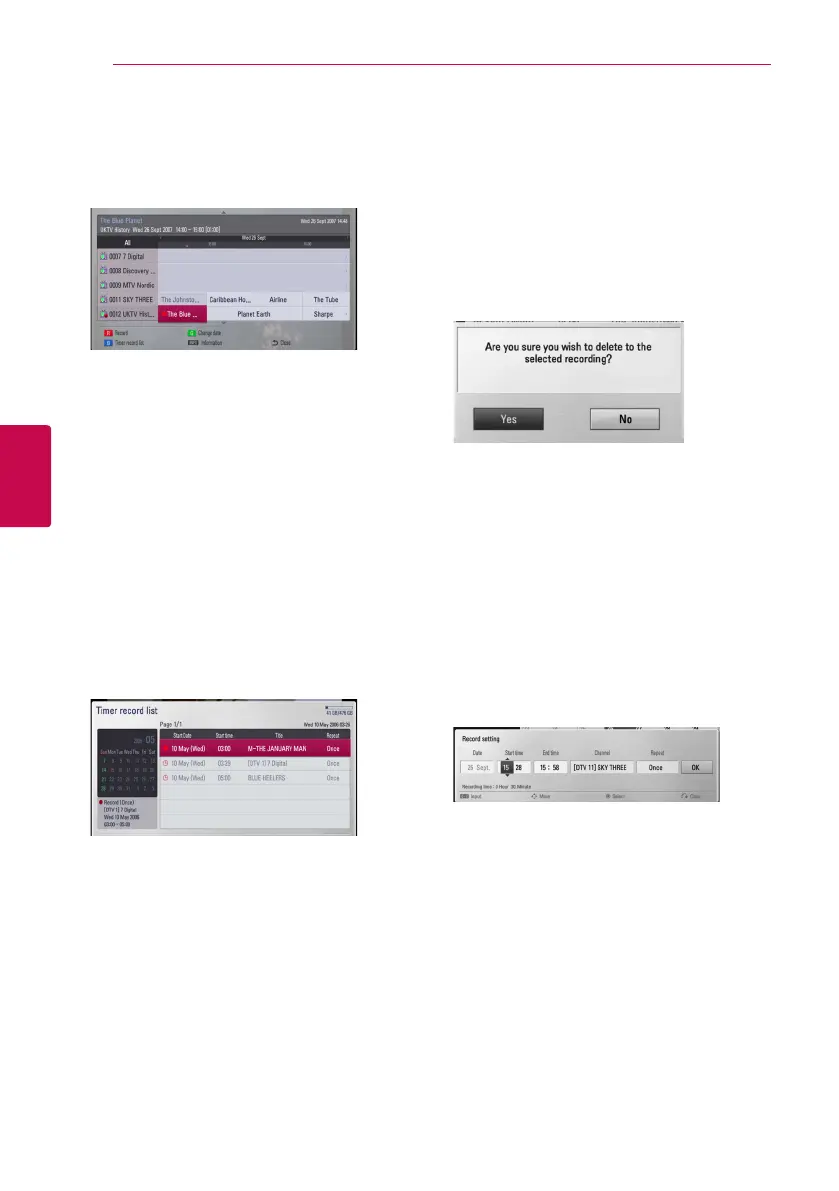
You can also set the timer based on the information
provided by the EPG.
1. While watching TV, press GUIDE.
2. Use
A/D
to select date field, and select the
date of recording schedule using
W/S
.
3. Use
A/D
to select programme field, and set
the programme using
W/S
.
4. Use
A/D
to select the programme list, and
select a programme you want to record using
W/S
.
5 Press the red (R) coloured button.
For the successfully scheduled programme, a
red bullet mark appears.
A red bullet mark may not appear for inavailable
programme to record.
6. Press BACK (
1
) to return to the TV viewing.
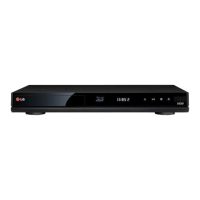
7. Press TIMER REC, and check whether the
schedule is registered properly or not.
Canceling a timer recording
You can cancel a timer recording before the timer
recording actually starts.
1. While watching TV, press TIMER REC.
2. Press the red (R) coloured (R) button.
3. Use
A/DW/S
to select a schedule you want
to cancel.
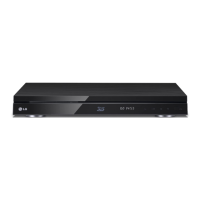
4. Use
W/S
to select [Timer Record List], and
press the green (G) coloured button.
Select [No] and press ENTER (
b
) to cancel.
Select [Yes] and press ENTER (
b
) to delete
selected schedules (selected recording).
Editing a timer recording
You can edit a pre-scheduled timer recording
before the timer recording actually starts.
1. While watching TV, press TIMER REC.
2. Press the red (R) coloured button.
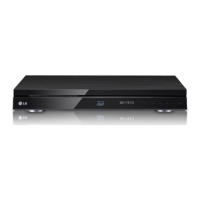
3. Press ENTER (
b
) to display the [Record setting]
menu.
4. Follow the steps 3-5 from “Timer Recording
(Manual)” on page 43 to complete the editing.



 To Next Page