Operating
64
Operating
4
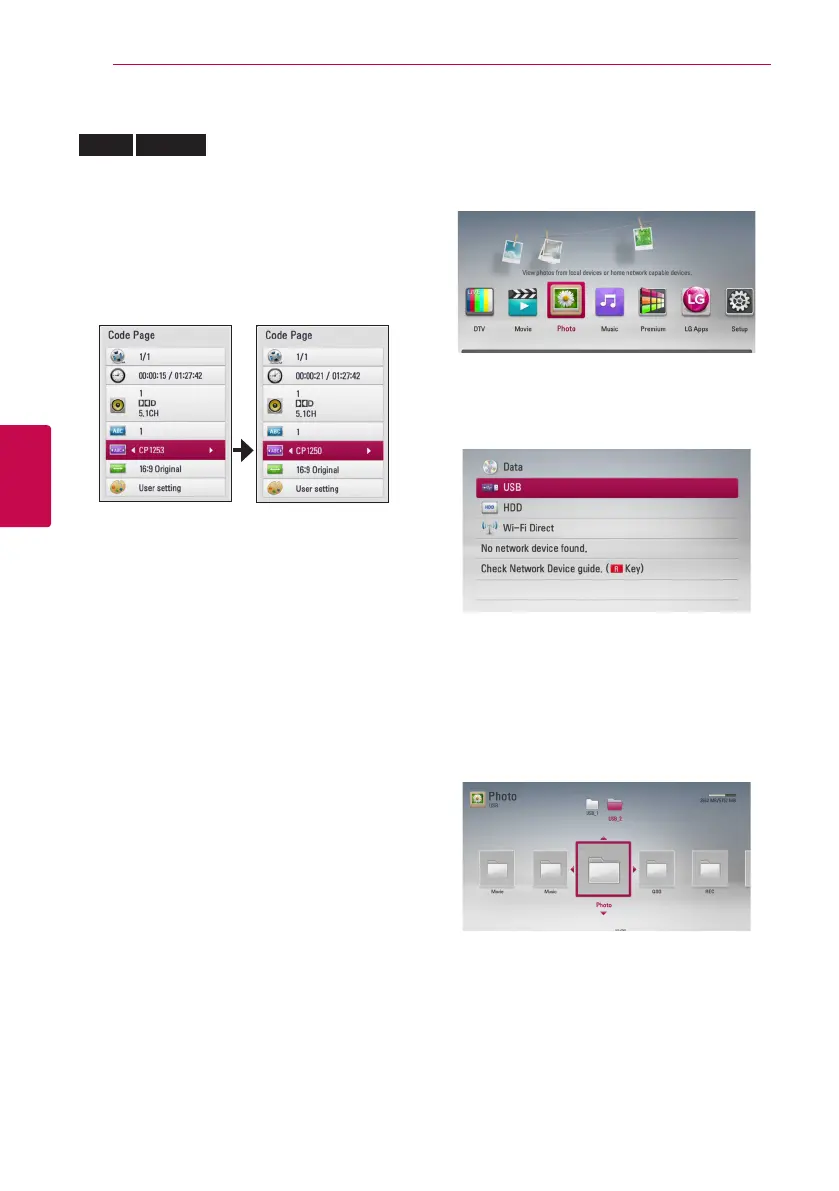
Changing subtitle code page
MOVIE
MOVIE-N
If the subtitle is not displayed properly, you can
change the subtitle code page to view the subtitle
le properly.
1. During playback, press INFO/MENU (
m
) to
display the On-Screen display.
2. Use
W/S
to select the [Code Page] option.
3. Use
A/D
to select desired code option.
4. Press BACK (
1
) to exit the On-Screen display.
Viewing a photo
You can view photo les using this player.
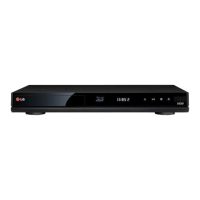
1. Press HOME (
n
).
2. Select [Photo] using
A/D
, and press ENTER
(
b
).
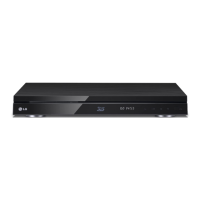
3. Select [Disc], [USB] or [HDD] option using
W/
S
, and press ENTER (
b
).
This step is needed only when a disc or a USB
device is connected on this unit.
While navigating [Movie], [Photo] or [Music]
menu, press green (G) coloured button to change
the device. (DISC, USB or HDD)
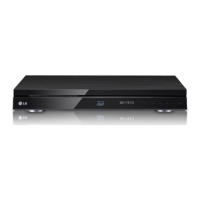
4. Select a le using
W/S/A/D
, and press
ENTER (
b
) to view the photo in full screen.



 To Next Page