EasyManua.ls Logo

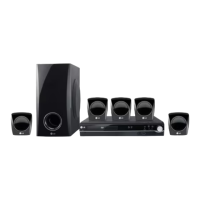
LG HT302SD-A2 - User Manual

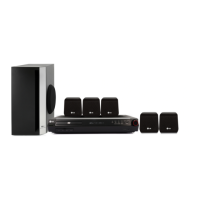
LG HT302SD-A2
24 pages
Print Icon
To Next Page IconTo Next Page
Loading...
DVD/CD RECEIVER
OWNER’S MANUAL
MODEL: HT302SD
HT302SD-A2
SH32SD-S, SH32SD-W
Before connecting, operating or adjusting this product,
please read this instruction booklet carefully and
completely.
HT302SD-A2_JA4AILA_ENG_5822
R
USB

Other manuals for LG HT302SD-A2

Questions and Answers

  • A
    Andrew HendersonAug 28, 2025
    What to do if there is no sound from LG Home Theater System?
    • W
      Wanda GardnerAug 28, 2025
      If you're experiencing no sound or very low sound from your LG Home Theater System, ensure the equipment connected with the audio cable is set to receive DVD audio signal output. Also, check that the audio cables are securely connected and that the connected equipment is turned on. If the issue persists, the audio connecting cable may be damaged and needs replacement.
  • Z
    Zachary RomeroAug 31, 2025
    How to fix loud hum or noise heard from LG HT302SD-A2 Receiver?
    • S
      Stephanie MorenoAug 31, 2025
      If you are hearing a loud hum or noise, start by cleaning the disc. Then, make sure the speakers and components are securely connected. Finally, try moving the TV away from the audio components, as the LG DVD/CD Receiver may be located too close to the TV.
  • G
    gregorymaynardAug 31, 2025
    Why is there no sound from my LG Receiver, or is it very quiet?
    • K
      kristenbairdAug 31, 2025
      If you're not getting any sound, or the sound is very low, first check that the equipment connected with the audio cable is set to receive the DVD audio signal output. Also, make sure the audio cables are securely connected. Verify that the equipment connected with the audio cable is turned on. If the problem persists, the audio connecting cable may be damaged and need to be replaced.
  • M
    marissamasseyAug 30, 2025
    What to do if my LG Receiver remote control does not work?
    • M
      mcdanielcrystalAug 30, 2025
      If the remote control isn't working, make sure it's pointed directly at the remote sensor on the LG DVD/CD Receiver. Also, ensure you are within 23 ft (7 m) of the receiver. Remove any obstacles between the remote and the receiver. If it still doesn't work, replace the batteries with new ones.
  • R
    Rhonda CarterAug 30, 2025
    How to troubleshoot LG HT302SD-A2 remote control not working?
    • A
      amillerAug 30, 2025
      If the remote control isn't working properly with your LG Receiver, try these steps: * Point the remote directly at the remote sensor on the DVD/CD Receiver. * Ensure you're using the remote within a range of about 23 ft (7 m). * Remove any obstacles between the remote and the DVD/CD Receiver. * Replace the batteries in the remote with new ones.
  • M
    Michael SummersAug 29, 2025
    How to fix LG Receiver when there is no sound?
    • P
      Peter VazquezAug 30, 2025
      If you're experiencing sound issues with your LG Receiver, ensure that the equipment connected with the audio cable is set to receive the DVD audio signal output by selecting the correct input mode on the receiver. Check that the audio cables are securely connected. Make sure that the connected equipment is turned on and the audio connecting cable is not damaged; replace it if necessary.
  • J
    Jordan LyonsAug 29, 2025
    What to do if nothing is displayed on the front panel display of my LG Home Theater System?
    • G
      george83Aug 29, 2025
      To resolve this, press DIMMER on the remote control.
  • J
    Jacob BarnettAug 29, 2025
    Why is there no sound from my LG Home Theater System, or why is the sound very low?
    • D
      Dr. Jon SmithAug 29, 2025
      If you're experiencing no sound or very low sound, there are a few potential causes. First, ensure the equipment connected with the audio cable is set to receive the DVD audio signal output by selecting the correct input mode on the receiver. Second, check that the audio cables are securely connected. Third, verify that the equipment connected with the audio cable is turned on. Finally, the audio connecting cable may be damaged, and you should try replacing it.
  • J
    Jeffrey KellyAug 28, 2025
    What to do if my LG Home Theater System remote control does not work properly?
    • A
      andersonbarbaraAug 28, 2025
      If the remote control isn't working correctly, ensure that it is pointed at the remote sensor on the DVD/CD Receiver and that you are within a 23 ft (7 m) range. Also, check for any obstacles between the remote and the receiver. If the issue persists, replace the batteries with new ones.
  • E
    Elizabeth RussellAug 28, 2025
    How to stop loud hum or noise from LG Home Theater System?
    • W
      William EllisAug 28, 2025
      If you hear a loud hum or noise from your LG Home Theater System, clean the disc first. Then, ensure the speakers and components are securely connected. If the problem persists, try moving the TV away from the audio components.

LG HT302SD-A2 Specifications

General IconGeneral
TypeHome Theater System
Audio Channels5.1
Total Power Output300W
HDMI Inputs1
USB PortYes
BluetoothNo
DTS DecoderYes
Dolby Digital DecoderYes
DVD PlayerYes
Video Up-ScalingYes
Playback FormatsDVD, CD, MP3, WMA, JPEG
OutputsHDMI
Audio FormatsMP3, WMA
InputsHDMI, USB

Related product manuals