EasyManua.ls Logo

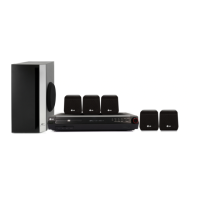
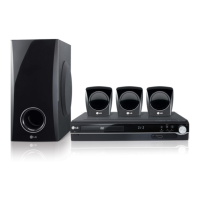
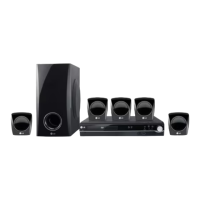
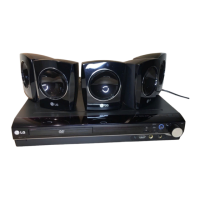
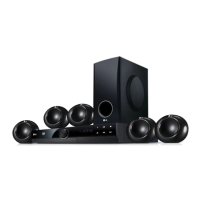
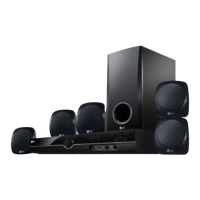
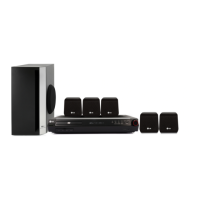
LG HT302SD-A2 - User Manual

LG HT302SD-A2
24 pages
Print Icon
To Next Page IconTo Next Page
Loading...
DVD/CD RECEIVER
OWNER’S MANUAL
MODEL: HT302SD
HT302SD-A2
SH32SD-S, SH32SD-W
Before connecting, operating or adjusting this product,
please read this instruction booklet carefully and
completely.
HT302SD-A2_JA4AILA_ENG_5822
R
USB

Other manuals for LG HT302SD-A2

Questions and Answers

  • A
    Aaron LeeSep 4, 2025
    How to fix LG Receiver when radio stations cannot be tuned in?
    • J
      Jeffrey CowanSep 4, 2025
      If you're having trouble tuning in radio stations on your LG Receiver: * Ensure the antenna is securely connected. * If the signal strength is weak, try tuning in the station manually. * If no stations have been preset or preset stations have been cleared, preset the stations.
  • A
    Anthony CarterSep 7, 2025
    What to do if my LG Receiver power is on but it doesn't work?
    • R
      Ronald HaysSep 7, 2025
      If the power is on but the receiver isn't working, insert a disc and check that the DVD or audio CD indicator in the DVD display is lit.
  • T
    Thomas RamirezSep 7, 2025
    Why can't I tune into radio stations on my LG HT302SD-A2?
    • A
      Amanda DavisSep 7, 2025
      If you cannot tune into radio stations, ensure the antenna is securely connected. If the signal strength is weak, try tuning in the station manually. If stations have been cleared or not preset, preset the stations.
  • S
    sheila56Sep 6, 2025
    How to eliminate loud humming noise from my LG HT302SD-A2?
    • T
      Tara RobertsSep 7, 2025
      If you hear a loud hum or noise, clean the disc first. Then, make sure the speakers and components are securely connected. If the receiver is too close to the TV, move the TV away from the audio components.
  • J
    James SmithSep 6, 2025
    How to troubleshoot no power on my LG HT302SD-A2?
    • D
      Destiny HolmesSep 6, 2025
      If there's no power, make sure the power cord is securely plugged into the wall outlet.
  • S
    Shannon GonzalesSep 6, 2025
    How to fix no picture on my LG HT302SD-A2 Receiver?
    • R
      reynoldserinSep 6, 2025
      If there's no picture, first ensure that your TV is set to receive the output from the DVD/CD Receiver. Check that the video cable is securely connected. Also, verify that the connected TV is turned on.
  • D
    Daniel PatelSep 5, 2025
    What to do if there is no sound from my LG Receiver?
    • K
      Kyle AcostaSep 6, 2025
      If you're experiencing no sound or very low sound, ensure the equipment connected with the audio cable is set to receive DVD audio. Check that the audio cables are securely connected. Verify that the connected equipment is powered on. If the audio connecting cable is damaged, replace it.
  • S
    stephenkingSep 5, 2025
    How to adjust the brightness of the front panel display on my LG HT302SD-A2 Receiver?
    • T
      traviscohenSep 5, 2025
      To adjust the brightness of the front panel display on your LG Receiver, press DIMMER on the remote control.
  • A
    Angie ShawSep 5, 2025
    Why is the playback picture quality poor on my LG Receiver?
    • L
      Lisa HancockSep 5, 2025
      If the playback picture quality is poor on your LG Receiver, the disc may be dirty. Clean the disc to improve the picture quality.
  • C
    craig36Sep 4, 2025
    Why is my LG Receiver not working even though the power is on?
    • C
      Catherine SanchezSep 4, 2025
      If your LG Receiver has power but isn't working, it might be because no disc is inserted. Insert a disc and check that the DVD or audio CD indicator in the DVD display is lit.

LG HT302SD-A2 Specifications

General IconGeneral
TypeHome Theater System
Audio Channels5.1
Total Power Output300W
HDMI Inputs1
USB PortYes
BluetoothNo
DTS DecoderYes
Dolby Digital DecoderYes
DVD PlayerYes
Video Up-ScalingYes
Playback FormatsDVD, CD, MP3, WMA, JPEG
OutputsHDMI
Audio FormatsMP3, WMA
InputsHDMI, USB

Related product manuals