EasyManua.ls Logo

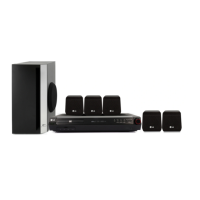
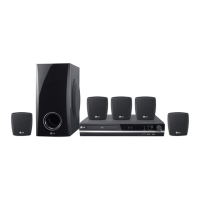
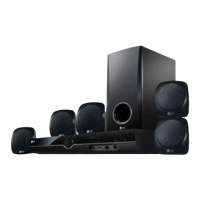
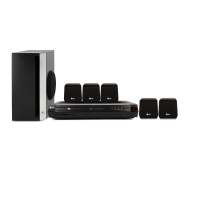
LG HT352SD-A0 - User Manual

LG HT352SD-A0
24 pages
Print Icon
To Next Page IconTo Next Page
Loading...
R
DVD/CD RECEIVER
OWNER’S MANUAL
MODEL: HT352SD
HT352SD-A0
SH32SD-S, SH32SD-W
Before connecting, operating or adjusting this product,
please read this instruction booklet carefully and
completely.
HT352SD-A0_NA3ULLA_ENG_87
USB

Questions and Answers

  • C
    Cynthia RobinsonAug 28, 2025
    How to stop loud hum or noise from LG Home Theater System?
    • S
      shannonmillerAug 28, 2025
      If you hear a loud hum or noise from your LG Home Theater System, clean the disc first. Then, ensure the speakers and components are securely connected. If the problem persists, try moving the TV away from the audio components.
  • K
    Kathleen SmithAug 28, 2025
    What to do if there is no sound from LG Home Theater System?
    • S
      Stacy GalvanAug 28, 2025
      If you're experiencing no sound or very low sound from your LG Home Theater System, ensure the equipment connected with the audio cable is set to receive DVD audio signal output. Also, check that the audio cables are securely connected and that the connected equipment is turned on. If the issue persists, the audio connecting cable may be damaged and needs replacement.
  • A
    Andrew WadeAug 27, 2025
    Why is there no picture on my LG Home Theater System?
    • H
      hernandezrodneyAug 27, 2025
      If there is no picture on your LG Home Theater System, first, ensure that your TV is set to the correct video input mode to receive the DVD signal. Next, check that the video cable is securely connected. Finally, verify that the TV is powered on.
  • B
    brownkendraSep 6, 2025
    How to fix no picture on my LG HT352SD-A0?
    • M
      markjamesSep 6, 2025
      If there's no picture, first ensure that your TV is set to receive the output from the DVD/CD Receiver. Check that the video cable is securely connected. Also, verify that the connected TV is turned on.
  • R
    rick02Sep 8, 2025
    Why can't my LG Home Theater System tune in radio stations?
    • D
      Dawn PhillipsSep 9, 2025
      If you're unable to tune in radio stations, first, ensure the antenna is securely connected. If you're using automatic tuning, the signal strength may be too weak, so try tuning in the station manually. If tuning by scanning preset stations, you may need to preset the stations.
  • S
    Susan PetersonSep 12, 2025
    What to do if the LG HT352SD-A0 remote control does not work?
    • P
      Phyllis UnderwoodSep 12, 2025
      If the LG Receiver's remote control isn't working, make sure you're pointing it directly at the receiver's remote sensor and are within 23 ft (7 m). Remove any obstacles between the remote and the receiver. If it still fails, try replacing the batteries with new ones.
  • K
    Kent TurnerSep 15, 2025
    Why is the playback picture poor on my LG HT352SD-A0?
    • V
      Victoria GarciaSep 15, 2025
      A poor playback picture can be caused by several factors. First, try cleaning the disc. Ensure a disc is inserted and that it is a playable disc. Make sure the disc is placed with the playback side down and correctly within the guide on the disc tray. If a menu is on the TV screen, press the SETUP button to turn it off. Also, check if the Rating level is set, and if so, cancel the Rating function or change the rating level.
  • J
    Jonathan CochranSep 23, 2025
    Why can't I tune in radio stations on my LG Karaoke System?
    • A
      andrewstricklandSep 23, 2025
      If you're having trouble tuning in radio stations on your LG Karaoke System, there are a few possible causes: * The antenna might be poorly positioned or connected. Ensure the antenna is securely connected. * The signal strength of the stations might be too weak. Try tuning in the station manually. * No stations might have been preset, or preset stations might have been cleared.
  • C
    Cindy ThomasAug 26, 2025
    Why is my LG HT352SD-A0 Receiver remote control not working?
    • M
      mark60Aug 26, 2025
      If the remote control isn't working properly, ensure it's pointed at the receiver's remote sensor and is within 23 ft (7 m). Remove any obstacles between the remote and the receiver. Also, check the batteries and replace them if necessary.
  • N
    Nicholas KnightAug 25, 2025
    Why is my LG HT352SD-A0 Receiver remote control not working properly?
    • M
      Mr. Jose BeckerAug 26, 2025
      If the remote control for your LG Receiver isn't working, it could be due to several reasons: * Make sure that the remote control is pointed at the remote sensor on the DVD/CD Receiver. * Ensure you are within about 23 ft (7 m) of the DVD/CD Receiver. * Remove any obstacles between the remote control and the DVD/CD Receiver. * The batteries in the remote control might be flat, replace them with new ones.

LG HT352SD-A0 Specifications

General IconGeneral
USB Ports1
Audio Formats SupportedDolby Digital, DTS
USB PlaybackYes (MP3, WMA, JPEG)
TypeHome Theater System
Number of Channels5.1
DVD PlayerYes
Supported MediaDVD, CD, MP3, WMA
InputsAudio Input (RCA), FM Antenna Input, USB
Remote ControlYes
Dimensions (W x H x D)360 x 315 mm

Related product manuals