7
ENGLISH
Wireless Receiver
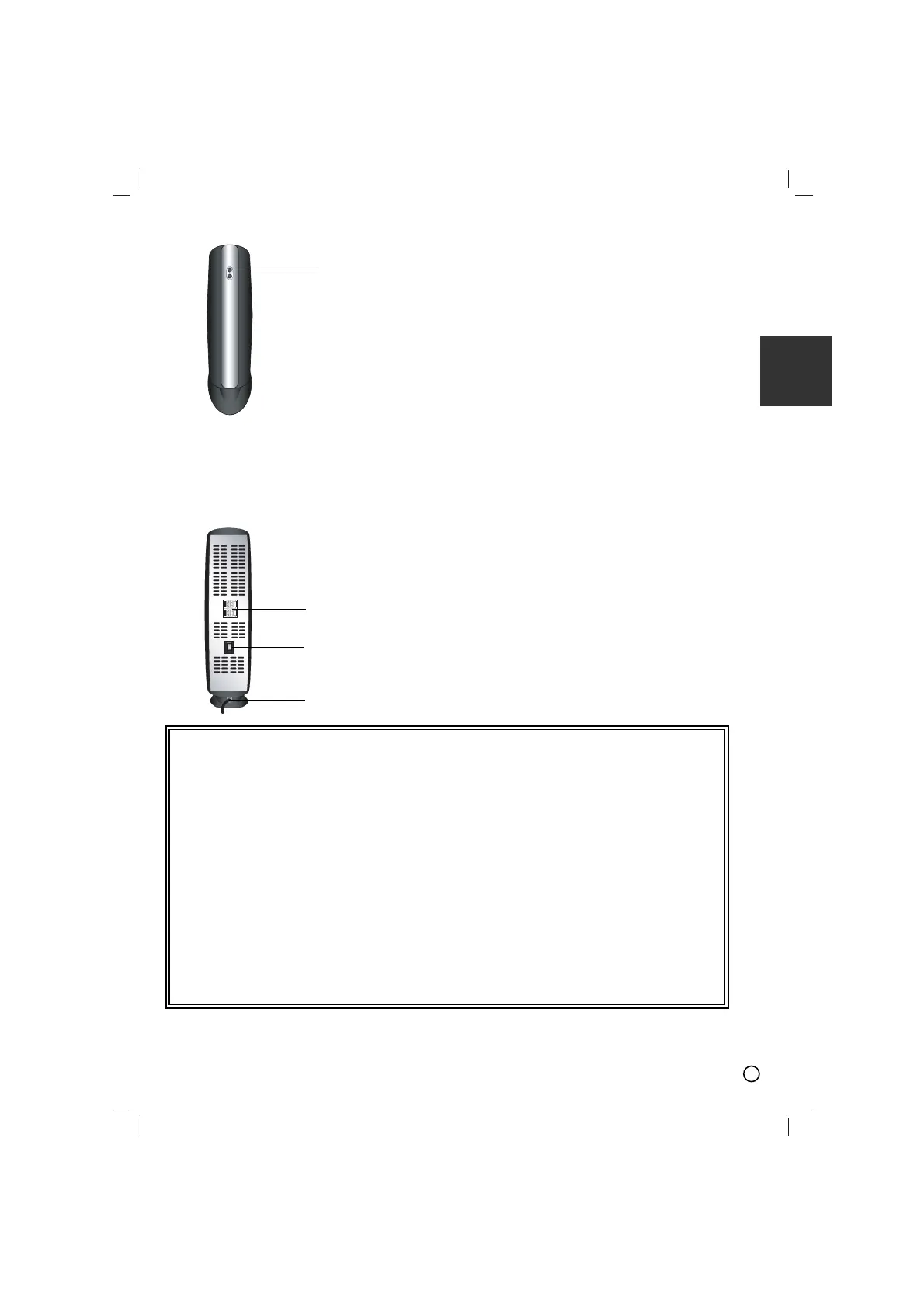
LED indicator of Wireless Receiver
* LED indicator - “BLUE”
The
Wireless Receiver is receiving a signal of
wireless
transmitter.
* LED indicator - “RED”
The Wireless Receiver is in standby mode.
Setting an ID of Wireless Transmitter
When the unit is manufactured, the ID is already set.
If an interference occurs or you use a new Wireless RX, an ID is
set again.
1. Connect the SOUND SIGNAL connector of transmitter and
the rear (right, left) speaker terminals of main unit with the
SOUND SIGNAL cable.
2. Connect the DC IN connector of Wireless Transmitter and the
Wireless Transmitter connector of main unit with the DC
power cable.
3. Turn off the Wireless Receiver.
4. Press the ID. button for more than about 3 seconds.
The blue LED indicator will quickly flicker.
5. Turn on the Wireless Receiver.
Note:
If there is no audio signal for longer than 10 minutes, the
Wireless Receiver and Wireless Transmitter will be automatically
switched to standby mode. At power saving mode, both LEDs
will turn red. LEDs will turn blue when there is any audio signal
back.
If you operate main unit then wireless speakers (rear speakers)
sound within a few seconds in standby mode.
LED indicator
Displays the operated
status.
Rear speaker connector
Power cord
CAUTION
Rear speaker (Wireless speakers) is no sound.
The DC power cable is not connected the Wireless Transmitter and main unit.
Connect the Wireless Transmitter and main unit with the DC power cable.
Power cord of Wireless Receiver (or Wireless speakers) is not connected.
Connect the Power cord of Wireless Receiver (or Wireless speakers).
LED indicator of
Wireless Transmitter
is RED.
- Turn on the main unit.
- Set to sound mode by PL ll MOVIE, PL ll MUSIC or PL ll MTRX. (page 9)
- Insert a 5.1 ch sound compatible disc.
If rear speaker (Wireless speakers) is no sound after operating as above, disconnect
and connect the power cord of
Wireless Receiver (or Wireless speakers) or set up an ID
of Wireless Transmitter and Wireless Receiver (or Wireless speakers).
Power switch (ON/OFF)



 To Next Page