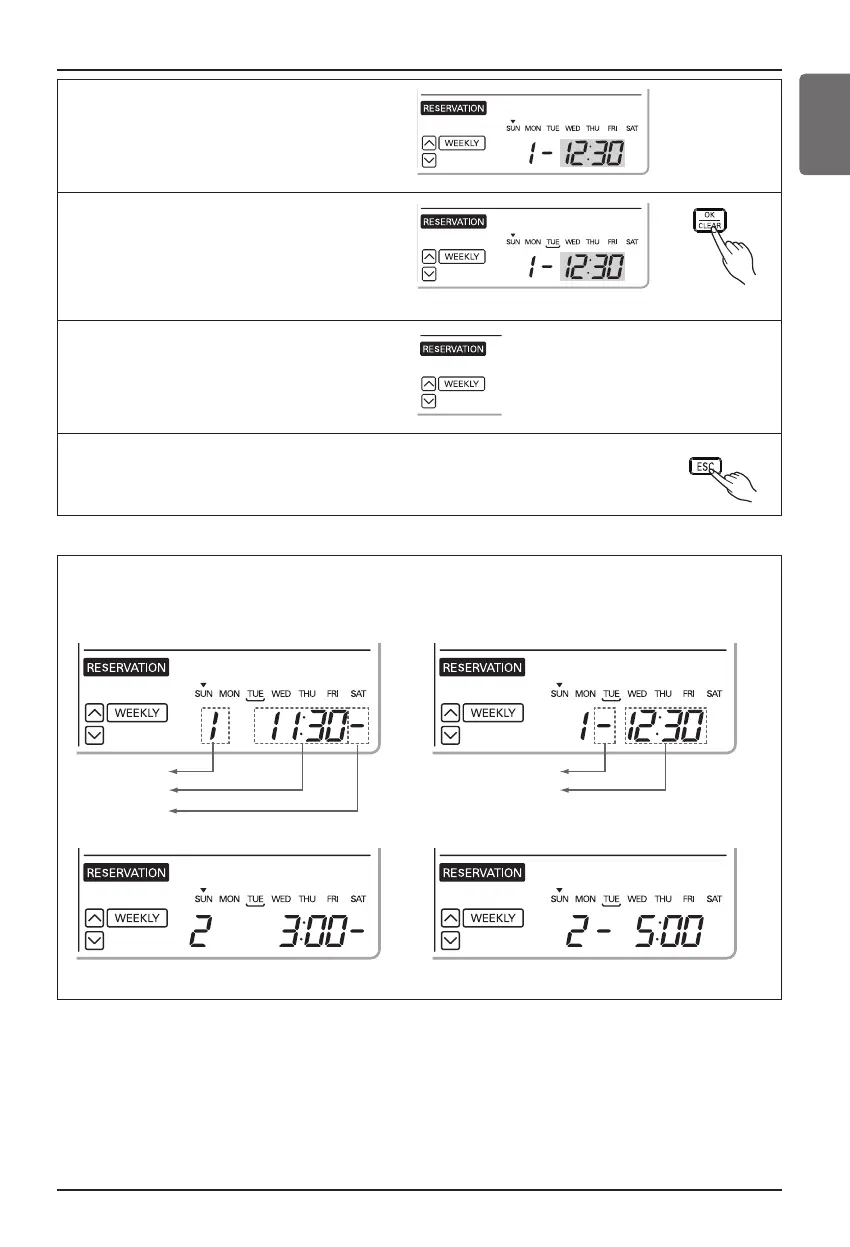
9
Please refer to the process from No.5 to
No.7 for setting OFF Time. It is the same
method.
10
If you finish the setting, press
setting/cancel button to complete
programming. The under bar
segment will be created, when
finished.
11
Please refer to the process from
No.2 to No.10 for setting other day
weekly program. It is the same
method.
12
Press exit button to exit or system will automatically
release without any input after 25 seconds.
Ownerʼs Manual 19
ENGLISH
<Note>
Description of weekly reservation
<Start Time Section> <Off Time Section>
<Start Time Section> <Off Time Section>
h Two actions per weekday can be programmed, in total 14 actions









 To Next Page