16
Setting the clock
The oven cannot be used until the time of day is set.
When the appliance is connected to the main supply for the first
time or after a power cut, you have to select either “12H” or “24H”
first. The time of day can then be set.
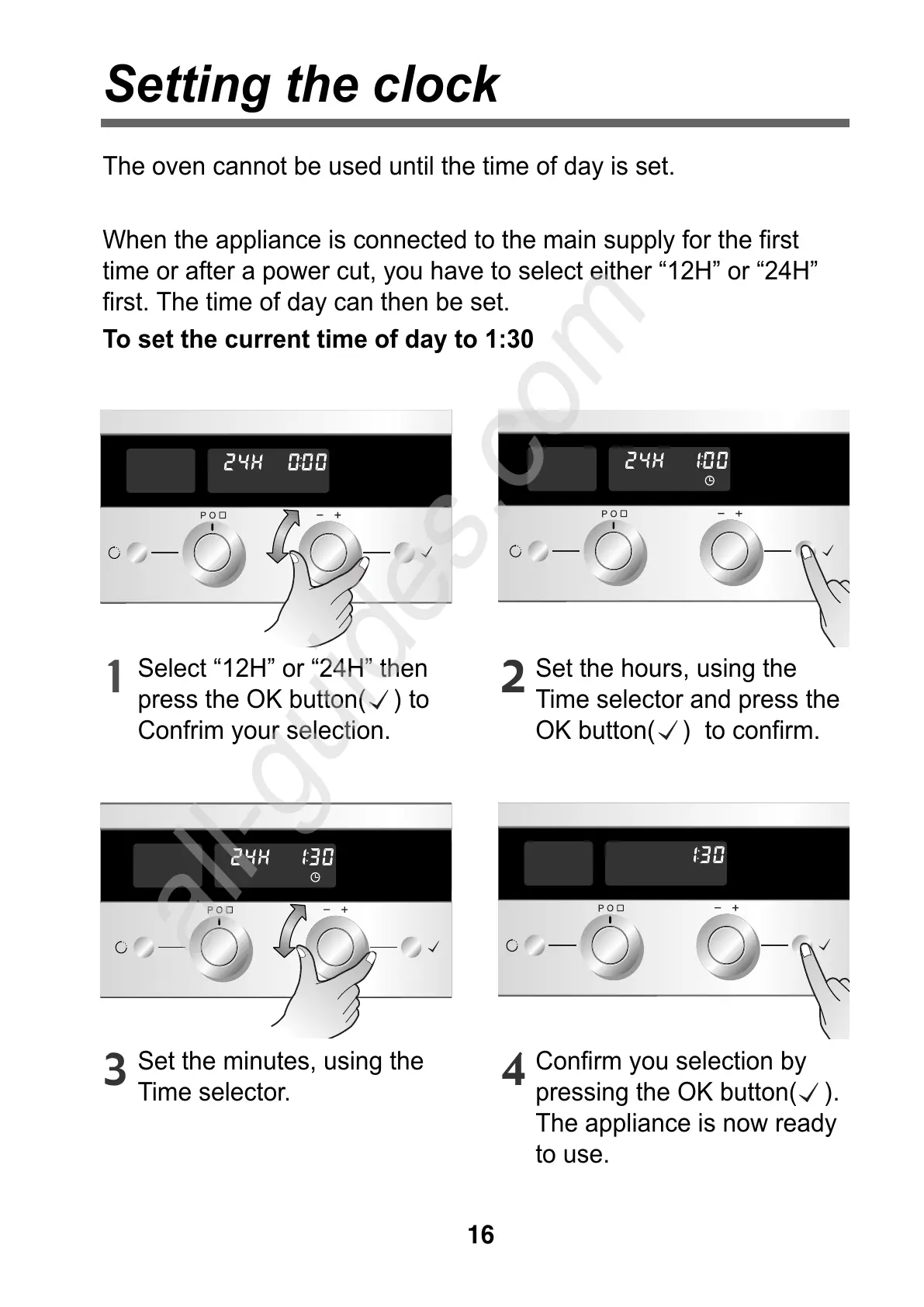
To set the current time of day to 1:30
Select “12H” or “24H” then
press the OK button( ) to
Confrim your selection.
1
Set the hours, using the
Time selector and press the
OK button( ) to confirm.
2
Set the minutes, using the
Time selector.
3
Confirm you selection by
pressing the OK button( ).
The appliance is now ready
to use.
4



 To Next Page