23
ENGLISH
Changing the oven temperature
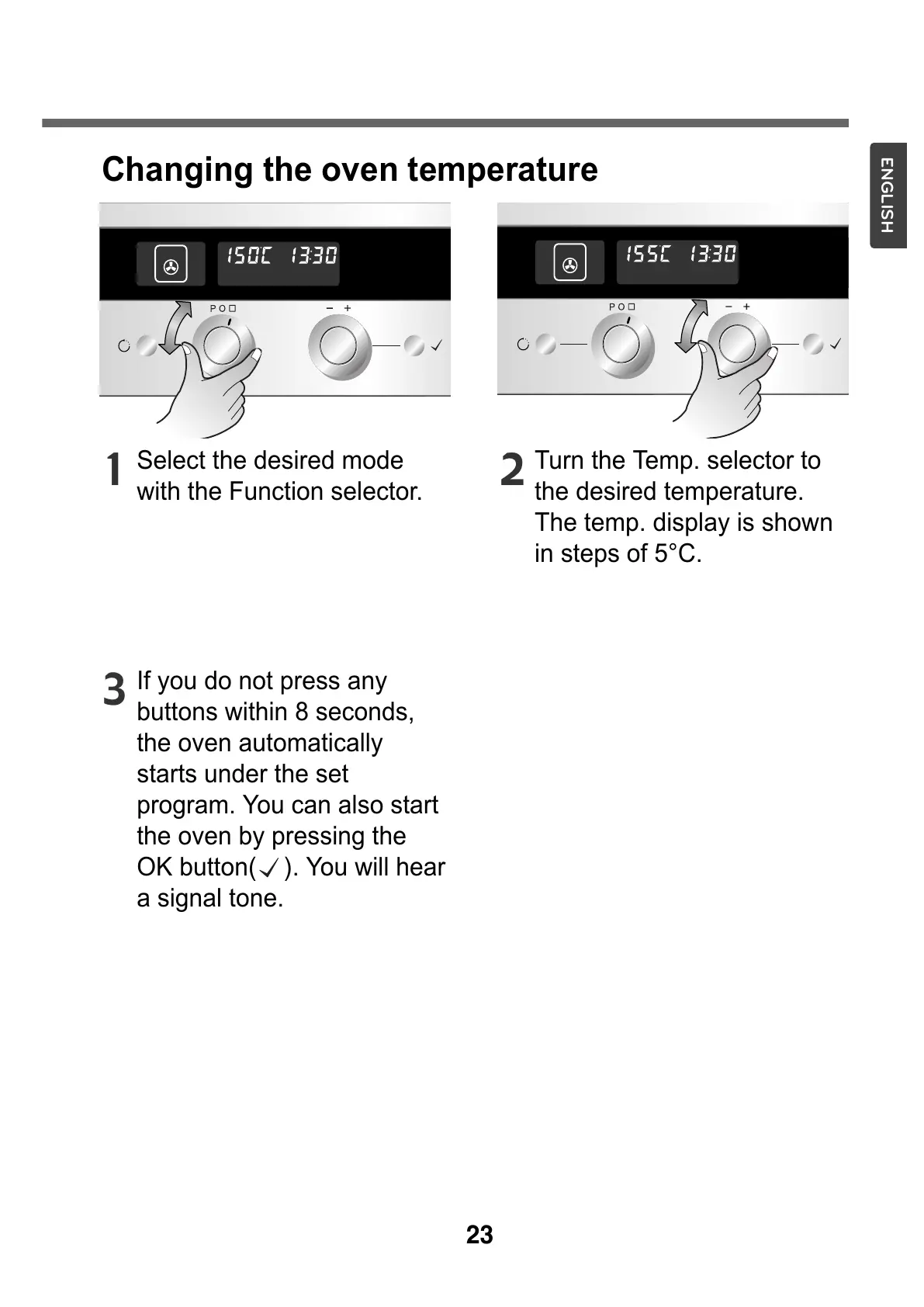
Select the desired mode
with the Function selector.
1
If you do not press any
buttons within 8 seconds,
the oven automatically
starts under the set
program. You can also start
the oven by pressing the
OK button( ). You will hear
a signal tone.
3
Turn the Temp. selector to
the desired temperature.
The temp. display is shown
in steps of 5°C.
2



 To Next Page