35
ENGLISH
Useful functions
CHILD LOCK
The CHILD LOCK prevents the oven being switched on
unintentionally.
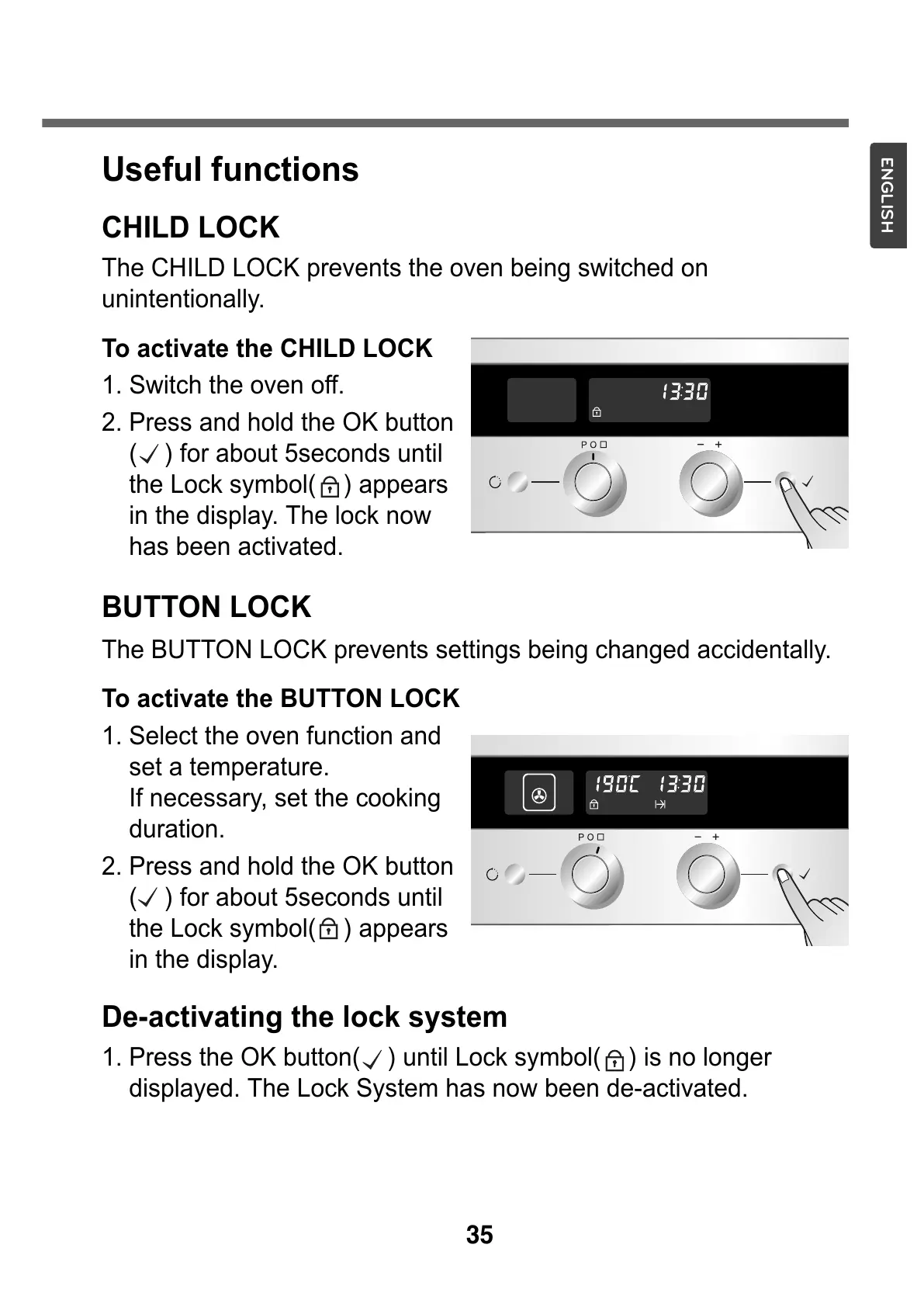
To activate the CHILD LOCK
1. Switch the oven off.
2. Press and hold the OK button
( ) for about 5seconds until
the Lock symbol( ) appears
in the display. The lock now
has been activated.
BUTTON LOCK
The BUTTON LOCK prevents settings being changed accidentally.
To activate the BUTTON LOCK
1. Select the oven function and
set a temperature.
If necessary, set the cooking
duration.
2. Press and hold the OK button
( ) for about 5seconds until
the Lock symbol( ) appears
in the display.
De-activating the lock system
1. Press the OK button( ) until Lock symbol( ) is no longer
displayed. The Lock System has now been de-activated.



 To Next Page