32
Operation
Combining overall cooking time and end of
cooking time.
The overall and end of cooking time programmes can be combined
to permit the oven to be switched on and off automatically.
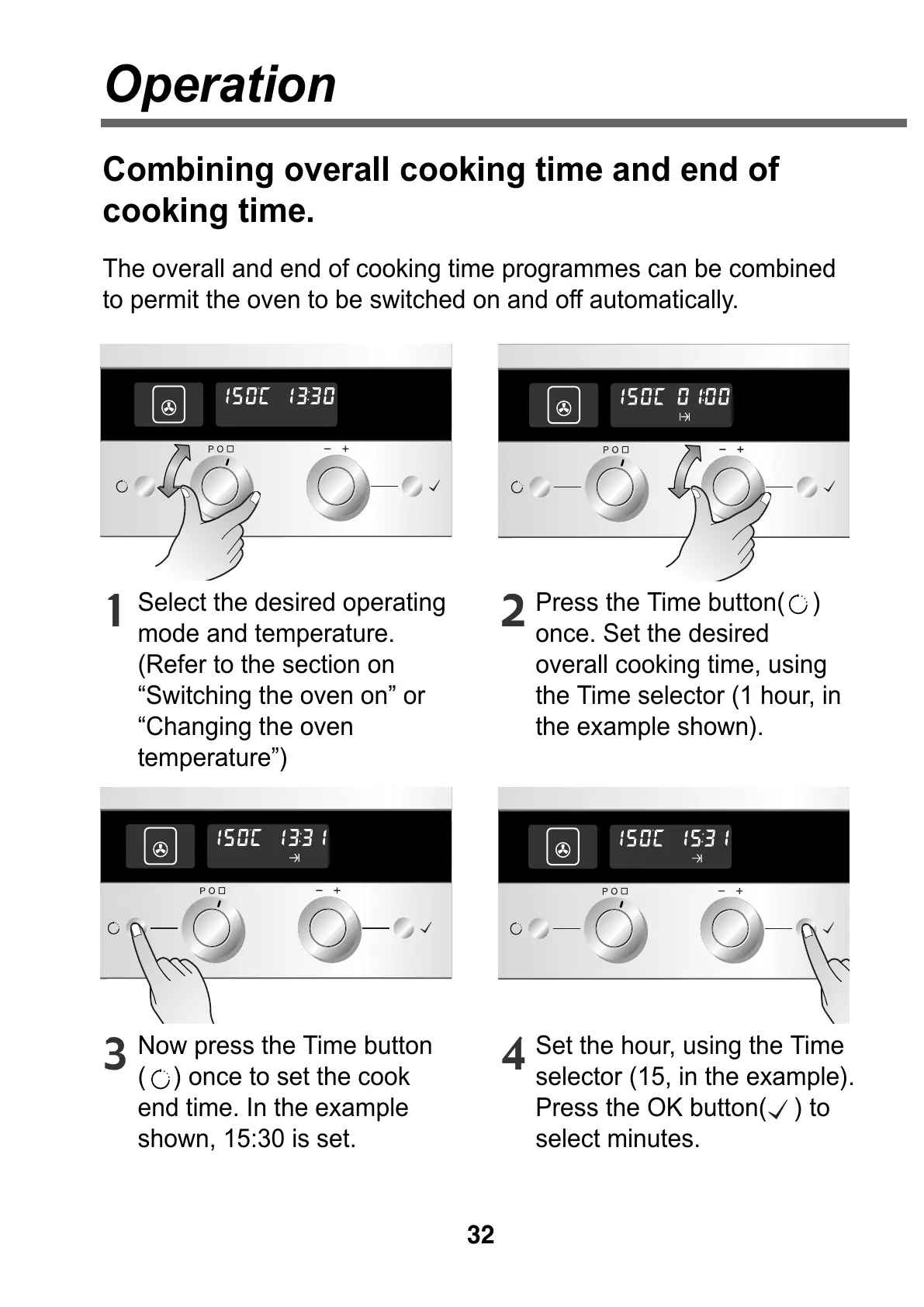
Select the desired operating
mode and temperature.
(Refer to the section on
“Switching the oven on” or
“Changing the oven
temperature”)
1
Press the Time button( )
once. Set the desired
overall cooking time, using
the Time selector (1 hour, in
the example shown).
2
Now press the Time button
( ) once to set the cook
end time. In the example
shown, 15:30 is set.
3
Set the hour, using the Time
selector (15, in the example).
Press the OK button( ) to
select minutes.
4



 To Next Page