22
Operation
Switching the oven on
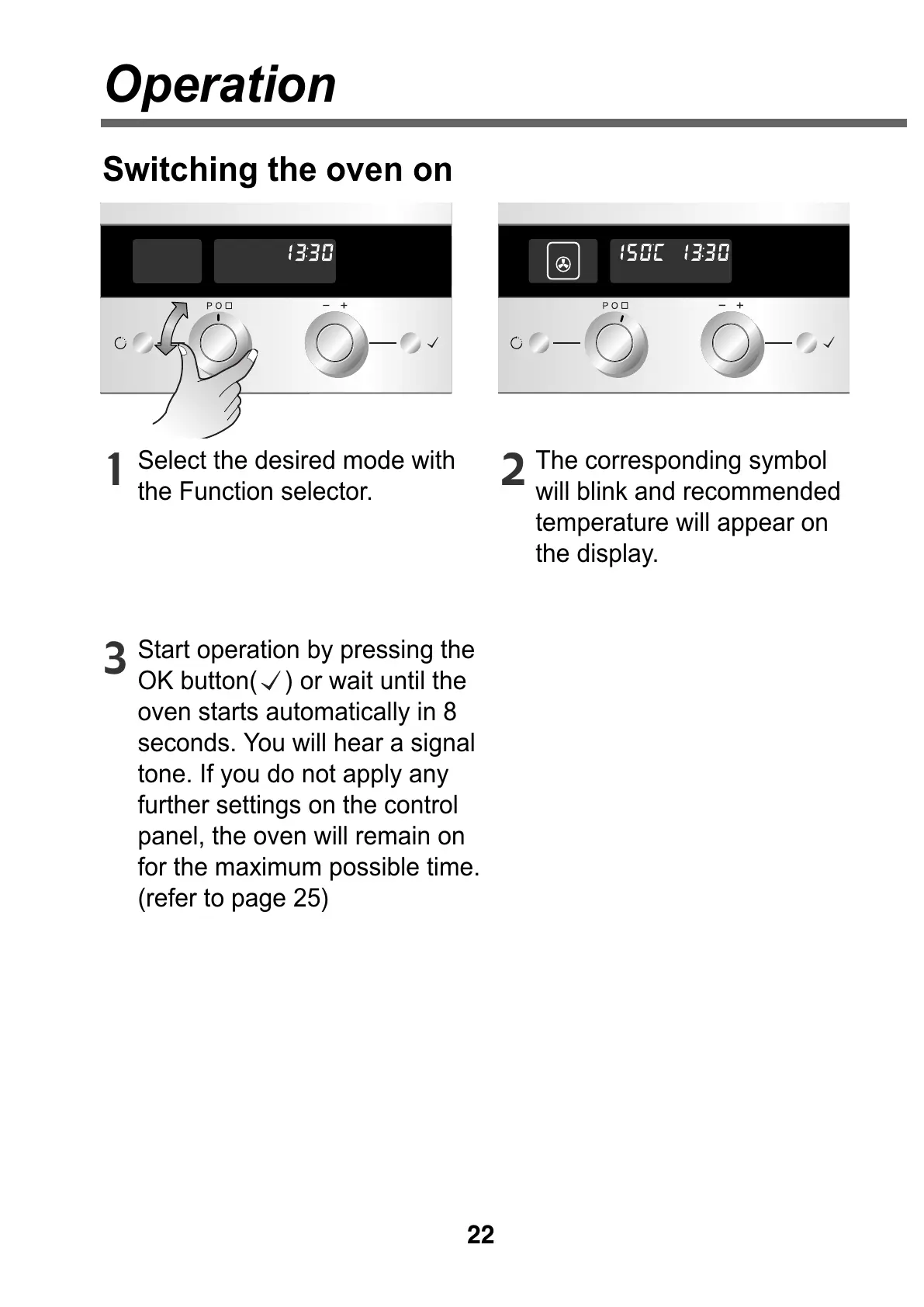
Select the desired mode with
the Function selector.
1
Start operation by pressing the
OK button( ) or wait until the
oven starts automatically in 8
seconds. You will hear a signal
tone. If you do not apply any
further settings on the control
panel, the oven will remain on
for the maximum possible time.
(refer to page 25)
3
The corresponding symbol
will blink and recommended
temperature will appear on
the display.
2



 To Next Page