36
Operation
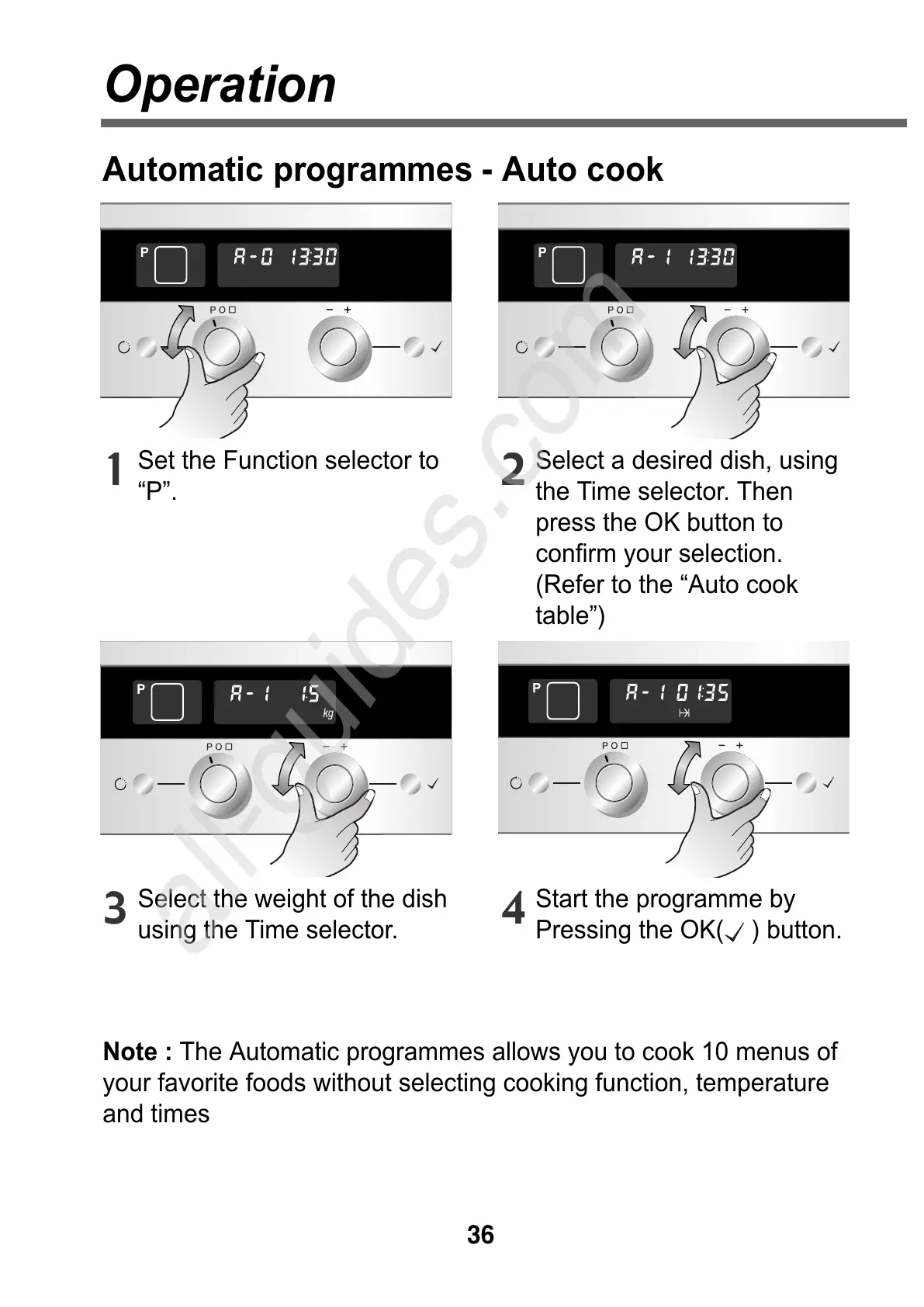
Set the Function selector to
“P”.
1
Select a desired dish, using
the Time selector. Then
press the OK button to
confirm your selection.
(Refer to the “Auto cook
table”)
2
Select the weight of the dish
using the Time selector.
Note : The Automatic programmes allows you to cook 10 menus of
your favorite foods without selecting cooking function, temperature
and times
3
Start the programme by
Pressing the OK( ) button.
4
Automatic programmes - Auto cook



 To Next Page