EasyManua.ls Logo

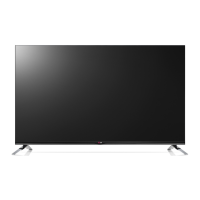
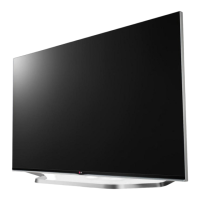
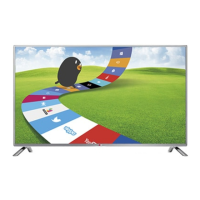
LG LB670V - User Manual

LG LB670V
62 pages
Print Icon
To Next Page IconTo Next Page
Loading...
Drawn Approved
Signature
Danbi.Park Jongok.kim
MMM/DD/YYYY
Feb/17/2014 Feb/17/2014
LB67-Z LG MFL68027018
EK LB670V (1402-REV00)
:LGEAK :LGEKR :LGERS
:LGEAZ :LGEMA :LGESY
:LGEEG :LGEMX :LGETH
:LGEIL :LGEND :LGEVN
:LGEIN :LGERA :LGEWR
:LGEAS
Printed in Indonesia
Printed in Russia
Printed in Poland
Signature
Change Contents
ECO Number
N
O
T
E
“This part contains Eco-hazardous substances (Pb, Cd, Hg, Cr6+, PBB, PBDE, etc.) within LG standard level,
Details should be followed Eco-SCM management standard[LG(56)-A-2524].
Especially, Part should be followed and controlled the following specification.
(1) Eco-hazardous substances test report should be submitted when Part certification test and First Mass Production.
(2) Especially, Don’t use or contain lead(Pb) and cadmium(Cd) in ink.
Printed in China
Printed in China
Printed in Thailand
Printed in Vietnam
Rev. Number
60
148 mm x 210 mm (A5)
1 Color (Black)
1 Color (Black)
Uncoated, wood-free paper 60 g/
Saddle stitching
ENG-UK (1)
3. Origin Notification
4. Changes
Printed in Mexico
Printed in Egypt
Printed in India
Printed in Algeria
3. Stock (Paper)
: • Cover
Printed in Mexico
Printed in Poland
Printed in Kazakhstan
Printed in Brazil
:5. Language
:6. Number of pages
:Model name
:2nd, 3rd Suffix
:Brand name
:Product name
:1. Trim size (Format)
2. Printing colors
: • Cover
: • Inside
Printed in Korea
: • Inside
:4. Bindery
(Revision number)
2. Printing Specification
Checked
Feb/17/2014
Mira.Woo
:Part number
1. Model Description
Printing specification
1
10
9
8
7
6
5
4
3
2

Questions and Answers

  • I
    ishermanAug 31, 2025
    Why is there no sound on my LG LB670V?
    • R
      Rebecca ChapmanSep 1, 2025
      If you're not getting any sound on your LG LED TV while images are displaying, try pressing the volume + or - button. Check if the sound is muted by pressing the MUTE button. Try switching to other channels, as the issue might be with the broadcast. Finally, ensure the audio cables are correctly connected.
  • A
    Ana CarsonSep 12, 2025
    Why does my LG LB670V say 'No Signal' when connecting to PC via HDMI/DVI?
    • J
      Joseph FoxSep 12, 2025
      If your LG LED TV displays 'No Signal' or 'Invalid Format' when connected to a PC via HDMI/DVI, try turning the TV off and then on again using the remote control. If that doesn't work, reconnect the HDMI cable. As a final step, restart your PC while the TV is powered on.
  • C
    Christina Huynh DVMAug 30, 2025
    What to do if my LG LB670V says no signal?
    • M
      mjohnsonAug 30, 2025
      If your LG LED TV displays 'No Signal', ensure the signal cable is correctly connected between the TV and any connected devices. Also, verify the selected input source by pressing the INPUT button on your remote.
  • R
    regina39Sep 13, 2025
    Why does my LG LB670V have poor reception on some channels?
    • P
      pberrySep 13, 2025
      If your LG LED TV has poor reception on some channels, try switching to other channels to rule out a broadcast issue. The station signal may be weak, so try aiming the antenna in the proper direction. Check for any local interference from electrical appliances or power tools.
  • R
    Rebecca GraySep 12, 2025
    Why does my LG LED TV show 'No Signal' on the screen?
    • E
      Eric LeonardSep 12, 2025
      If “No Signal” appears on your LG LED TV screen, first check if the signal cable is properly connected between the TV and other devices. Then, verify the selected input source by pressing the INPUT button on your remote.
  • T
    Tammy AllenSep 17, 2025
    How to fix LG LCD TV remote control not working?
    • A
      Anthony GibsonSep 17, 2025
      If you're unable to control your LG LCD TV with the remote, start by checking the remote control sensor on the TV. Make sure there are no obstacles blocking the path between the remote and the TV. Also, verify that the batteries in the remote are working and properly installed.
  • S
    Samuel DiazSep 23, 2025
    Why does my LG LB670V make noise?
    • A
      Amber KruegerSep 23, 2025
      A change in ambient humidity or temperature may result in an unusual noise when your LG LED TV turns on or off. This is normal, and there is no problem with your product.
  • W
    William Williams Jr.Aug 27, 2025
    Why is there no sound on my LG LB670V LED TV but there is an image?
    • K
      Kevin AdamsAug 27, 2025
      If your LG LED TV displays images but produces no sound, first, press the + or - button to adjust the volume. Then, check if the sound is muted by pressing the MUTE button. Try switching to other channels, as there may be a problem with the broadcast. Finally, ensure that the audio cables are connected properly.
  • L
    Lindsay BaileyAug 26, 2025
    What to do if my LG LB670V has no picture or sound?
    • R
      Richard HornAug 26, 2025
      If your LG LED TV has no image and no sound, please check the following: * Ensure that the TV is turned on. * Verify that the power cord is securely connected to a wall outlet. * Test the wall outlet by plugging in other products to see if it is working correctly.
  • H
    Hunter NashAug 25, 2025
    Why does my LG LED TV keep turning off?
    • M
      michellehamiltonAug 26, 2025
      If your LG LED TV turns off suddenly, here are a few things to check: * The power supply might be interrupted. Check the power control settings. * Ensure that the Automatic Standby, Sleep Timer, or Timer Power Off functions are not activated in the Timers settings. * If the TV is on but not receiving a signal, it will automatically turn off after 15 minutes of inactivity.

LG LB670V Specifications

General IconGeneral
Display TypeLED
Smart TVYes
HDMI Ports3
Wi-FiYes
3DYes
Operating SystemwebOS
BluetoothNo
Resolution1920 x 1080

Related product manuals