Appendix 35
Appendix
5
Installing the unit on a Left-
Hand-Drive Car
When the unit is installed on a Right-Hand-Drive
car, the horizontal position are inverted.
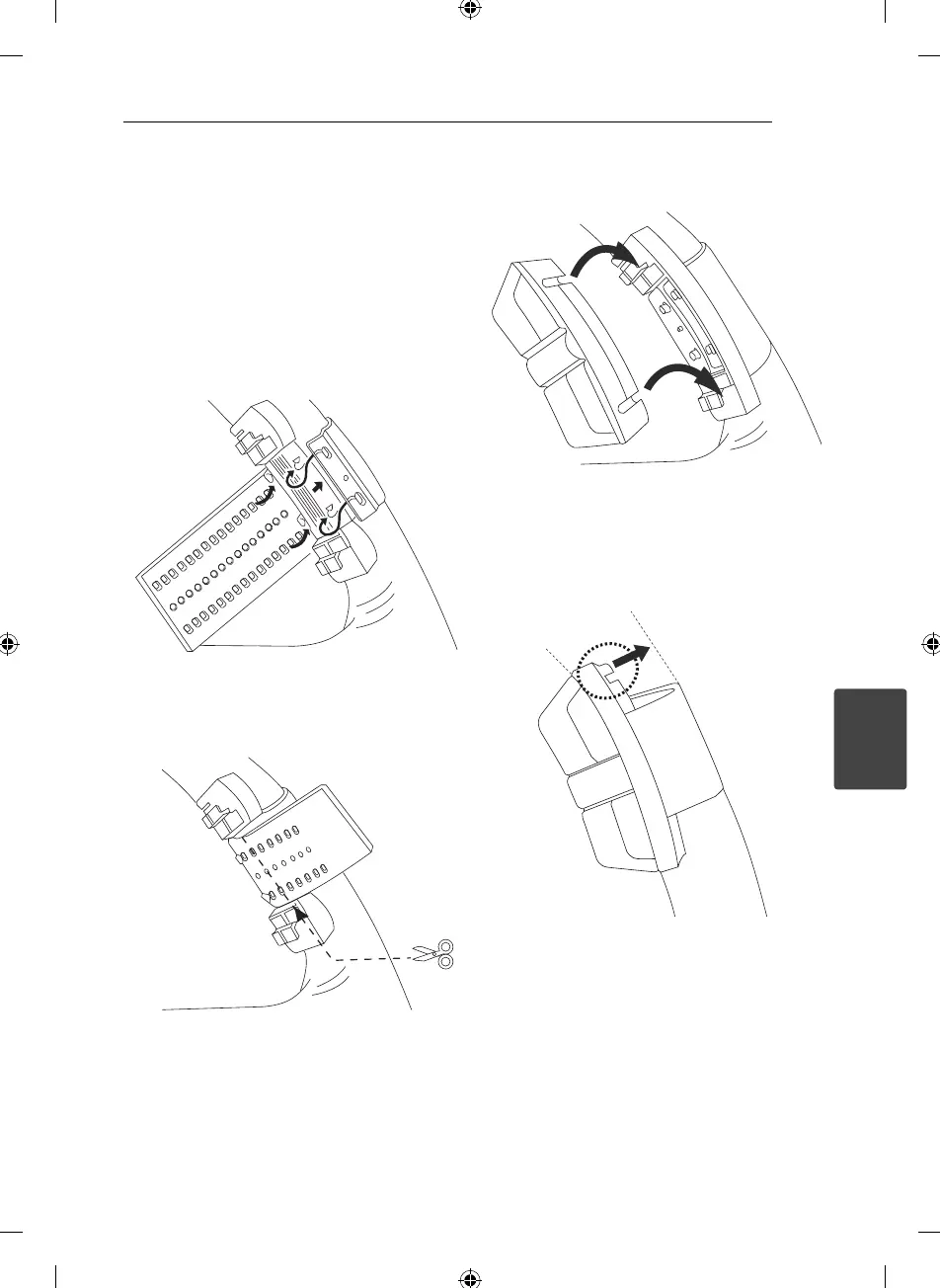
1. Secure Cover holder to the inner circumference
of the steering wheel with belt .
Fit the Cover holder to the steering wheel so
that the arrow-marked side faces the driver as
shown by picture.
2. Cut the extra portion of the belt at the center of
the cover holder.
3. Install the remote control unit in the holder.
4. When removing the remote control unit from
the holder, move the corrugated release section
toward the steering wheel as far as possible
before sliding the remote control unit toward
you.



 To Next Page