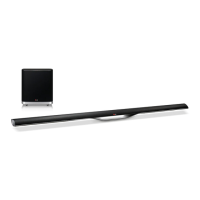
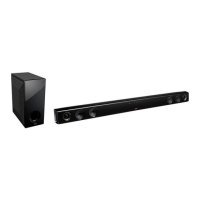
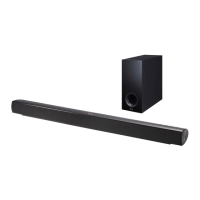
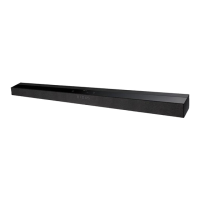
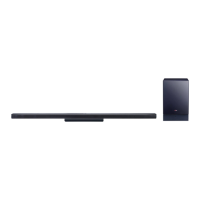
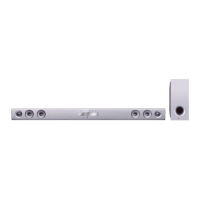
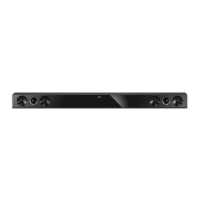
This document describes the LG NB5630A Sound Bar (models NB5630A, S73A1-D), an audio device designed to enhance sound output, particularly when paired with a television.
Function Description
The LG NB5630A Sound Bar is an audio system that provides enhanced sound for various media. Its primary function is to act as a sound output device, offering features like LG Sound Sync, Bluetooth connectivity, and various sound effects. The unit consists of a main sound bar and a wireless subwoofer, working together to deliver a more immersive audio experience.
Important Technical Specifications
- General:
- Power requirements: Refer to the main label on the main unit.
- Power consumption: Refer to the main label on the main unit.
- Dimensions (W x H x D): 2240 x 52 x 27.7 mm
- Net Weight (Approx.): 2.62 kg
- Operating temperature: 5°C to 35°C (41°F to 95°F)
- Operating humidity: 5% to 90%
- Inputs:
- DIGITAL IN (OPTICAL IN): 3.0 Vrms (p-p), Optical jack
- Available Digital Input Audio Sampling Frequency: 32 kHz, 44.1 kHz, 48 kHz, 96 kHz
- Amplifier:
- Total output: 310 W
- Stereo mode: 80 W + 80 W (4 Ω at 1 kHz)
- Wireless subwoofer: 150 W (3 Ω at 80 Hz)
- THD: 10%
- Wireless Subwoofer:
- Power requirements: Refer to the main label on the wireless subwoofer.
- Power consumption: Refer to the main label on the wireless subwoofer.
- Type: 1 Way 1 Speaker
- Impedance: 3 Ω
- Rated Input Power: 150 W
- Max. Input Power: 300 W
- Net Dimensions (W x H x D): 296 x 332 x 296 mm
- Net Weight: 7.64 kg
Usage Features
- LG Sound Sync: This feature allows control of the sound bar's volume level using the remote control of a compatible LG TV. It works with LG TVs that support LG Sound Sync. Controllable functions include volume up/down and mute. The connection is made via an optical digital cable.
- Bluetooth Connectivity: The sound bar supports Bluetooth wireless technology, enabling users to enjoy music stored on Bluetooth devices such as mobile phones, MP3 players, laptops, and PDAs. The unit is compatible with the A2DP (Advanced Audio Distribution Profile).
- Pairing Process: To pair, select the Bluetooth function on the sound bar using the remote control (the orange LED will blink). Then, operate the Bluetooth device to search for "LG SOUND BAR (XX:XX)" (where XX:XX are the last four digits of the BT address) and enter PIN code "0000" if prompted. The orange LED will light up for about 3 seconds upon successful pairing.
- Bluetooth Notes: Maintain a close distance between the unit and the Bluetooth device for optimal connection. Interference from other electronic waves or obstacles can disrupt the sound. Reconnection may be required after restarting the unit or switching functions. Multi-pairing is not supported.
- AUTO POWER On/Off: This function automatically turns the unit on or off when a connected TV or external device (DVD Player, Blu-ray Disc Player, etc.) is turned on or off. It is supported only on OPTICAL functions and can be toggled using the remote control. If the unit is turned on by AUTO POWER and receives no signal for a certain period, it will automatically turn off.
- 3D Sound Effect: This feature provides a wider sound stage for a more immersive and cinematic surround sound experience. It can be turned on or off using the "3D SOUND ON/OFF" button on the remote control.
- DRC (Dynamic Range Control): This function helps to clarify sound when the volume is low. It can be toggled using the "DRC ON/OFF" button on the remote control.
- Auto Power Down: The unit will automatically turn itself off to save electricity if it is not connected to an external device and is not used for 25 minutes.
- Mute Function: Pressing the mute button on the remote control temporarily turns off the sound. The red LED blinks when muted. Pressing it again or changing the volume cancels the mute.
- Woofer Level Adjustment: The sound level of the wireless subwoofer can be adjusted using the "WOOFER LEVEL +/-" buttons on the remote control.
- Wall Mounting: The main unit can be mounted on a wall. A WALL BRACKET INSTALL GUIDE is provided for drilling holes. Ensure all cables are connected before mounting. The unit should be lifted by two people, holding it by the sides, and secured firmly to prevent falling.
Maintenance Features
- Battery Installation (Remote Control): To install the battery, turn the battery cover counterclockwise with a coin, insert the CR2025 battery with the minus (-) side facing the corresponding mark, and then turn the cover clockwise to close.
- Battery Safety: Do not ingest the battery as it can cause severe internal burns. Keep new and used batteries away from children. Do not recharge, disassemble, incinerate, or heat above 100°C (212°F). Replace only with CR2025.
- Handling the Unit (Shipping): Retain the original shipping carton and packing materials for maximum protection if the unit needs to be shipped.
- Cleaning the Exterior Surfaces:
- Do not use volatile liquids like insecticide spray near the unit.
- Avoid wiping with strong pressure, which may damage the surface.
- Do not leave rubber or plastic products in contact with the unit for extended periods.
- To clean, use a soft, dry cloth. For extremely dirty surfaces, use a soft cloth lightly moistened with a mild detergent solution. Avoid strong solvents such as alcohol, benzine, or thinner, as these can damage the surface.
- Troubleshooting: The manual provides a troubleshooting guide for common issues such as no power, no sound, no woofer sound, remote control malfunction, and Auto Power On/Off issues, along with suggested causes and corrections.

 Need help?
 General

 To Next Page