1-12
VERSION CHECK
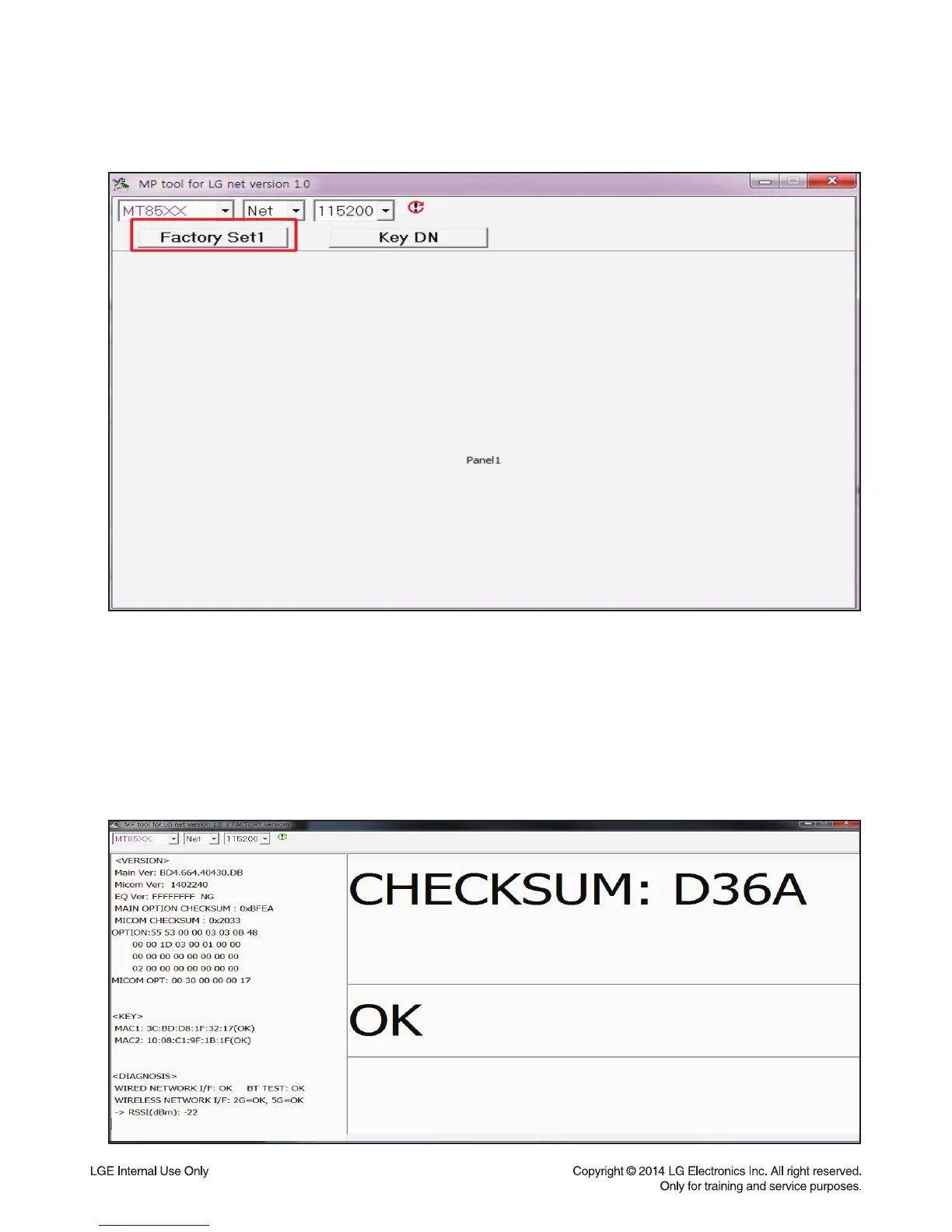
1) Version Check : Select “Factory Set1”.
2) Connect PC and SET by cross LAN cable.
Setting PC - IP : 192.168.0.1
- Subnet mask : 255.255.255.0
- Gateway : 192.168.0.1
3) Set power on
4) Connect LAN cable to Set and then Press “ADD” key within 3sec after connect the LAN.
(Please connect the LAN when blinking WiFi-LED after booting)
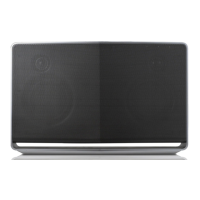
5) Display the version in the tool.



 To Next Page