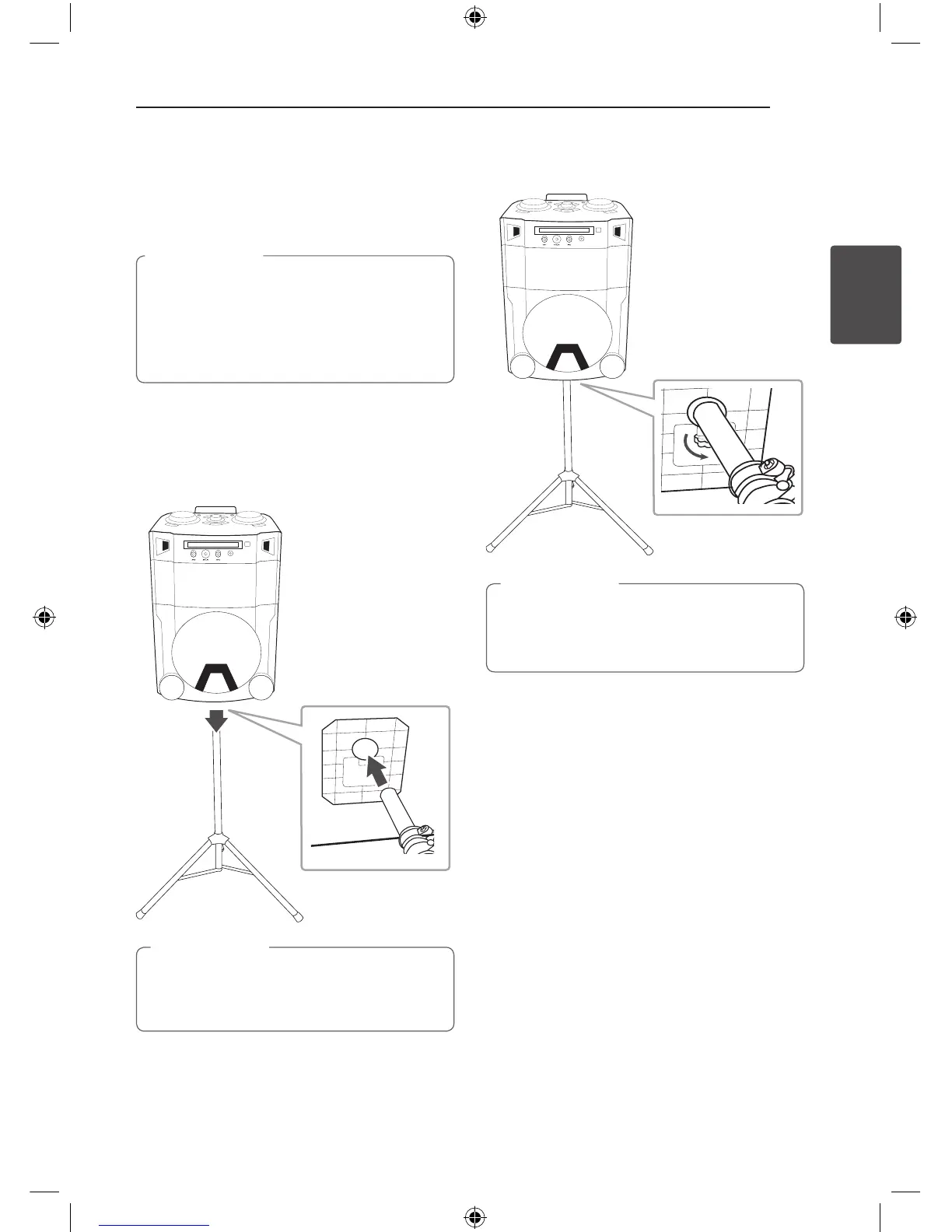
Use of Tripod
You can mount the unit on a tripod.
The tripod is an optional purchase.
y
Extend the tripod legs as much as possible
and tighten up the screw securely.
y
Before connecting with the unit, you must
set up the tripod completely to prevent
shaking.
>
Caution
1. Unfold the tripod on a flat surface. And then fix
the tripod.
Tighten up the tightening part of the tripod.
2. Lift the speaker and connect the tripod to fixing
part on the bottom of the speaker.
When connecting the speaker and the tripod,
You should work together with more than two
people.
>
Caution
3. Tighten up the Hand screw on the bottom of
the unit.



 To Next Page