Optional Equipment
Connection
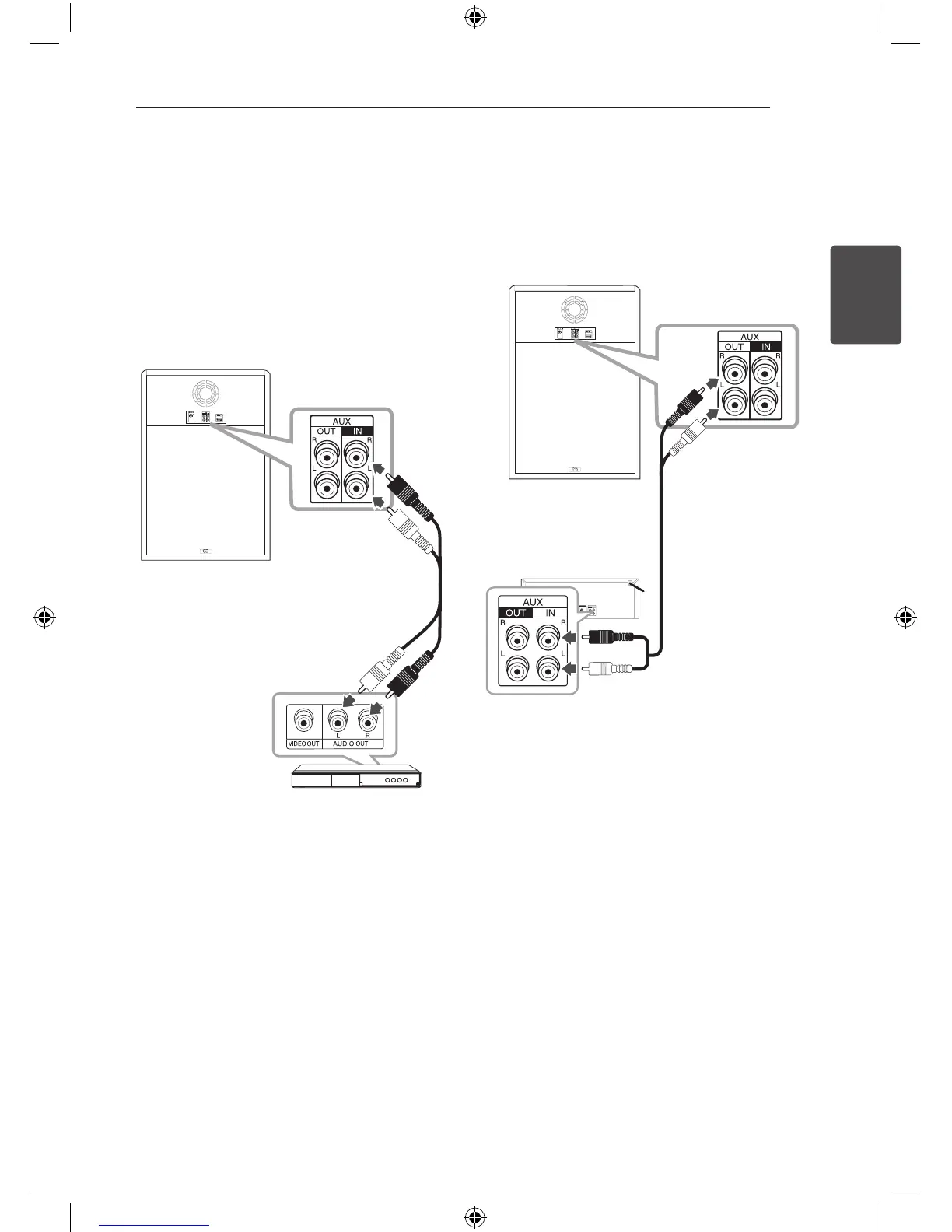
AUX IN Connection
Connect an output of auxiliary device (Camcorder,
TV, Player, etc) to the AUX IN (L/R) connector.
If your device has only one output for audio
(mono), connect it to the left audio jack on the unit.
Red
White
Audio cable
DVD, Blu-ray player etc.
AUX OUT Connection
Connect an input of auxiliary device to the AUX
OUT (L/R) connector.
If your device has only one input for audio(mono),
connect it to the left audio jack on the unit.
Audio cable
Auxiliary device
OM7550D-FB.DINDLLK_FULL BOOK_ENG_MFL68982108.indd 17 2015-07-24 5:00:31



 To Next Page