14
PREPARATION
Parts and Components
The projector is manufactured using high-precision technology. You may, however, see
tiny black dots and/or bright colored dots (red, blue or green) that continuously appear
on the projector screen. This is a normal result of the manufacturing process and does
not indicate a malfunction.
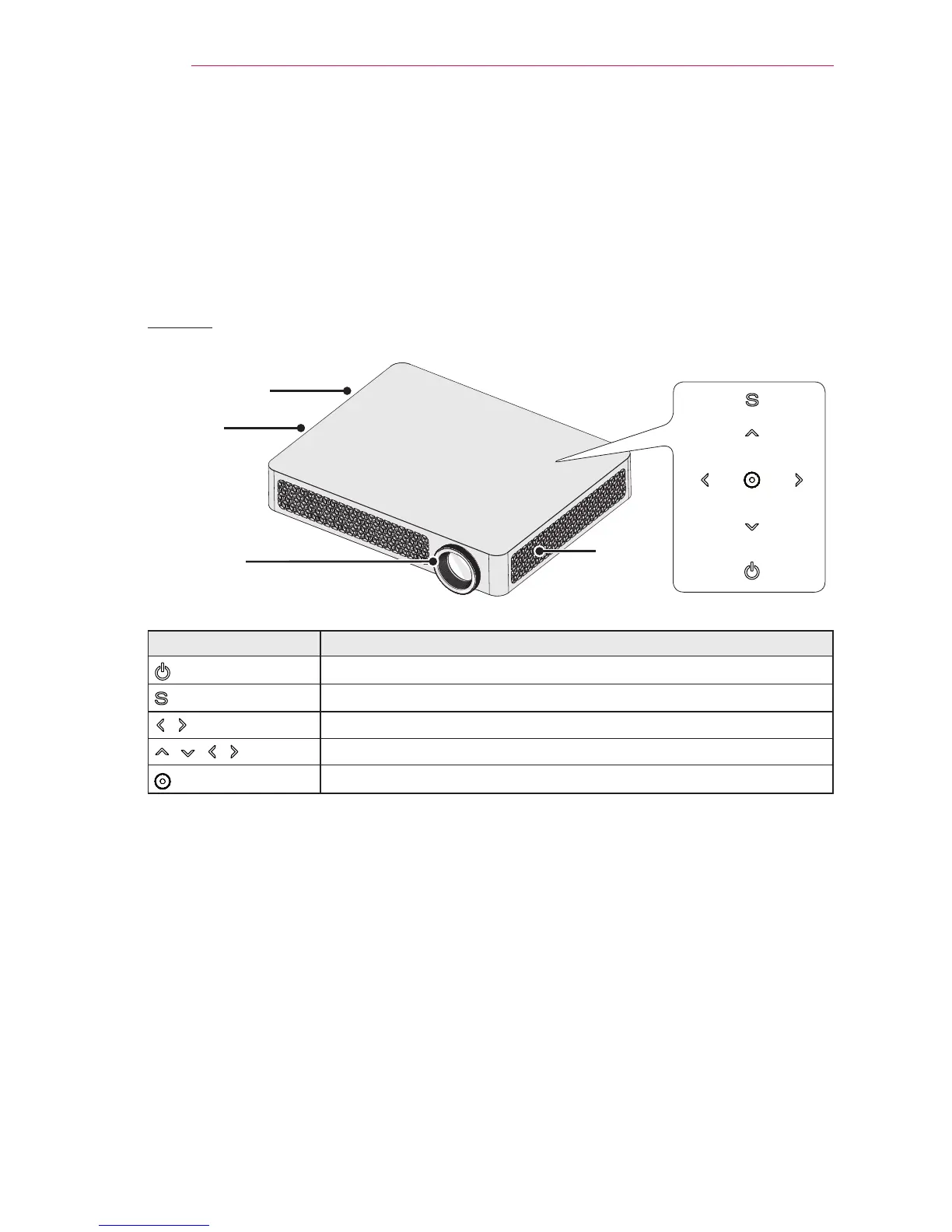
Front
Control Panel
Lens
2
Speaker
Speaker
Vent
1
Button Description
(POWER)
Turns the projector on or off.
(MENU)
Displays or closes the Settings menu.
, (Volume)
Adjusts the volume level.
, , ,
Moves between menus and changes the settings.
(OK)
Shows the current mode and saves changes to the settings.
1 Due to the high temperature of vent area, do not get close to the vent area.
2 Do not touch the lens while using the projector. The lens may be damaged.


 To Next Page
 Loading...










