NOTE
y
When using the remote control, the optimal remote range is less than
3 meters (left/right) and within a 30 degree arc of the IR receiver.
y
For seamless operation, do not block the IR receiver.
y
When you carry the remote control in the portable bag, make sure that the buttons
on the remote control are not pressed by the projector, cables, documents or any
other accessories in the bag. Otherwise, it may significantly reduce the battery life.
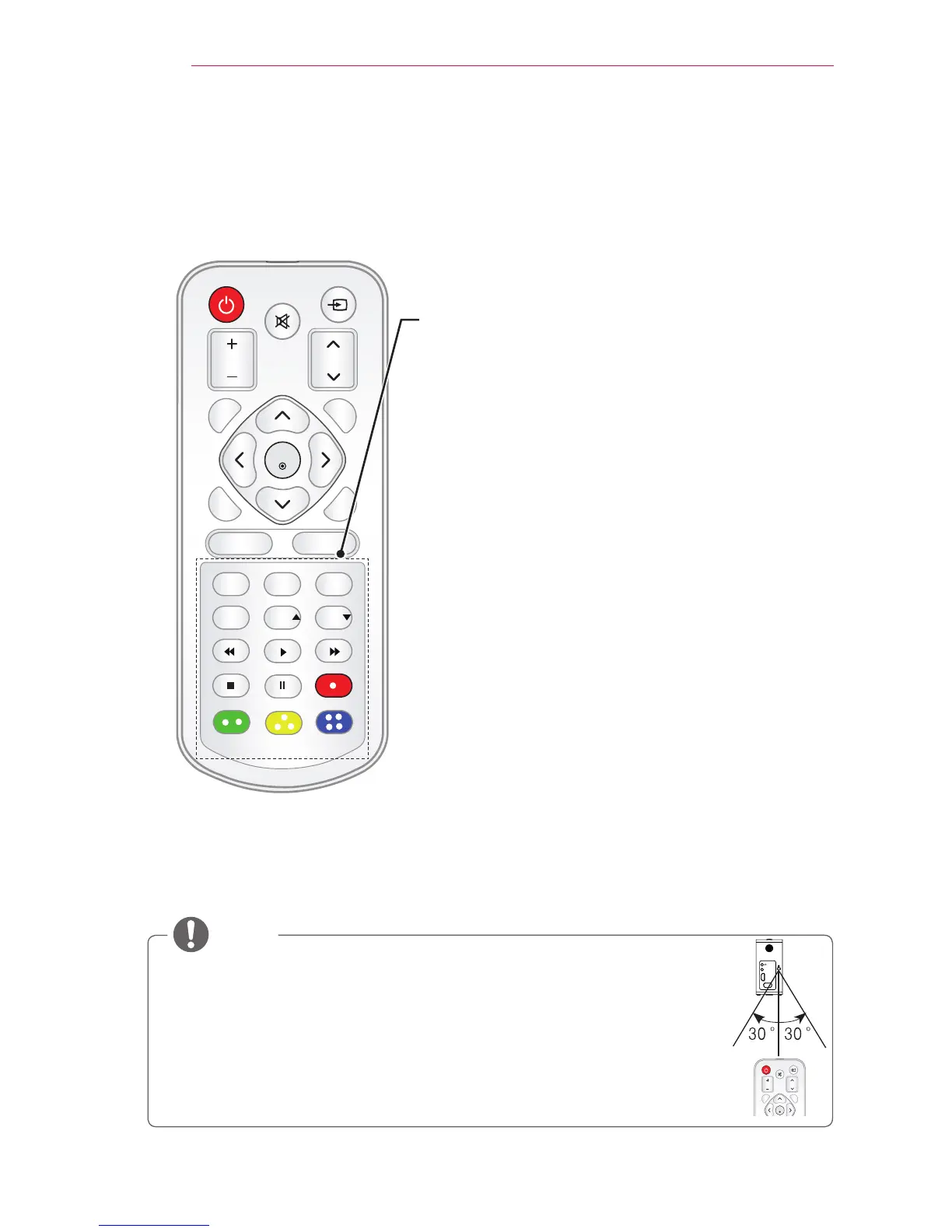
STILL
Freezes the moving image.
(Available in any mode other than USB mode.)
RATIO
Resizes an image.
USB
Accesses USB mode.
HELP
Enables the self-diagnosis.
KEY.S ,
Adjusts Keystone.
Playback Control Buttons
Controls playback of MY MEDIA.
Color buttons
Access special functions in some menus.
HDMI/DVI
RGB IN
A/V IN



 To Next Page