18
OPERATION
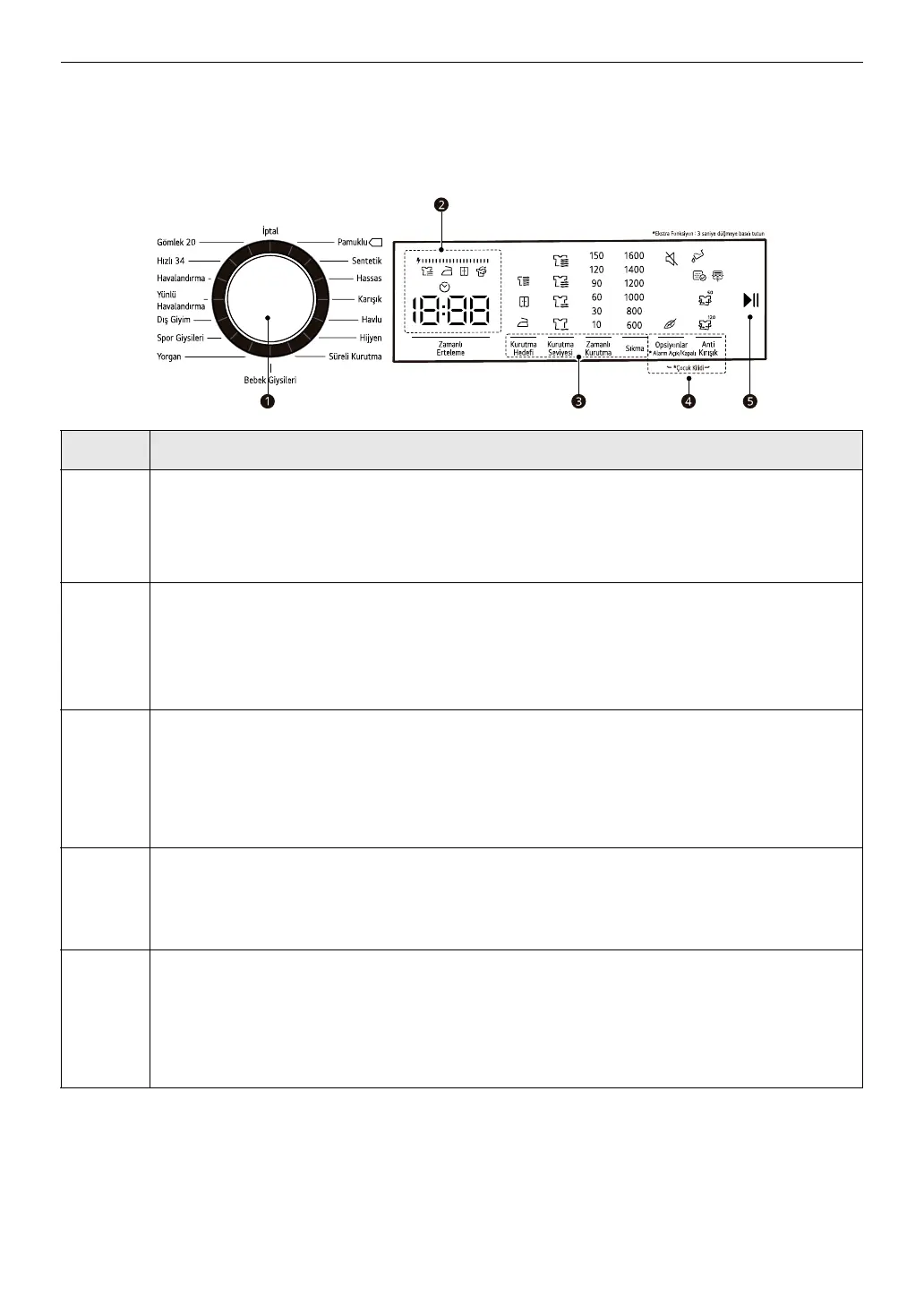
Control Panel
Control Panel Features
Description
a
Programme Selector
• Programmes are available according to the clothing type.
• The lamp will light up to indicate the selected programme.
b
Time and Status Display
• The display shows the settings, estimated remaining time, options, and
status messages. When the appliance is turned on, the default settings
in the display will illuminate.
c
Customizing Drying Programme Buttons
• Use these buttons to adjust the dry level or spin speed settings for the
selected programme.
• The current settings are shown in the display.
d
Extra Options and Functions / Additional Programme Buttons
• Use these buttons to select the desired options for the selected
programme. Not all options are available in each programme.
e
Start/Pause Button
• This
Start/Pause
button is used to start or pause a dry cycle.
• When in pause, the power is turned off automatically after a certain time
for safety reasons.


 To Next Page