27
MAINTENANCE
ENGLISH
MAINTENANCE
• Remove the power plug when you clean the appliance. Not removing the plug may
result in electric shock.
Cleaning after Every Dry
Cleaning the Lint Filter
• Clean the lint filter in the proper way
referring to the following instructions.
Failure to do so, the lint that is
accumulated on the heat exchanger
may not be cleaned properly.
• Unload the all of the laundries from
the appliance before pull out the lint
filter.
• After cleaning the lint filter insert them
in a place. If the lint filter is not in the
appliance, you can not operate the
appliance.
a
Inner Filter
• Always clean the inner filter before
and after use.
b
Outer Filter
• Clean the outer filter after drying 10
times or when the lint is
accumulated into the outer filter.
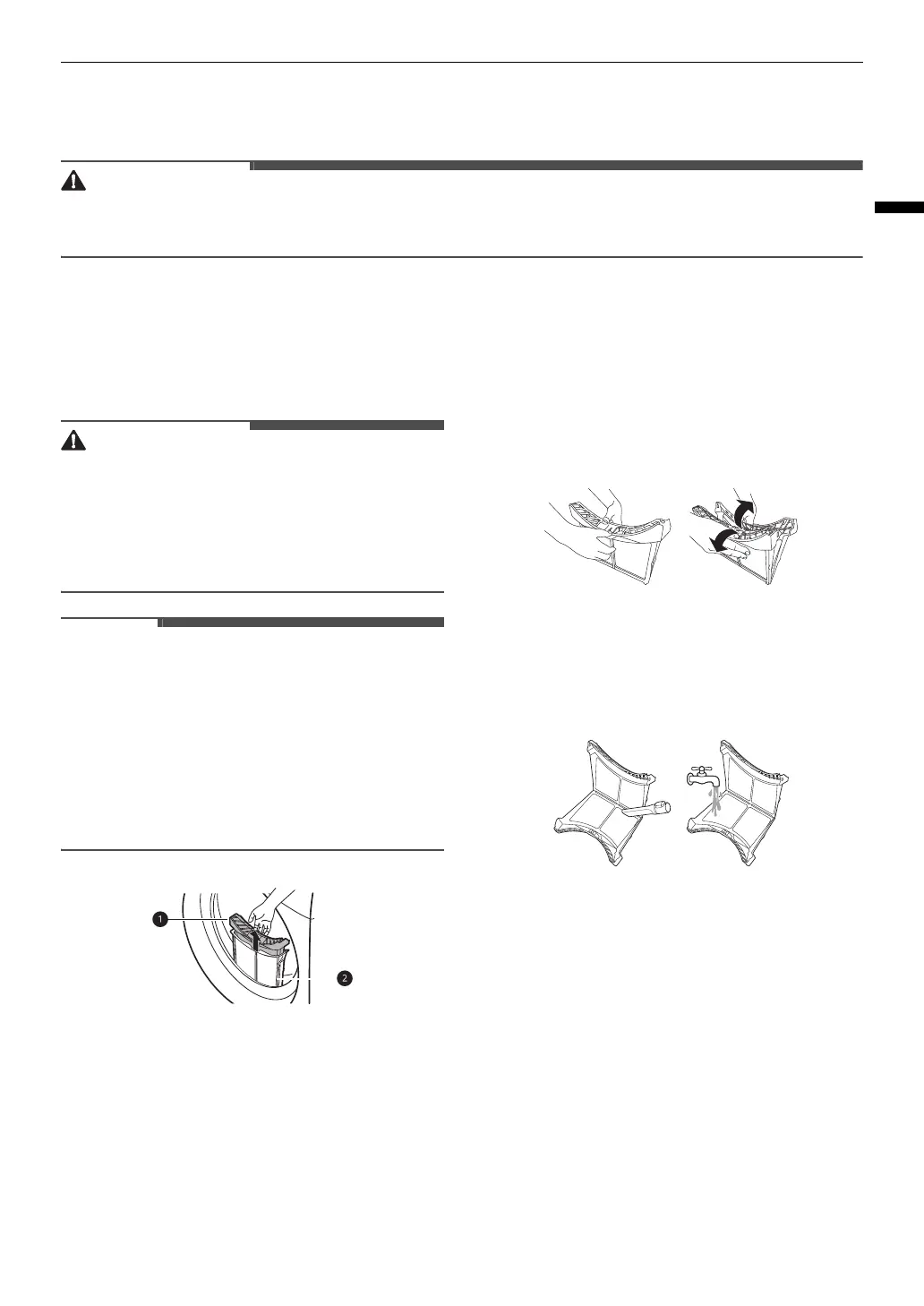
Clean the inner filter
1
Pull out the inner filter from the outer
filter and then open the inner filter.
• Open the filter by unfolding it in the
direction of the arrow.
2
Clean a large cluster of lint first, then
clean the residual lint using vacuum
cleaner or washing under running
water.
• Dry the filter completely if the filter
is moist. Failure to do so, odour may
occur in the appliance.
3
After drying the inner filter
completely, close the filter by pushing
down its center.
• Ensure the left and right side of the
inner filter is closed properly.
4
Insert the inner filter into the outer
filter.


 To Next Page