Operating 29
Operating
4
Playing Blu-ray 3D disc
e
This player can play the Blu-ray 3D discs which
contains separate views for the left and right eyes.
Preparation
In order to playback Blu-ray 3D title in
stereoscopic 3D mode, you need to:
y Check your TV is 3D capable and has HDMI
input(s).
y Wear 3D glasses to enjoy the 3D experience
if it is necessary.
y Check whether the BD-ROM title is the Blu-
ray 3D disc or not.
y Connect an HDMI cable (Type A, High Speed
HDMI™ Cable) between the player’s HDMI
output and TV’s HDMI input.
1. Press HOME ( ), and set the [3D Mode] option
on the [Settings] menu to [On] (page 22).
2. Press B (OPEN/CLOSE), and place a disc on the
disc tray.
3. Press B (OPEN/CLOSE) to close the disc tray.
The playback starts automatically.
4. Refer to the owner’s manual of your 3D-ready TV
for the further instruction.
You may need to adjust the display settings and
focus on your TV’s setting for the improved 3D
effect.
y Watching a 3D content for a long period time
may cause dizziness or tiredness.
y It is not recommended to watch a movie
in 3D mode for inrm, child and pregnant
woman.
y If you are experiencing headache, tiredness
or dizziness while viewing contents in 3D, it is
strongly recommended to stop the playback
and rest until you feel normal.
>
Caution
Playing a file on disc/USB device
yui
This player can play video, audio and photo les
contained in the disc or USB device.
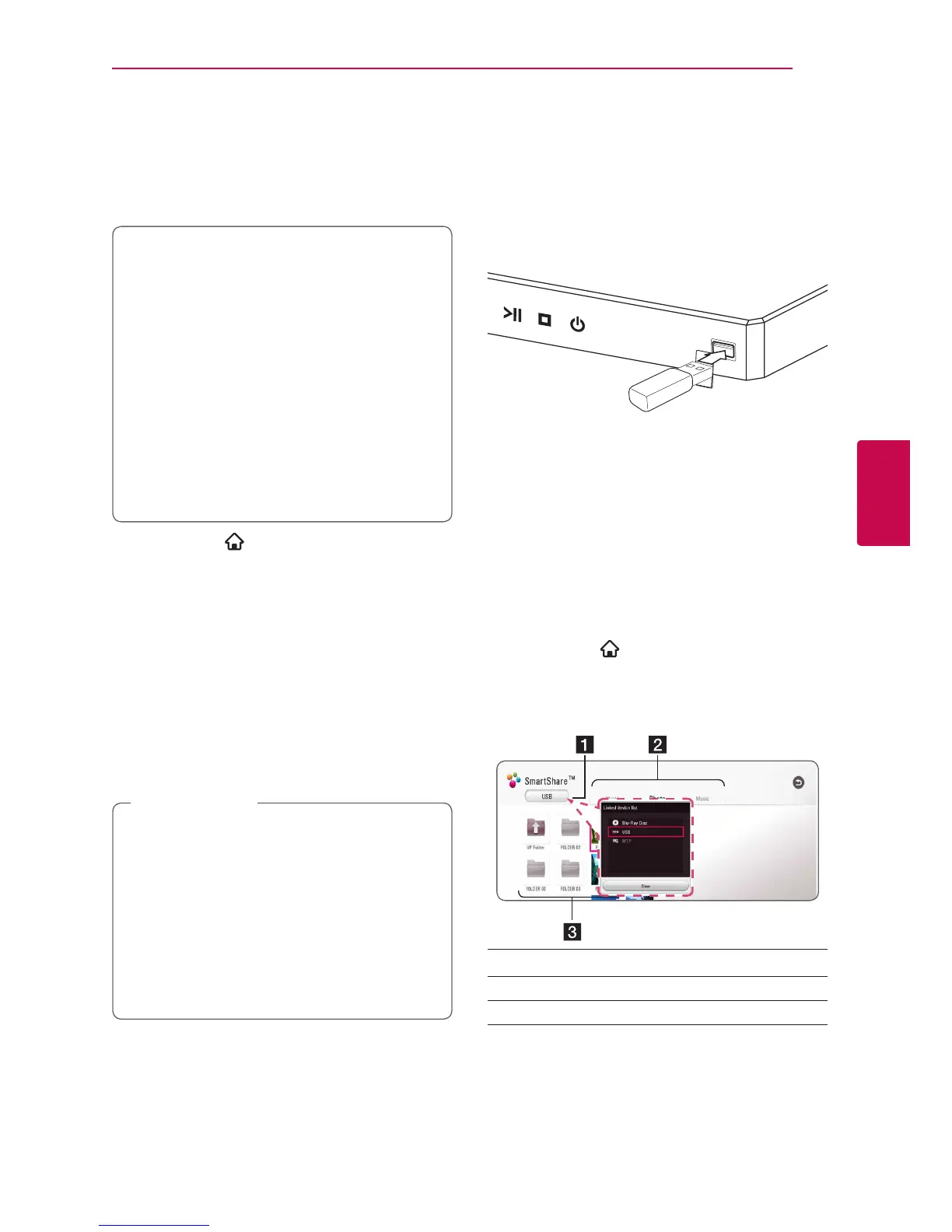
1. Insert a data disc on the tray or connect a USB
device.
When you connect the USB device on the HOME
menu, the player plays an audio le contained in the
USB storage device automatically. If the USB storage
device is containing various types of les, a menu for
the le type selection will appear.
File loading may take few minutes depending on the
number of content stored in the USB storage device.
Press ENTER (b) while [Cancel] is selected to stop
loading.
2. Press HOME ( ).
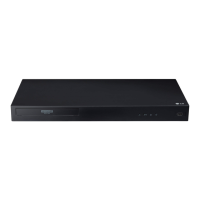
3. Select [Movie], [Photo] or [Music] using A/D,
and press S.
4. Select Disc or USB and press ENTER (b).
a
Displays all linked devices.
b
Displays video, photo or audio content.
c
Displays the le or folder on linked device.
5. Select a file using W/S/A/D, and press d
(PLAY) or ENTER (b) to play the file.


 To Next Page