Operating 39
Operating
4
Viewing content information
y
The player can display the content information.
1. Select a le using W/S/A/D.
2. Press INFO/MENU (m). The le information
appears on the screen.
During video playback, you can display the le
information by pressing TITLE/POPUP.
The information displayed on the screen
may not correct comparing actual content
information.
,
Note
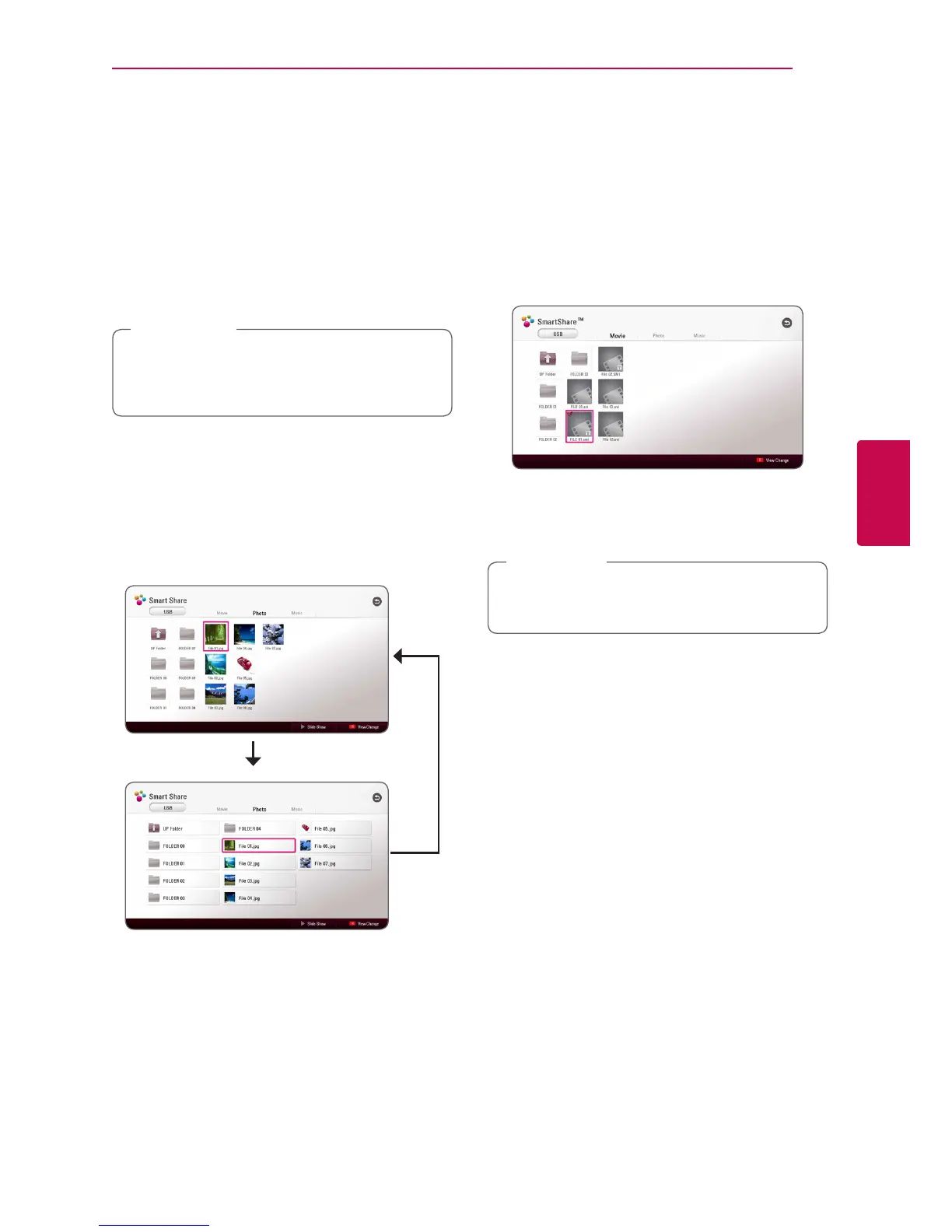
Changing content list view
yui
In the [Movie], [Photo] or [Music] menu, you can
change the content list view.
Press red (R) colored button repeatedly.
Selecting a subtitle le
y
If the subtitle le name is different from the video
le name, you need to select the subtitle le on the
[Movie] menu before playing the movie.
1. Use W/S/A/D to select the subtitle le you
wish to play in the [Movie] menu.
2. Press ENTER (b).
Press ENTER (b) again to deselect the subtitle
le. Selected subtitle le will be displayed when
you play the video le.
If you press Z (STOP) during playback, the
subtitle selection is cancelled.
,
Note


 To Next Page