System Setting 25
System Setting
3
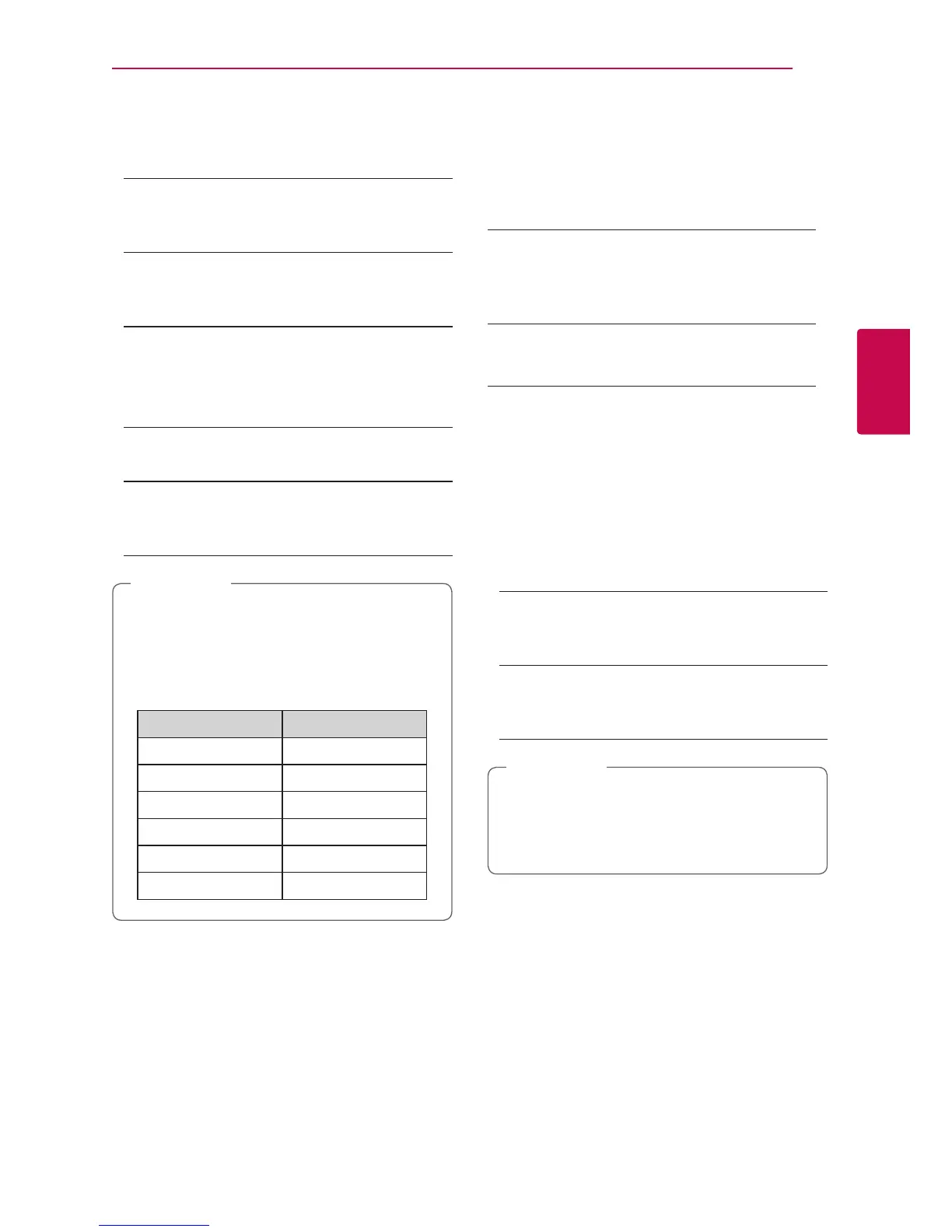
DVD Rating
Blocks playback of rated DVD based on their content.
(Not all discs are rated.)
[Rating 1-8]
Rating one (1) has the most restrictions and
rating eight (8) is the least restrictive.
[Unlock]
If you select [Unlock], parental control is not
active and the disc plays in full.
Blu-ray Disc Rating
Set an age limit of BD-ROM play. Use number
buttons to input an age limit for BD-ROM viewing.
[255]
All BD-ROM can be played.
[0-254]
Prohibits play of BD-ROM with corresponding
ratings recorded on them.
y The [Blu-ray Disc Rating] will be applied
only for the Blu-ray disc that containing the
Advanced Rating Control.
y For the region using MPAA rating level, refer
to the table below as an example.
Blu-ray Disc Rating
MPAA Rating
0 G
8 PG
13 PG-13
17 R
18 NC-17
255 Not restricted
,
Note
Area Code
Enter the code of the area whose standards were
used to rate the DVD video disc, based on the list on
page 53.
[OTHERS] Menu
Network Standby
The player automatically turns on by the Youtube or
the Netix App.
[On]
When you operate the Youtube and Netix App
of the smart device on the same network with
the player, the player is turned on.
[Off]
Turns off this function.
Auto Power Off
The screen saver appears when you leave the player
in Stop mode for about 5 minutes. If you set this
option to [On], the unit automatically turns off within
15 minutes since the Screen Saver is displayed. Set
this option to [Off] to leave the screen saver until the
unit is operated by the user.
Initialize
[Factory Set]
You can reset the player to its original factory
settings.
[Blu-ray Storage Clear]
Initializes the BD-Live contents from the
connected USB storage.
If you reset the player to its original factory
settings using [Factory Set] option, you have to
set all the activation for the on-line services and
network settings again.
,
Note


 To Next Page