44
To open the Camera application, tap Camera on the Home screen.
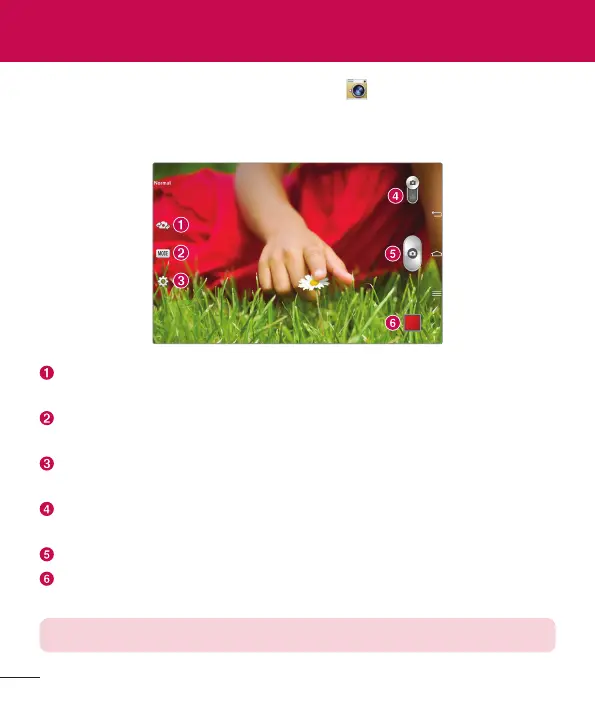
Getting to know the viewfinder
Swap camera – Switch between the camera lens and the front–facing
camera lens.
Shot mode – Allows you to choose a shot mode to define how the picture
will be taken.
Settings – Touch this icon to open the settings menu. See Using the
advanced settings on the following page.
Video mode – Tap (or slide) to toggle between Camera mode and Video
mode.
Capture – Takes a picture.
Gallery – Touch to view the last photo you captured. This enables you to
access your Gallery and view saved photos while in camera mode.
NOTE: Please ensure the camera lens is clean before taking pictures.
Camera



 To Next Page