50
Using the advanced settings
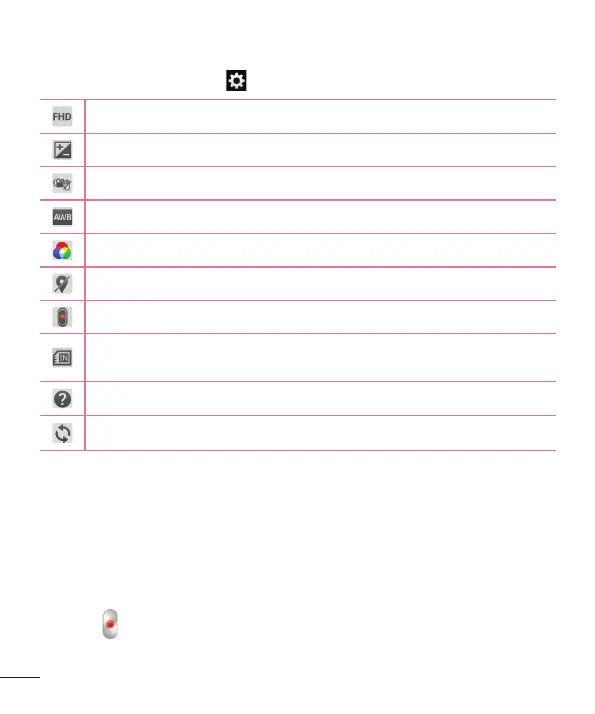
Using the viewfinder, touch to open all the advanced options.
Tap to set the size (in pixels) of the video you are recording.
Defines and controls the amount of sunlight entering the video.
Prevents shaking while recording to get high video quality.
Improves color quality in various lighting conditions.
Choose a color tone to use for your new view.
Activate this to use your tablet's location-based services.
Set to use the Volume Key for recording video or zooming.
Set the storage location for your pictures. Choose from Internal
storage and SD card.
Opens the help guide to know how a function operates.
Restores all camera default settings.
Recording a video
1 Open the Camera application and touch the Video mode icon.
2 The video camera viewfinder appears on the screen.
3 Holding the tablet, point the lens towards the subject you wish to capture
in your video.
4 Touch
once to start recording.



 To Next Page