45
Using the advanced settings
In the viewfinder, tap to open the advanced options. After selecting the
option, tap the Back Key
.
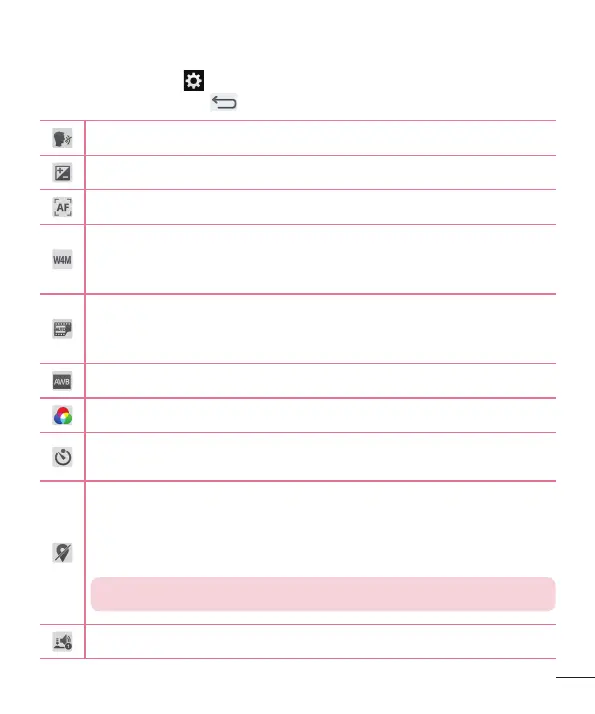
Take photos by voice command.
Defines and controls the amount of sunlight entering the photo.
Sets the focus mode.
Selects photo resolution. If you choose a high resolution, the file size
will increase, which means you will be able to store fewer photos in
the memory.
The ISO rating determines the sensitivity of the camera's light
sensor. The higher the ISO, the more sensitive the camera. This is
useful in darker conditions when you cannot use the flash.
Improves color quality in various lighting conditions.
Applies artistic effects to your pictures.
Sets a delay after the capture button is pressed. This is ideal if you
want to be in the photo.
Activate this to use your tablet's location-based services. Take
pictures wherever you are and tag them with the location. If you
upload tagged pictures to a blog that supports geo-tagging, you
can see the pictures displayed on a map.
NOTE: This function is only available when GPS is turned on.
Selects a shutter sound.



 To Next Page