27
SMART FUNCTIONS
troubleshooting data to a smartphone using the
LG ThinQ
application.
Launch the
LG ThinQ
application and select the
Smart Diagnosis
feature in the menu. Follow
the instructions provided in the
LG ThinQ
application.
Using Audible Diagnosis to
Diagnose Issues
*1 This control panel is only available on some
models.
Follow the instructions below to use the audible
diagnosis method.
Launch the
LG ThinQ
application and select the
Smart Diagnosis
feature in the menu. Follow
the instructions for audible diagnosis provided
in the
LG ThinQ
application.
Control Panel 1: On the Freezer Door
*1
1
Open the fridge door.
2
Close and open the fridge door 5 times within
8 seconds.
NOTE
If you do not close and open the door 5 times
within 8 seconds, the time will be reset. Then you
have to close and open the door 5 times again.
3
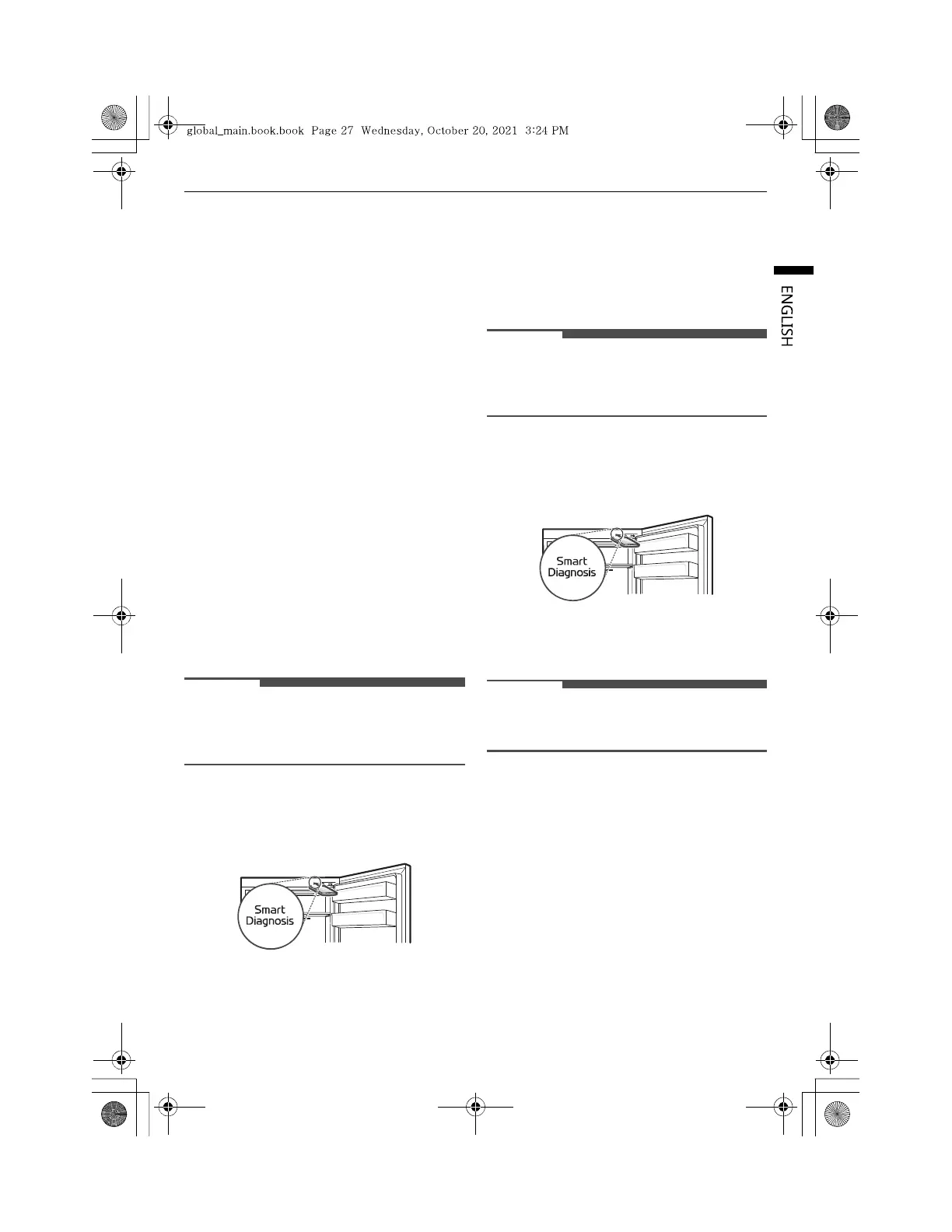
Open both fridge and freezer door, and then
hold the phone on the upper right speaker
hole.
4
After the data transfer is complete, the
diagnosis will be displayed in the application.
Control Panel 2: Inside the Fridge
*1
1
Open the fridge door.
2
Close and open the fridge door 5 times within
8 seconds.
NOTE
If you do not close and open the door 5 times
within 8 seconds, the time will be reset. Then you
have to close and open the door 5 times again.
3
If the buzzer sounds 4 times, open the freezer
door and hold the phone near the speaker
hole.
4
After the data transfer is complete, the
diagnosis will be displayed in the application.
NOTE
For best results, do not move the phone while
the tones are being transmitted.



 To Next Page