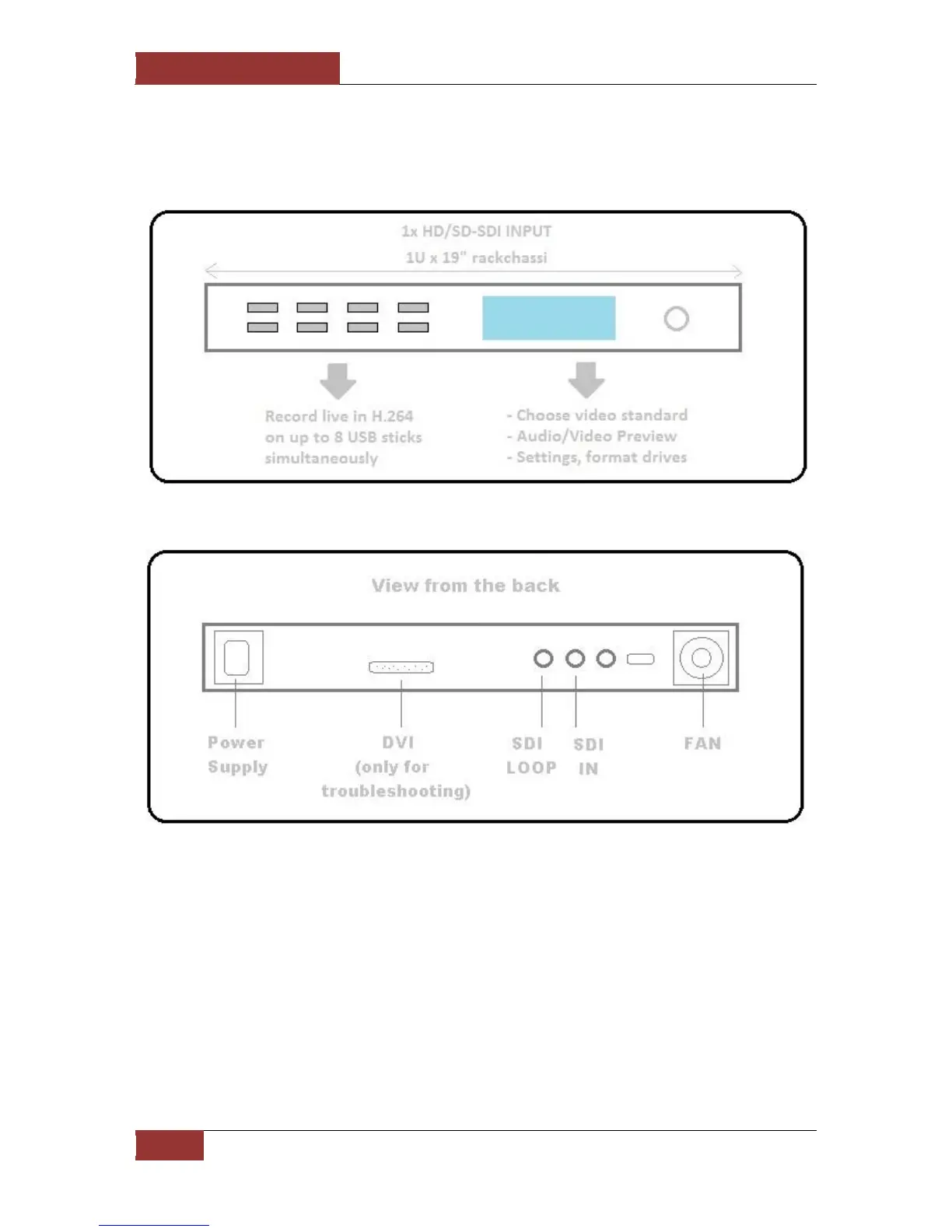
3.3 Inputs / Outputs
The device was designed to keep both the I/O and the interface to a minimum. All to make it as
simple to operate and understand as possible.
3.4 Remote Access
With the software version 2.0 or higher. The device can be accessed via a web interface. All
features are then available through this web interface and the unit can be remotely controlled.
The Interface has been tested on Chrome, Firefox, Explorer and Safari. To reach it simply type, in
the browser of a computer connected to the same network as the unit, the IP address of the unit
itself.


 To Next Page