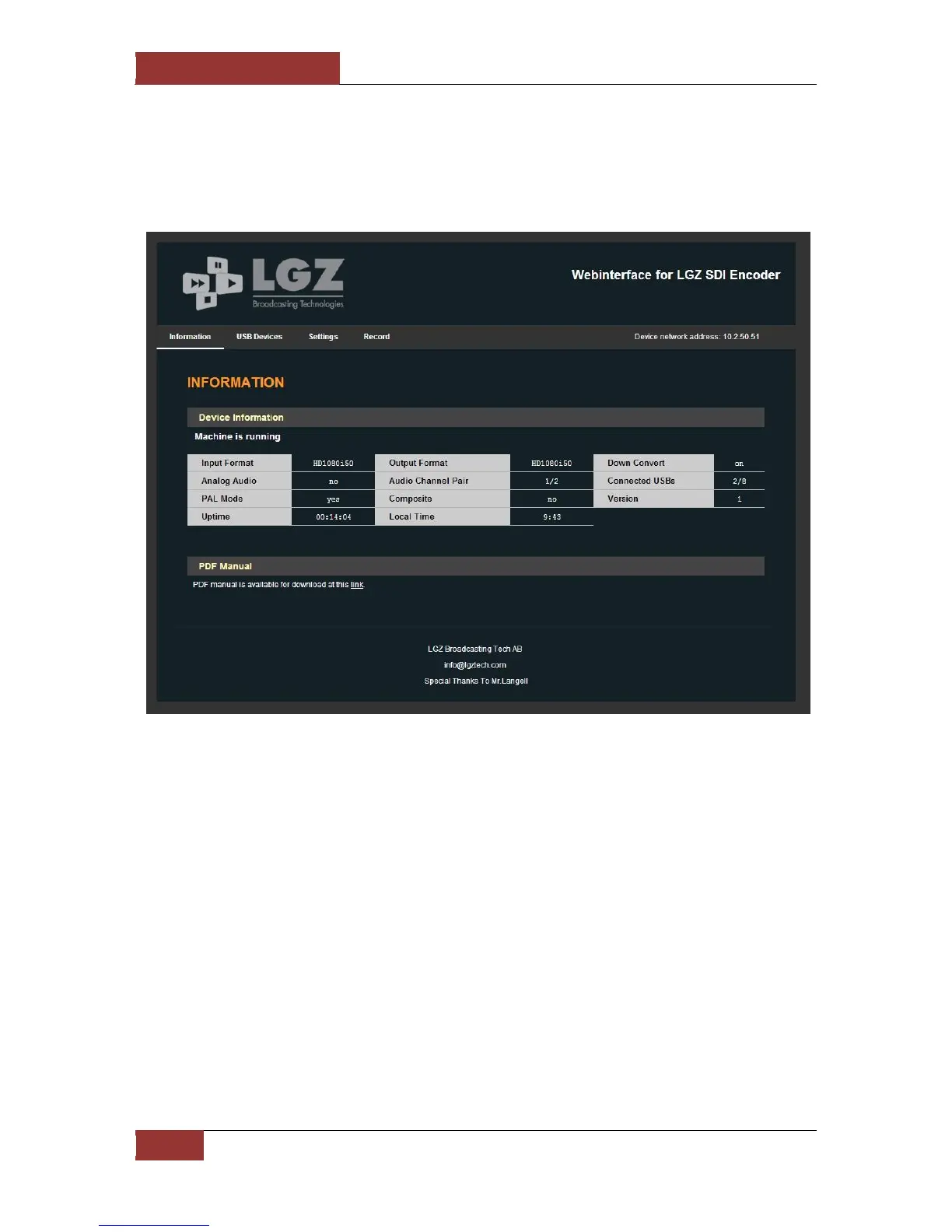
4.2 Web Interface screenshots
The first page shows you some information on the current status of the unit. On the example above
you can see the following:
Input Format Set to read the incoming HD-SDI signal and expects it to be 1080i50
Output Format Set to 1080i50 meaning the files will be recorded in HD quality 1080i50
Analog Audio Is set to NO so the recorded audio is the one embedded in the SDI signal
Audio Channel Pair Shows the 2 first channels are the ones being recorded
Connected USBs Shows how many USB sticks are connected
PAL Mode If Yes the unit is on PAL mode, else it is in NTSC mode
Composite Can only be set to YES if the unit has a Decklink Studio card
Version Shows what version the software currently has
Uptime Shows how long in hours, minutes and seconds the system has been on
Local time Shows the current Local Time
At the bottom is a link to the manual for the LGZ USB Recorder


 To Next Page