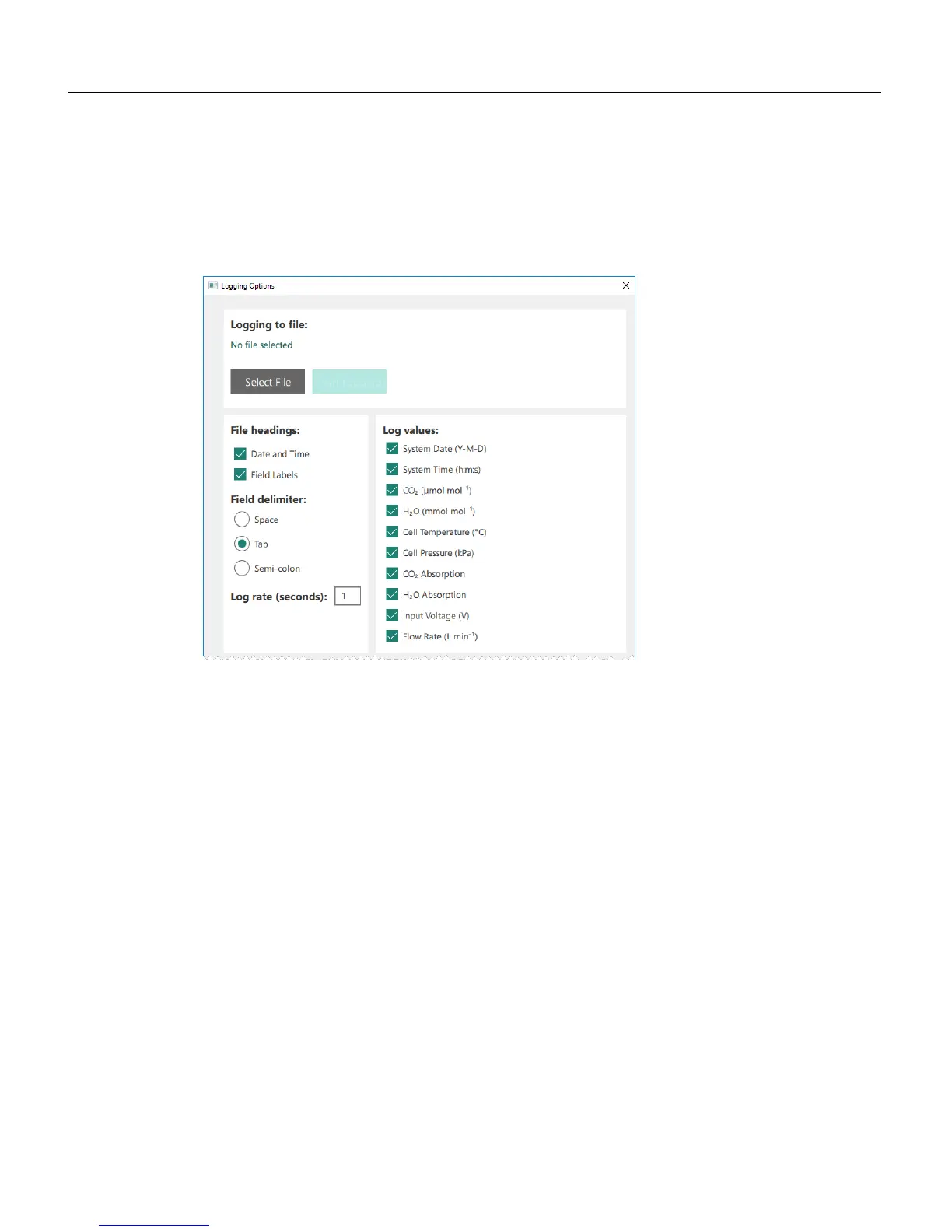
Logging data to a PC
The instrument can log data as a text file, which will be stored to the connected
computer. Configure the log file under Settings > Logging Options. To log data:
1
Create a file.
Click Select File, then choose the directory where you want to store the file, and
name the file.
2
Configure the log parameters.
l File headings: When checked, the Date and Time and Field Labels for data
columns will be included in the data file header.
l Field delimiter: Choose between a space, tab, or semi-colon delimited text file.
l Log rate (seconds): How often a value is recorded. This can be 0.5, 1, 2, 3, 4, 5,
10, or 20 measurements per second. It is independent of the Filter setting
(described in Other options on page2-7).
l Log values: Select the values you want in the log file.
3
Click Start logging.
The instrument will create a text file according to the parameters you set. You can
open the logged data in a text editor or most spreadsheet programs.
Section 2. Configuring the gas analyzer
2-3Logging data to a PC



 To Next Page