Operation
35
Event Log
The Event Log screen displays the faults, alarms, and status messages. Every message will have a
time and date stamp.
The Event Log is a sequence of messages or events captured in individual frames. See the following
section on HISTORY LOGS for more information about frames.
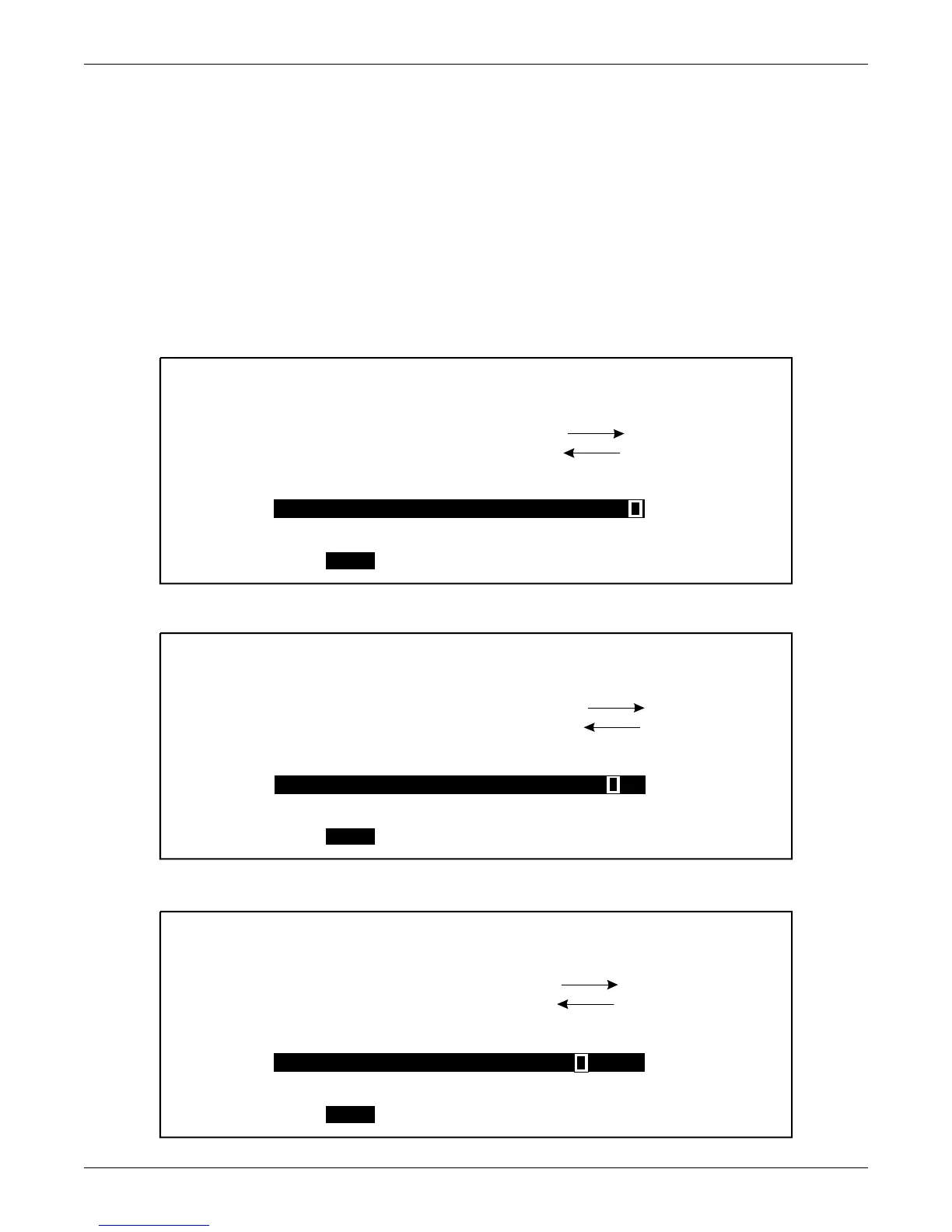
The following three screens show the last 3 in a series of 20 messages. Notice that 20 messages have
accumulated in this example, and that marker moves from right to left as earlier messages are
viewed. The number of events prior to the alarm are displayed by an arrow pointing to the left, and
the number of events following the alarm is illustrated by an arrow pointing to the right. The maxi-
mum number of events that can be recorded is 512 events.
To view a previous event, highlight PREV and press SELECT.
Figure 34 Event log report screen showing most recent event
Figure 35 Event log report screen showing previous event
Figure 36 Event log report screen showing previous event
EVENT LOG
EXIT
MESSAGE:
SYS TIME SET BY OP
TYPE: ALARM
INITIATED BY: MICRO MONITOR
TOTAL 20
0
19
PREV
NEXT
02 : 24 : 21 6 / 10 / 00
EVENT LOG
EXIT
MESSAGE:
UPSC - MM COMMUNICATION FAIL
TYPE: ALARM
INITIATED BY: MICRO MONITOR
TOTAL 20
1
18
PREV
NEXT
02 : 23 : 21 6 / 10 / 00
EVENT LOG
EXIT
MESSAGE:
SYS TIME SET BY OP
TYPE: ALARM
INITIATED BY: MICRO MONITOR
TOTAL 20
2
17
PREV
NEXT
02 : 20 : 21 6 / 10 / 00












 To Next Page