EasyManua.ls Logo

Liebert GXT3 RT230 - User Manual

Liebert GXT3 RT230
4 pages
Print Icon
To Next Page IconTo Next Page
Loading...
1 SLI-23185QS6_Rev0_09-2012
Liebert
®
GXT3
Quick Start Guide 5000-6000VA RT230 Models
The Liebert GXT3 is shipped with the following items:
Terminal Block Communication terminals
Compact disc with:
o Liebert MultiLink®
o Configuration program
o User manual (electronic version)
USB cable, one; 2m (6-1/2 ft.) long
Rack handles with mounting hardware
Plastic tower support base, one set
Plastic Bezel
Warnings, safety instructions booklet and WEEE recycling sheet (ISO 14001 compliance)
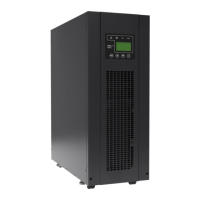
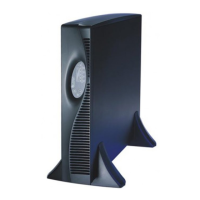
If the UPS is intended to be installed in the Tower orientation, locate the support base and spacers then assemble the two
stand assemblies with an even number of spacers in each assembly. Insert the UPS between the support base
assemblies with adequate space between the assemblies as shown in the picture below. Note the display should be
located on the upper half of the unit in the Tower orientation. To rotate the display with the bezels removed, depress the
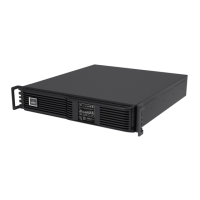
grooved tabs on the sides and rotate it 90 degrees clockwise. If the USP is to be installed in a rack enclosure, follow the
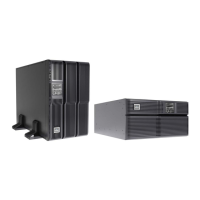
instructions provided with the rack mounting hardware for proper installation.
The UPS is hardwired input with a conduit entry knockouts provided. Input and output wiring should be installed in
separate conduits. All wiring should be done in accordance to all local and national electrical codes. Before wiring the
UPS ensure that the breaker in the external upstream panelboard is OFF.
UPS Model
Recommended
(Maximum) External
Over Current
Protection
Recommended Wire
(All wires)
75 degC Copper Wire
Maximum Wire
Accepted by
Terminal Block
Terminal Block
Torque
GXT3-5000RT230
GXT3-6000RT230
32A
4mm
2
(10 AWG)
6mm
2
(8 AWG)
2.26 Nm (20 in-lb)
Terminal Block Connections
5000-6000 VA models
L
N
N
OUTPUT
INPUT
The UPS is equipped with a POD containing output receptacles; connect the equipment to be protected to the output
receptacles.

Questions and Answers

  • C
    Christopher CarterJul 30, 2025
    Why does my Liebert UPS keep beeping every 60 seconds after a battery test failure?
    • M
      Michael WoodsJul 30, 2025
      If your Liebert UPS has failed the battery test, it will beep for 2 seconds every 60 seconds.

  • V
    victor71Aug 2, 2025
    What does it mean when my Liebert UPS is beeping continuously due to the maintenance bypass switch?
    • J
      jeremy48Aug 3, 2025
      If the maintenance bypass switch on your Liebert UPS is activated, the unit will emit a continuous alarm.
  • A
    amberchristensenAug 7, 2025
    What does it mean when my Liebert GXT3 RT230 UPS is beeping every 4 seconds because of PFC failure?
    • M
      Matthew PattersonAug 7, 2025
      If your Liebert UPS is experiencing a PFC failure, it will beep for 1-second every 4 seconds.
  • K
    katherine69Aug 11, 2025
    What does it mean when my Liebert GXT3 RT230 is beeping every 4 seconds due to bypass feedback?
    • B
      ballenAug 11, 2025
      If your Liebert UPS is experiencing bypass feedback, it will beep for 1-second every 4 seconds.
  • J
    jason42Aug 15, 2025
    What does it mean when my Liebert GXT3 RT230 UPS beeps briefly at quarter-second intervals due to REPO?
    • B
      Benjamin LaraAug 15, 2025
      If your Liebert UPS is beeping briefly at quarter-second intervals, it indicates that the REPO (Remote Emergency Power Off) function is active.
  • J
    John KingAug 20, 2025
    What should I do if my Liebert UPS indicates that the internal battery source is unavailable?
    • R
      Richard GarrettAug 20, 2025
      If the internal battery source is not available on your Liebert UPS, check the battery connection, then power down and reboot the UPS.
  • O
    olivia14Aug 25, 2025
    What does it mean if my Liebert GXT3 RT230 UPS is silent after a shutdown command via USB or Liebert IntelliSlot® port?
    • K
      Kimberly PerryAug 25, 2025
      If your Liebert UPS was shut down by command from communication via USB or the Liebert IntelliSlot® port, it will not produce an audible alarm.

Summary

Terminal Block Connections

UPS Specifications and Wiring

Details on recommended external over current protection, wire size, and terminal block torque.

UPS Component Identification

Rear Panel Components

Identifies key connectors and breakers on the rear panel of the UPS unit.

Battery Level Indicators

Powering Up the UPS

Step-by-step guide for connecting power and starting the UPS unit.

Troubleshooting

Diagnosis;Audible Alarm

Table correlating indicator patterns and audible alarms to specific UPS fault conditions.

Liebert GXT3 RT230 Specifications

General IconGeneral
BrandLiebert
ModelGXT3 RT230
CategoryUPS
LanguageEnglish

Related product manuals