
 Need help?
Do you have a question about the Liebert GXT3-10000RT230 and is the answer not in the manual?
Instructions to keep for future reference regarding safe operation of the UPS.
Critical safety precautions for handling batteries and operating the UPS to prevent shock or fire.
Important note regarding IT power systems and upstream circuit breakers.
Components that protect against surges and filter interference from the mains line.
Converts AC power to regulated DC power, improving efficiency and reducing mains distortion.
Converts DC power to clean sinewave AC output, ensuring stable power for sensitive equipment.
Continuously float charges the batteries when connected to mains power.
Raises battery DC voltage to the optimum level for the inverter, enhancing efficiency.
Utilizes valve-regulated, nonspillable, lead acid batteries for reliable operation.
Provides an alternate path for mains power in case of UPS malfunction, protecting the load.
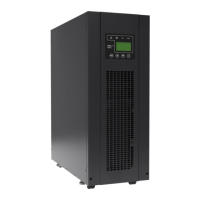
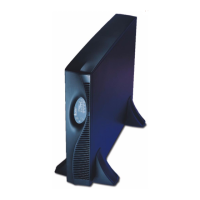
The main cabinet housing the UPS circuitry, shipped with internal batteries and distribution box.
Two internal battery packs are located behind a front access door for easy replacement.
A box attached to the rear, containing the UPS input circuit breaker.
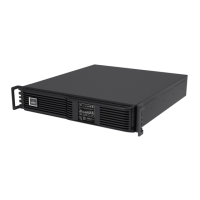
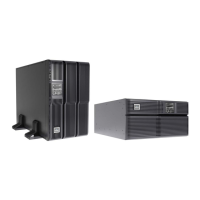
Guidance on installing the UPS unit in either a tower or rack configuration.
Steps for setting up the Liebert GXT3 in a vertical tower configuration.
Instructions for installing the UPS into a standard server rack.
Procedure for using the optional kit to mount the UPS in EIA310-D standard racks.
Steps for connecting optional external battery cabinets to extend runtime.
Procedures for connecting the electrical power input and output.
Details on making electrical connections through the power distribution box.
Overview of customizable settings available through the UPS configuration software.
List of prerequisites and software required to configure the UPS.
Functionality of the primary control button for power, alarms, and tests.
Operation of the button used for switching between normal and bypass modes.
LED indicators displaying the current load percentage on the UPS output.
LED indicators showing the current battery charge level.
Description of indicators that show the UPS's operational status and potential faults.
Essential checks to perform before starting the Liebert GXT3 UPS.
Step-by-step guide for the initial power-up and verification of electrical connections.
Procedure to manually initiate a test of the UPS battery performance.
Steps to transfer the UPS load to the bypass path for maintenance or troubleshooting.
Instructions for safely powering down the UPS unit.
Procedure for safely disconnecting the input power supply to the UPS.
Details on how to place the UPS into maintenance bypass mode.
Guide to configuring the UPS for specific IT power system requirements.
Description of the terminal block on the rear of the UPS for communication signals.
Details on the eight-pin terminal block and its communication functions.
Procedure for shutting down the UPS output in any operational mode.
Procedure for shutting down the UPS output when operating on battery power.
Description of the dry contact signal indicating the UPS is on battery power.
Description of the dry contact signal indicating a low battery warning.
Information on optional cards for enhanced UPS communication and monitoring.
Software for monitoring and controlling the UPS, including remote shutdown capabilities.
Functionality and connection for the REPO circuit to disconnect UPS power.
Step-by-step guide for safely replacing the internal UPS battery packs.
Detailed steps for the safe removal and replacement of internal battery packs.
Information on how the UPS charges its batteries and recommended charging practices.
General safety precautions to observe during UPS maintenance and operation.
Recommendations for periodically checking the operational status of the UPS.
Procedures for verifying the proper functioning of UPS operational modes and tests.
Common symptoms indicating a potential malfunction of the Liebert GXT3 UPS.
Explanation of indicator lights and their diagnostic meaning for troubleshooting.
Description of audible alarms and the UPS conditions they signify.
A guide to identifying problems, their causes, and solutions for the UPS.
Key technical specifications for the Liebert GXT3 UPS models.
Environmental operating temperature ranges for the UPS units.
Specifications for the power distribution boxes used with the UPS.
Technical details for optional external battery cabinets.
Estimated battery run times in minutes for various loads and configurations.
Explanation of how the UPS learns and estimates battery run times.






 To Next Page
 General