Liebert iCOM Display Components and Functions
11
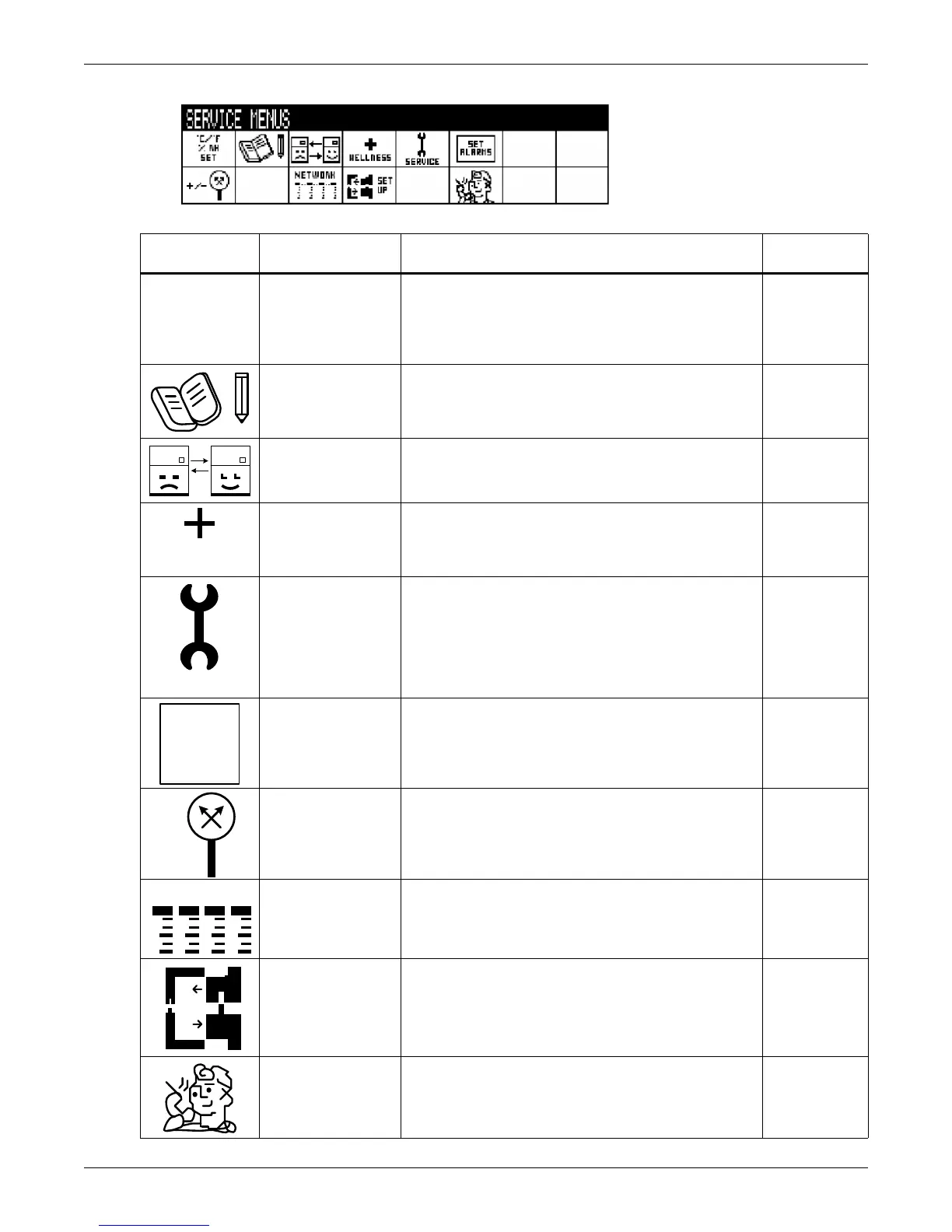
Figure 9 Service menu icons
Table 3 Service menu icons
Icon Name
Description
Available On
Display
Setpoints To view and change temperature and humidity setpoints Small & large
Unit Diary
Shows all entered program changes and maintenance
performed on the unit
Large
Standby Settings/
Lead-Lag
Allows lead/lag setup when multiple units are connected Small & large
Maintenance/
Wellness Settings
Allows setting maintenance interval reminder,
maintenance message, number of unit starts and stops,
and time since last maintenance
Small & large
Diagnostics/
Service Mode
Allows troubleshooting, manual mode, read analog and
digital inputs
Small & large
Set Alarms Allows enable, disable and settings for alarms Small & large
Sensor
Calibration/Setup
Allows calibration of sensors Small & large
System/Network
Setup
Allows setup and U2U communication for multiple units Large
Options Setup Allows setup of component operation Small & large
Service Contact Info
Contains key contact information for local service,
including names and phone numbers
Small & large
Service Menu password: 5010



 To Next Page