9
1. How to use
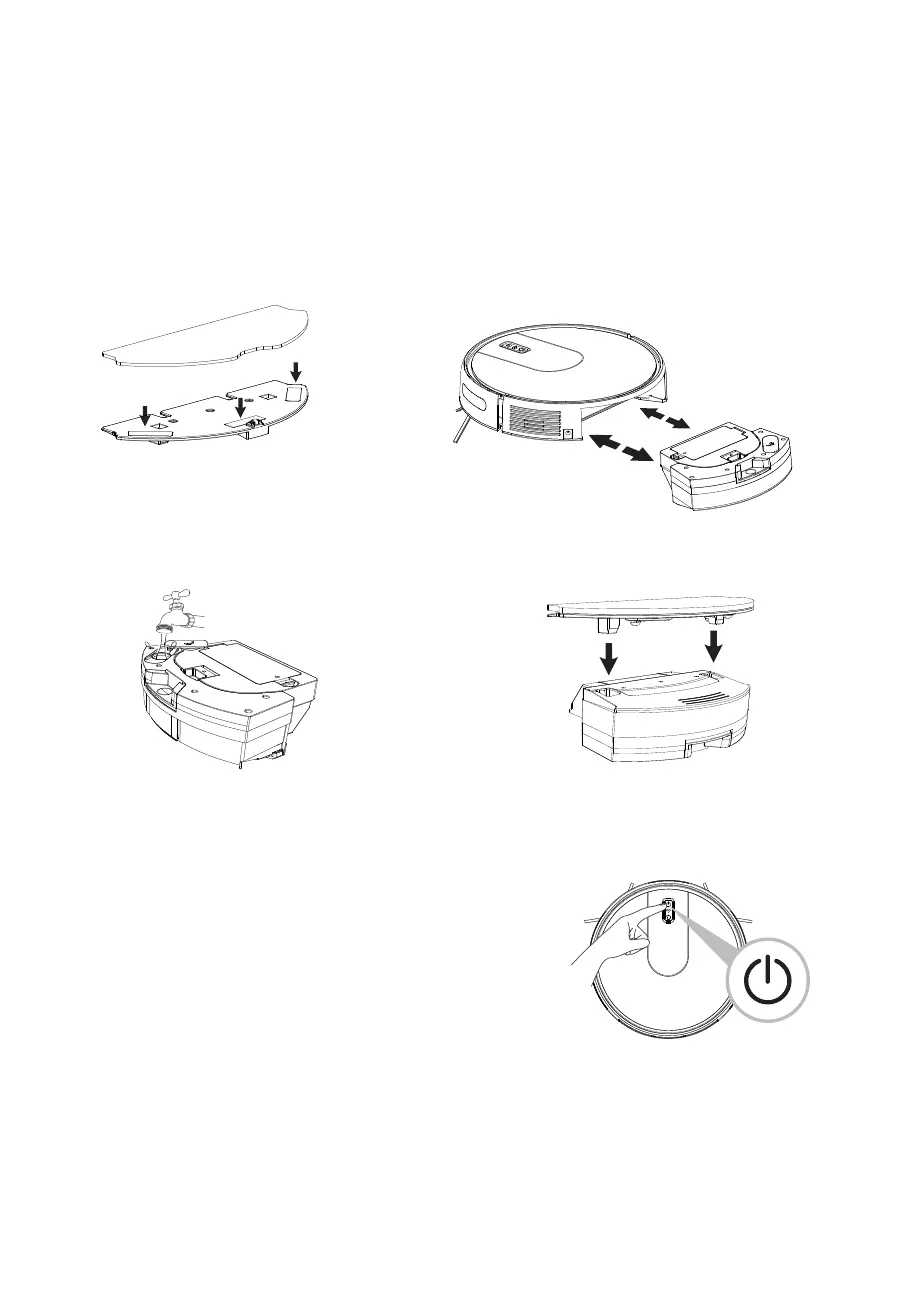
Install mop.
Ύ Remove or install the water tank Disassembly:
hold down the red dot on the back, pull back, take
out the water tank. Installation: Push the water tank
horizontally along the host card slot until you hear a
"click";
Ώ Open the tank cover and fill
it with water
Power on
Press and hold the power button for 3 seconds until you
hear a beep sound, the green light comes on, and the
robot starts. Then the Wi-Fi indicator blinks and enters
network mode. (Refer to the APP Guide for details)
Ύ Power off
Long press the power button for 3 seconds, the green
light is off, and the robot shuts down.
2. Turn on/off
ΐ Install the cloth support to the bottom of the
water tank until you hear a "click";
Product use



 To Next Page