10 FlexStride Plus User Manual Lifepro
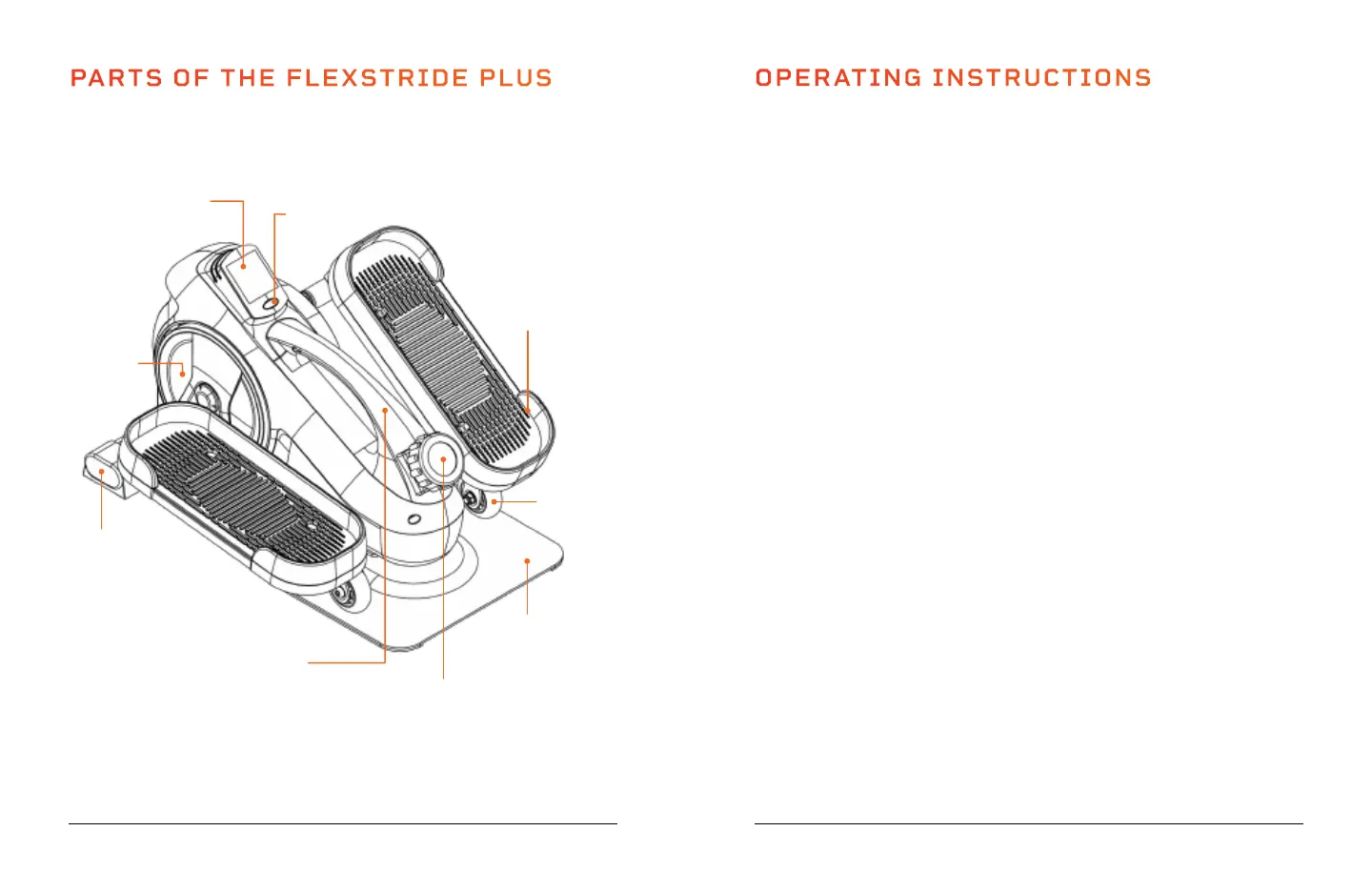
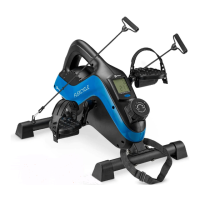
PARTS OF THE FLEXSTRIDE PLUS
OPERATING INSTRUCTIONS
CREATE A CUSTOM CYCLING WORKOUT
Create a custom aerobic workout with your desired speed, intensity, and
duration:
1. Adjust the pedal tension (see below) to your desired resistance level.
2. Place your feet flat on the pedals.
3. Begin pedaling, forwards or backwards, at your desired speed. You can
check your speed on the monitor. Speed is displayed in RPMs (rotations/
strides per minute).
4. Keep an eye on the monitor to track your workout duration.
ADJUSTING THE PEDAL RESISTANCE/TENSION
The FlexStride Plus has eight levels of resistance (1–8). Level 1 is the
lowest resistance level and provides the easiest pedaling. Level 8 is the
highest resistance level and provides the most intense pedaling workout.
1. Turn the Tension Control Knob to the right or left to adjust the resistance
level. Align the arrow on the knob to the tension level you would like to
select.
2. Turn the knob to the right to increase the resistance level. Turn the knob
to the left to decrease the resistance level.
Tension Control
Knob
(8 Levels)
Base Plate
Pedal
(Left & Right)
Monitor Screen
Carrying
Handle
Flywheel
Mode
Button
Carrying
Handle
Wheel
(Left & Right)
Rear
Stabilizer
Endurance Training Collection 11








 To Next Page