14 FlexStride Pro User Manual Lifepro
Endurance Training Collection 15
OPERATING INSTRUCTIONS
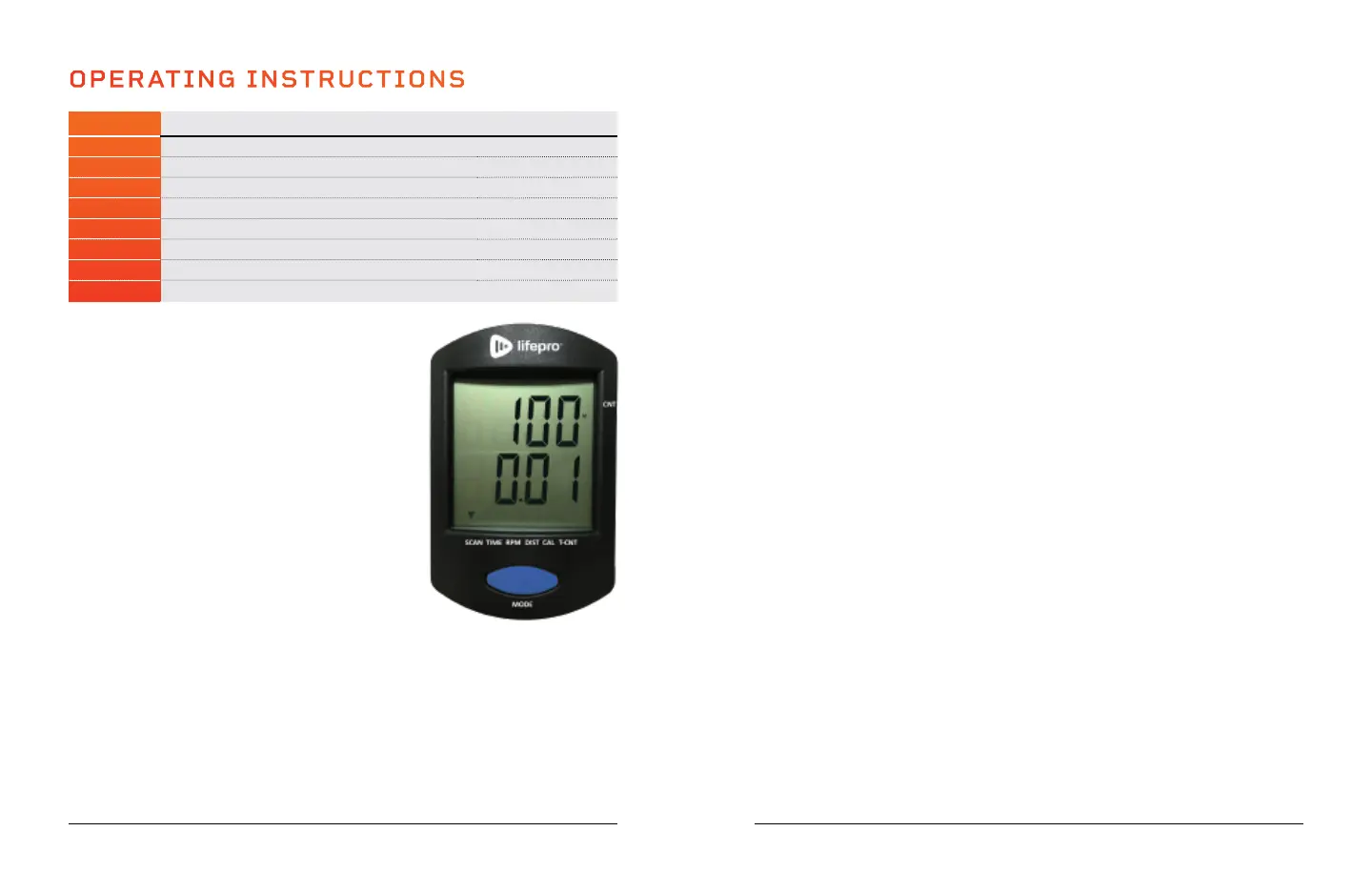
MODE INFORMATION DISPLAYED ON MONITOR VALUE
CNT Displays the count or number of strides in the workout 0 – 9999 Strides
SCAN Displays each mode in turn: time, rpm, dist, cal, t-cnt Varies
TIME Displays the duration of the workout 0:00 – 99:59 (HR:MIN)
RPM Displays the current workout speed in strides/minute 0 – 999 Strides/Min
DIST Displays the distance traveled in the workout 0 – 999.9 Mi or Km
CAL Displays the number of calories expended in the workout 0.0 – 999.9 KCAL
TCNT Displays the total number of strides (across all workouts) 0 – 9999 Strides Total
BATTERY Displays only if the batteries need to be changed N/A
CHANGING THE MODE
The monitor’s top line shows
the “CNT”, the number
of strides in the current workout. The bottom line
shows the value of the selected mode. To change
the mode:
1. Press the blue Mode button to toggle through
the modes: scan, time, RPM, distance, calories,
and total count. See the table above for
information about each mode.
2. The small black arrow at the bottom of the
screen shows which mode is currently selected.
RESETTING ALL WORKOUT VALUES
1. Press and hold the Mode button for 3 seconds.
Workout values will flash once, then reset.
Workout values automatically reset when they
reach their maximum (for example, 999.9 miles)
and when the batteries are replaced.
SWITCHING BETWEEN MILES (M) AND KILOMETERS (K)
1. Press and hold the Mode button for at least 6 seconds. Release the button
after all of the workout values flash twice. A small M next to the count value
indicates miles are selected. A small K indicates kilometers are selected.
AUTO SHUTOFF
The monitor will automatically shut off after four minutes of inactivity. The monitor
will automatically power on when you press the Mode button or begin to exercise.
CREATING A CUSTOM PEDALING WORKOUT
Create a custom aerobic workout with your desired speed, intensity, and
duration:
1. Adjust the pedal tension (see below) to your desired resistance level.
2. Place your feet flat on the pedals.
3. Begin pedaling, forwards or backwards, at your desired speed. You can
check your speed on the monitor. Speed is displayed in RPMs (rotations/
strides per minute).
4. Keep an eye on the monitor to track your workout duration.
ADJUSTING THE PEDAL RESISTANCE/TENSION
The FlexStride Pro has sixteen levels of resistance (1–16). Level 1 is the
lowest resistance level and provides the easiest pedaling. Level 16 is the
highest resistance level and provides the most intense pedaling workout.
1. Turn the Tension Control Knob to the right or left to adjust the resistance
level. Align the arrow on the knob to the tension level you would like to
select.
2. Turn the knob to the right to increase the resistance level. Turn the knob
to the left to decrease the resistance level.
MOVING THE FLEXSTRIDE PRO
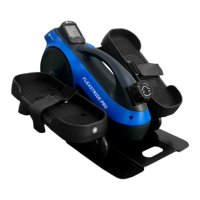
The FlexStride Pro has two carry handles to allow for easy transportation.
Grab the top carry handle to lift the FlexStride Pro and move it to a new
location.
You may also roll the FlexStride Pro to a new location:
1. Firmly grasp the carry handle in the base plate.
2. Tilt the FlexStride Pro up onto the wheels at the front of the unit.
3. Now, you can easily wheel the FlexStride Pro to its new location.








 To Next Page