EasyManua.ls Logo

LifeSpan CHASER - User Manual

LifeSpan CHASER
32 pages
Print Icon
To Next Page IconTo Next Page
Loading...
NOTE: This manual may be subject to updates or changes. Up to date manuals are available through our website at www.lifespanfitness.com.au
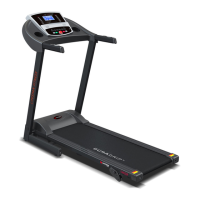
Product may vary slightly from the item pictured due to model upgrades
Read all instructions carefully before using this product. Retain this owner’s manual for
future reference.
CHASER OWNER’S MANUAL

Questions and Answers

  • H
    harrismarcoJul 27, 2025
    What to do if my LifeSpan CHASER shows E07 error?
    • S
      Sharon HoffmanJul 28, 2025
      If your LifeSpan Treadmill displays error code E07, it means the safety key signal isn't detected. First, make sure the magnetic part of the safety key is in contact with the treadmill. If that doesn't work, open the computer and check the safety switch line plug. Also, inspect the safety switch board for damage and ensure the plug is correctly positioned.
  • A
    Angela Watkins MDAug 2, 2025
    What to do if my LifeSpan CHASER displays E05 error?
    • R
      Ryan LeachAug 2, 2025
      If your LifeSpan Treadmill displays E05, it means the motor voltage is too high during operation. Check the motor to ensure it's in good condition and that nothing is stuck in the running belt or roller, causing increased resistance. If the problem persists, consider replacing the controller.
  • S
    samantha19Aug 8, 2025
    What to do if my LifeSpan Treadmill shows E03 error?
    • J
      Jacqueline PhillipsAug 8, 2025
      If your LifeSpan Treadmill displays error E03, and the motor runs briefly before the error appears, check the speed sensor attachment, wires, and the connection between the light sensor and the four white pins on the controller. Also, check for damage around the four white pins. If the motor doesn't run at all when E03 appears, check if the motor is stuck. If problems continue, consider replacing the motor.
  • J
    Jacob FranklinAug 14, 2025
    What does E01 error mean on my LifeSpan CHASER Treadmill?
    • B
      Brian DownsAug 15, 2025
      If your LifeSpan Treadmill displays E01, it indicates a signal failure between the computer and controller. Check the wires connecting these components for damage and ensure they are properly connected. If the issue persists, consider replacing the IC of either the controller or the computer.
  • J
    Joe SalasAug 20, 2025
    What does E02 error mean on my LifeSpan CHASER Treadmill?
    • A
      Alicia JohnsonAug 20, 2025
      If your LifeSpan Treadmill displays E02, the controller isn't detecting motor voltage. Verify the motor's positive and negative lines are securely connected to the controller terminal. Inspect the controller's power tube and surrounding components for damage. If the problem persists, consider replacing either the controller or the motor.

Summary

Important Safety Instructions

Important Electrical Information

Important Operating Instructions

Assembly Instructions

Folding Instructions

Operation Guide

Console Overview and Display

Explains console layout, LCD readouts (speed, time, distance, calories, pulse) and basic functions.

Console Button Functions

Treadmill Operating Modes

Workout Settings and Features

Additional Functions and Usage

Safety Key and Data Ranges

Body Fat Test Functionality

Exercise Guide

Warm-up and Workout Guidelines

Recommendations for proper warm-up, training zones, and cool-down routines for effective and safe exercise.

Maintenance Instructions

General Cleaning and Care

Procedures for routine cleaning, checking parts for wear, and general care to prolong unit life.

Belt, Deck, and Roller Lubrication

Running Mat Lubrication Check

Running Belt Adjustment

Replacing Motor Brushes

Exploded Diagram

Parts List

Troubleshooting Guide

Warranty Information

Hand Pulse Technology Explained

LifeSpan CHASER Specifications

General IconGeneral
Motor2.5 HP
FoldingYes
Weight Capacity300 lbs
DisplayLCD
Programs12
Speed0.5 - 11 MPH
Belt Size20" x 56"
Incline0 to 12%

Related product manuals