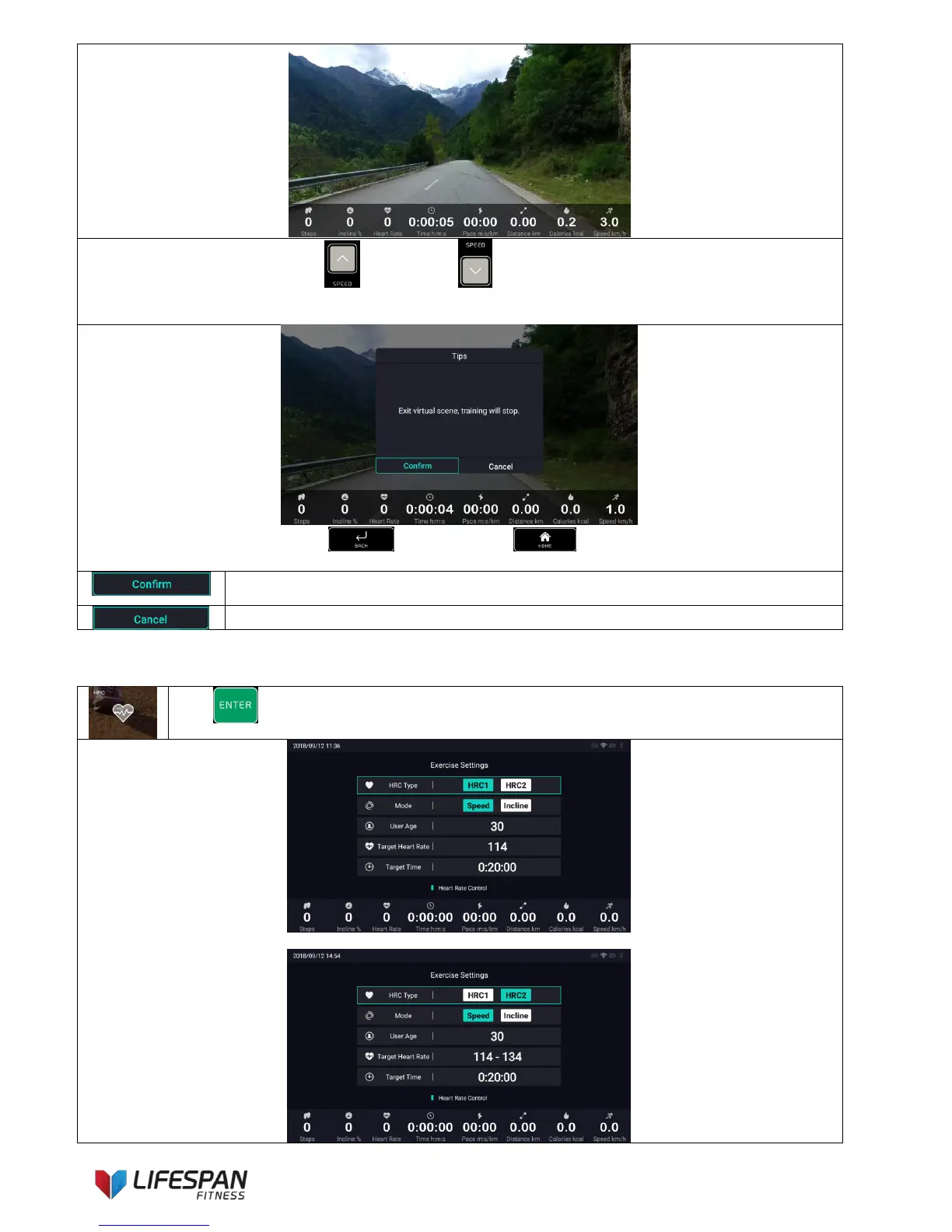
When running on the treadmill, press speed “+” and speed “-” on the keypad, the speed of the virtual
scene will change accordingly; in this function, the default value of incline is 0%, the user can adjust the value by
himself, but the incline of the virtual scene video will not change accordingly.
When running on the treadmill, press “BACK” button or “HOME” button, a notice of “Exit virtual
scene, training will stop” will pop up.
Click this icon to end the current virtual scene training, the exercise data will pop up, close
the workout performance interface to enter other sports functions.
Click this icon to continue with the current virtual scene training.
Press “ENTER” to enter this category, the display interface is as follows:
HRC1 represents Fixed heart rate mode



 To Next Page