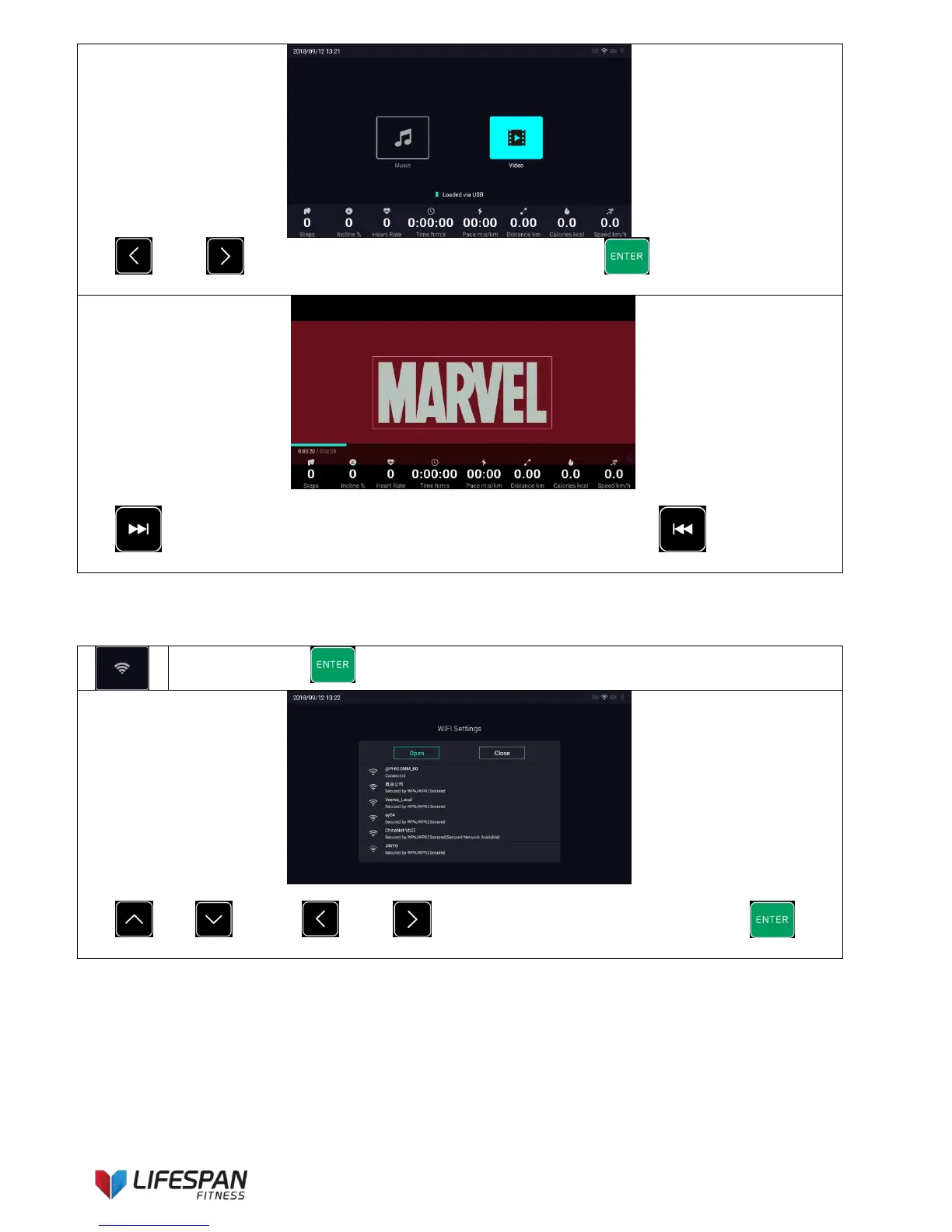
Use “LEFT”, “RIGHT” buttons to select the media category and use “ENTER” button to enter
this function (local video). The display interface is as follows:
Use “NEXT SONG" button to eliminate the treadmill parameter column and use "PREVIOUS
SONG" button to pop up the parameter column.
9. User Settings Icon Specific Function Description
Wi-Fi settings: Press “ENTER” button to enter this category, the display interface is as follows:
Use "UP", "DOWN", "LEFT", "RIGHT" buttons to select a WIFI network, press
"ENTER" button to enter the network signal password settings, the display interface is as follows.



 To Next Page